Final 1.2 Now Available
We’re excited to roll out the new Orders Management feature to enhance how you manage and view orders. Order Elements and Actions Create custom order lists to better organize and…

We’re excited to roll out the new Orders Management feature to enhance how you manage and view orders.
Order Elements and Actions
Create custom order lists to better organize and track your orders.
Dynamic Order Data
Group orders by date and view key details like:
Customer Name & Address
Assigned Employee
Order Total, Number (ID), Date & Time
Item Count & Source (POS, Woo and other Third-party sources)
Order Status (Completed, Full Refunded, Partial Refunded and Woo statutes.)
Improved Filters & Search
Use enhanced filters and multi-choice dropdowns for:
Order Status, Source, Outlet, and more.
Refund Workflow
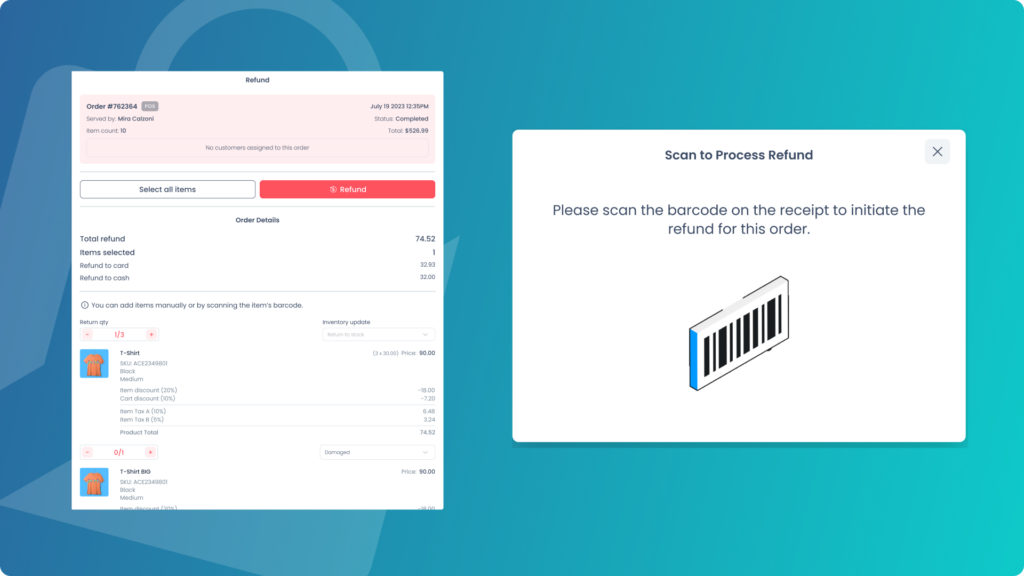
Refunds now feature a pop-up with an active scanner for easy product scanning. The customer section is expandable for easier access.
Pre-set Order List Designs
Choose from pre-set designs for better order list displays, similar to product grids.
State Manager
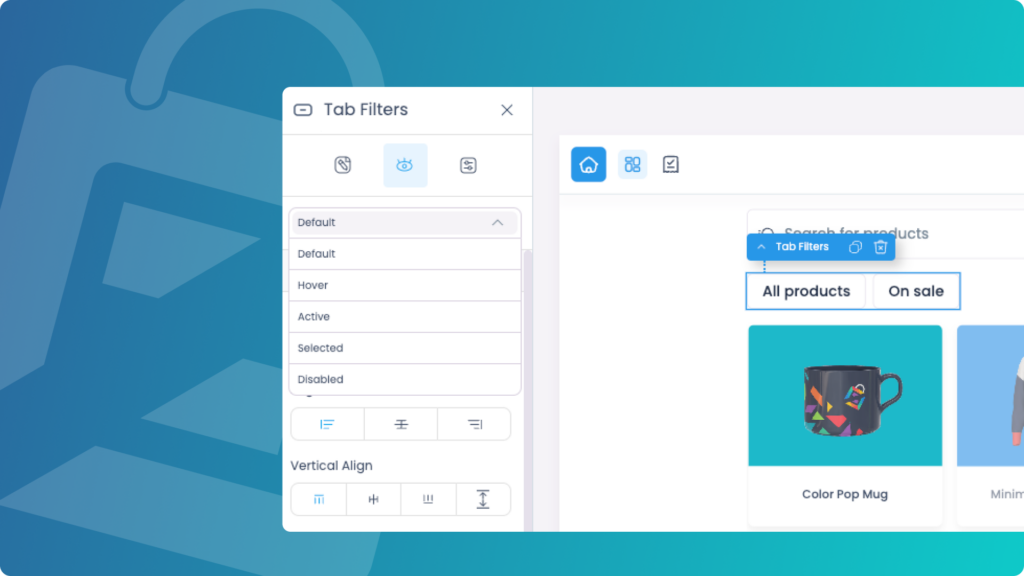
We’ve introduced a new State Manager that allows you to design elements in different states for improved interaction and visual feedback.
Element States
Design elements in various states, including:
Default
Hover
Selected
Active Mode
Disabled
Error
This update gives you greater control over the user experience, providing clear visual cues and improving interactivity.
Custom Payments
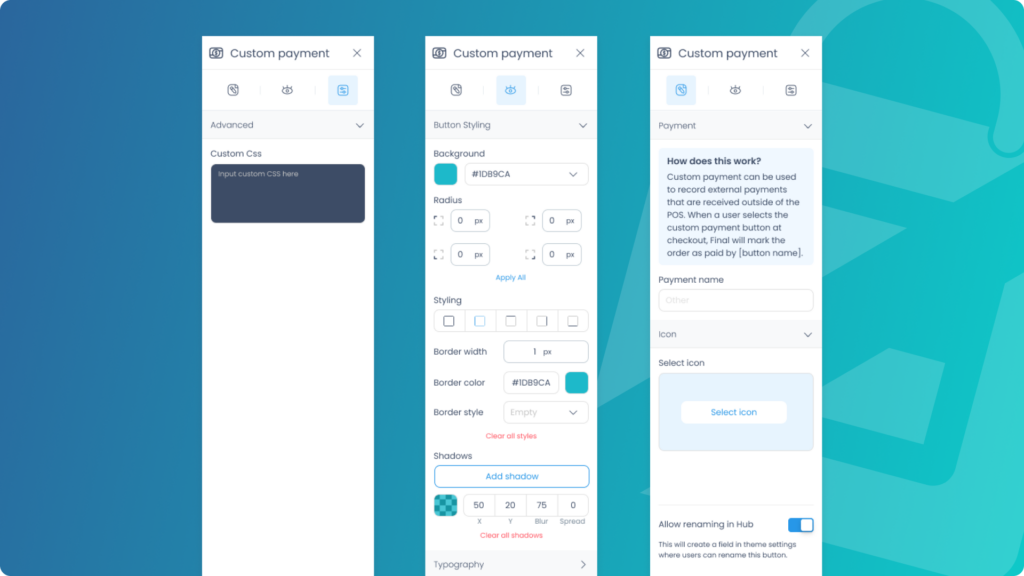
We’re introducing Custom Payments, providing flexibility to record and process orders using external payment methods that don’t require integration with our built-in systems.
Alternative Payment Processors
Businesses can create custom payment buttons to track payments made through external processors, like a third-party payment gateway.
Custom Payment Methods for Specific Needs
Some businesses may want to add specific payment methods, such as accepting paper cheques.