



Final 1.4 Now Available
We’re excited to roll out Final POS 1.4, an update that expands the reporting tools in the HUB, introduces new Builder functionality, and launches subscription plan management in…
We’re excited to roll out Final POS 1.4, an update that expands the reporting tools in the HUB, introduces new Builder functionality, and launches subscription plan management in CDK. These improvements help organizations customize their POS experience more effectively, gain deeper operational insights, and prepare for more scalable deployment options.
Reports: Enhanced Visibility into Key Business Metrics
We’ve added three powerful reports in the HUB to provide greater insight into daily operations.
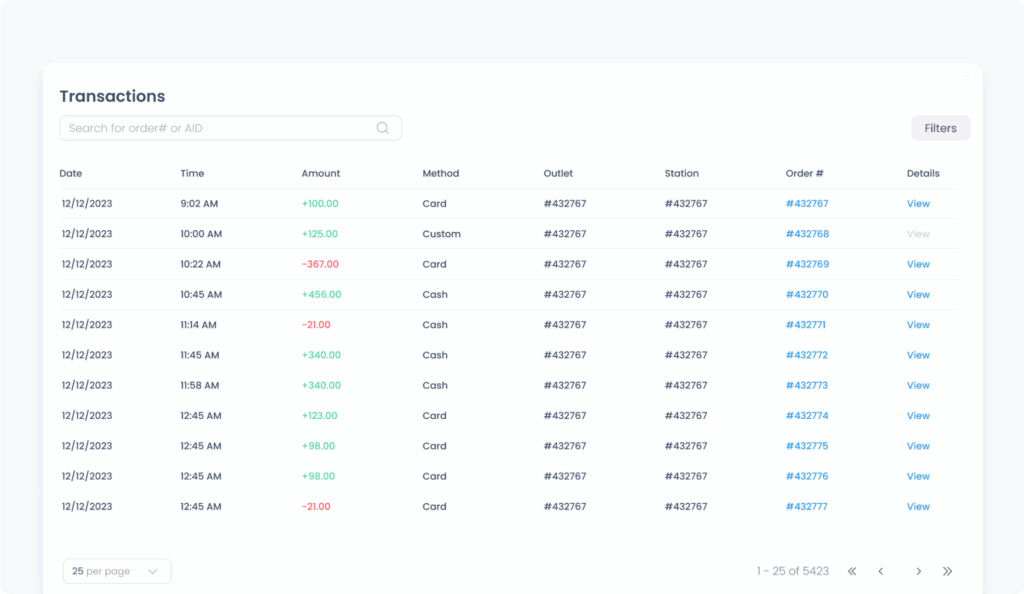
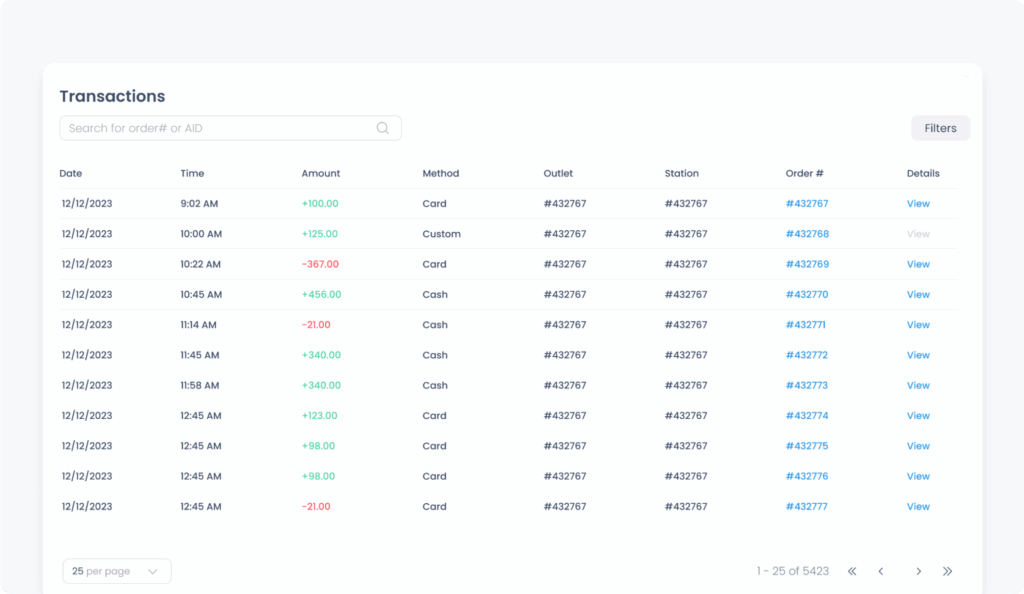
Transaction Report
The Transaction Report allows owners and managers to view card and cash transactions in one unified table. Users can filter transactions by status, outlet, station, payment method, and more. Clicking “View” on a transaction opens a detailed pop-up, showing brand, card type, authorization code, fees (when applicable), and transaction source.
Example use case:
A store manager wants to investigate a partial refund from yesterday. They can filter by date and status, then click “View” to see the processor used, authorization ID, and refund amount.
This improvement makes it easier to:
Track and verify all payment activity across devices and users, without needing to export or cross-reference external logs.
Employee Sales Report
This report offers a breakdown of sales activity by staff member, including gross and net sales, discounts, refunds, and taxes. It supports filters by user, date range, outlet, and more.
Example use case:
A franchise owner can pull a report for the past week to evaluate team performance across locations and ensure accurate payroll reporting.
This improvement makes it easier to:
Understand individual sales contributions, detect anomalies, and support performance-based incentives.
Include Custom Sale
Introducing Custom Sale — a flexible new way to sell non-standard items on the fly, with the structure and clarity of regular products.
On the reporting side, Session Reports have been updated to include custom sales, and both the End-of-Session printout and financial summary now reflect them clearly.
CDK Subscription Plans: Scalable Feature Management
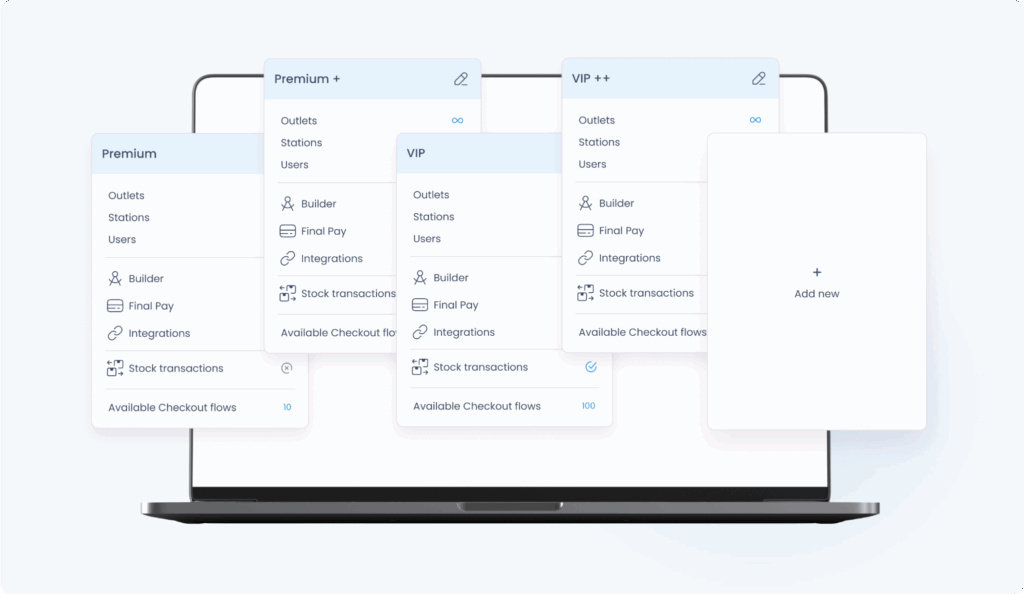
This release introduces support for plan-based access control via CDK. Admins can now define and assign plans per organization, controlling access to specific Builder features and extensions.
What’s New in CDK
Create plans with unique names, checkout flows, and extension access.
Assign or override plans for each company manually.
When creating a new company, you can select or change the plan at any time.
Example use case:
Final can offer a “Starter Plan” that excludes advanced features like custom payments or third-party extensions, and a “Pro Plan” that unlocks the full Builder experience.
How It Appears in the HUB
Companies can view their assigned plan on the Billing page.
Only extensions included in the plan are displayed and available.
Companies needing upgrades are prompted to contact their organization to change their plan.
This improvement makes it easier to:
Offer modular, scalable solutions for organizations of different sizes or business needs—while controlling feature exposure across environments.
Builder: New Elements and Actions
Divider (New Element)
A simple but useful visual component that lets users separate sections of the checkout screen for clarity and usability. Spacing, width, and placement are fully configurable.
Example use case:
Separate payment methods from cart summary or split grouped products for a cleaner layout.
This improvement makes it easier to:
Design intuitive layouts that guide users and reduce checkout confusion.
Custom Sale
What it does:
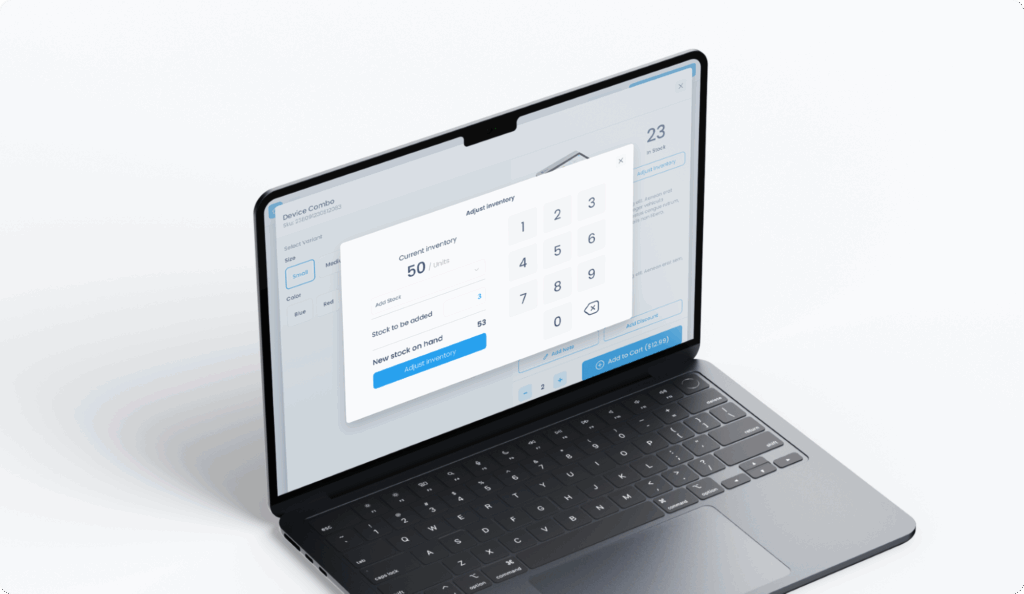
Custom Sale lets staff quickly add on-the-fly sale items that aren’t in the product list. They can enter a price, rename the item, and adjust the quantity before adding it to the cart. The item appears as a separate line, just like a regular product, making it easy to track and manage.
To support this, we’ve added new elements and actions to the Builder.
Example use case:
A spa using Final POS can add a one-time “Gift Basket” for $49.99 during checkout, without needing to pre-configure it in inventory.
This improvement makes it easier to:
Quickly sell custom or seasonal items while still capturing accurate reporting and taxation data.
Cart Fee & Product Fee
Looking for more control over how extra charges are applied at checkout? With Cart Fee and Product Fee, it’s now easier to handle flexible pricing directly in the app or a fixed fee in builder.
Cart Fee:
A Cart Fee applies to the entire cart, not just a single product. It’s ideal for delivery charges, service fees, or other cart-wide add-ons.
There are two ways to apply a Cart Fee:
– Enter it manually during checkout via the Cart Fee dialog (triggered by the Cart Fee action)
– Set up a fixed fee in Builder to apply automatically on trigger
Examples:
– A cell phone store adds a 2% “connection fee” to new device sales
– A bakery manually enters a delivery fee based on distance
Product Fee:
A Product Fee increases the price of a specific item—like the opposite of a discount. It can be directly in the app or a fixed amount or a percentage.
Product Fees can also be:
– Entered manually during checkout via the Product Fee dialog
– Predefined in Builder and triggered automatically
Examples:
– A bakery charges $2 for a custom cake message
Summary
With Final POS 1.4, we continue building a flexible, modular system that adapts to how your business operates. These new tools are already live and available across HUB, CDK, Builder, and Render.
Questions? Feedback? Need assistance rolling out these features?
As always, our team is here to help.