



What’s New: January 2026
Happy new year! We’re kicking off 2026 with all the momentum we build up last quarter, with new features and quality-of-life updates to make your POS experience smoother and feel…

Happy new year! We’re kicking off 2026 with all the momentum we built up last quarter, with new features and quality-of-life updates to make your POS experience smoother and feel more “you”.
At a Glance:
Custom Payments Extension – accept and track external or 3rd-party payment types at checkout
Tax improvements in Manage – a clearer, easier way to set up and manage taxes in Final.
Connect cloud payment terminal directly from Station Home
Dramatically increased sync speed for WooCommerce store data
Tips breakdowns per user on EOS reports
Tax improvements in Manage
One exciting improvement we’ve been working on is making tax settings much easier and more intuitive to set up and manage in Final.
Some of the key changes are that Tax Classes are now called Tax Groups. By default, each Outlet has a standard tax group that contains its default tax rate, set during onboarding or when creating new Outlets. Products automatically use this default setup, helping you get started faster with fewer configuration steps.
If you need special rules (like certain foods, books, or luxury cars), you can now create additional Tax Groups. These groups can reuse the Outlet’s default rate, use newly created rates, or combine multiple rates with full control over the calculation order (including compounding/tax-on-tax scenarios). This makes it much easier to configure products that require different tax behaviours across Outlets. We also added “Tax Exempt” as a default option, so you can easily apply it to any relevant products without additional steps required.
The Taxes page has also received a UI refresh with clearer labels, better tooltips, and improved ordering, making it easier to understand how taxes are calculated.
Overall, taxes are now cleaner, faster, and far more intuitive—especially for businesses operating multiple stores across different regions.
New Extension: Custom Payments
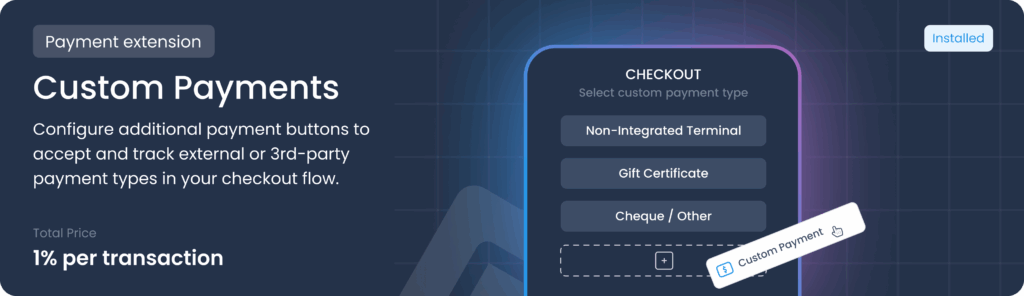
We’re excited to introduce the Custom Payments extension, which lets companies add their own payment types to Final — beyond the two built-in options, Cash and Card payments via Final Pay. This gives you the flexibility to complete orders using all the payment methods your customers prefer.
With Custom Payments, companies can create simple “Pay with ______” buttons in their POS to record 3rd-party or external payment types. This can be anything from cheques, PayPal, e-transfers, or even using a different card processor, helping you tailor your POS system to your business needs. These payments aren’t processed through Final — they’re recorded manually so the order can be completed.
For example, if a company accepts cash, cards, cheques, e-transfers, and PayPal, Cash and Card are already built-in, but they would create custom payment types for the rest. Once the extension is installed, these custom payment buttons can be added in your flow using the builder or the Payment Grid, depending on your setup.
Read more about Custom Payments and how to set it up here.
Improvements:
Connect cloud payment terminal directly from Station Home: Much faster flow to connect cloud (Wi-Fi) payment terminals to your POS device. Instead of navigating between the Pay tool and Station Home, all steps can now be completed within Station Home and the terminal.
Dramatically increased sync speed for WooCommerce store data: We have made an extra effort to make onboarding as quick and painless as possible, and this includes faster syncing of products, customers, and orders from your WooCommerce online store and your new POS. As a result, this sync process is now over 10x faster than before, with some stores fully syncing in just minutes. Read more about how to connect WooCommerce to Final POS here.
Tips breakdowns per user on EOS reports: A Tips Summary is now added to your end-of-session reports (if your store has tips enabled) showing which user received what amount of tips for that session. This integrates with the Pincode functionality that encourages switching users between sales for optimal tracking.
Ready to get started for FREE? Begin your journey here: https://finalpos.com/