



Giới thiệu Final POS: Công cụ Xây dựng Điểm bán hàng Thế hệ Tiếp theo
Final POS là một công cụ xây dựng điểm bán hàng thế hệ tiếp theo cho phép các chủ cửa hàng, đại lý và nhà phát triển dễ dàng tạo ra các trải nghiệm thanh toán được tùy chỉnh hoàn toàn.
 Mathias NielsenCEO, Final POS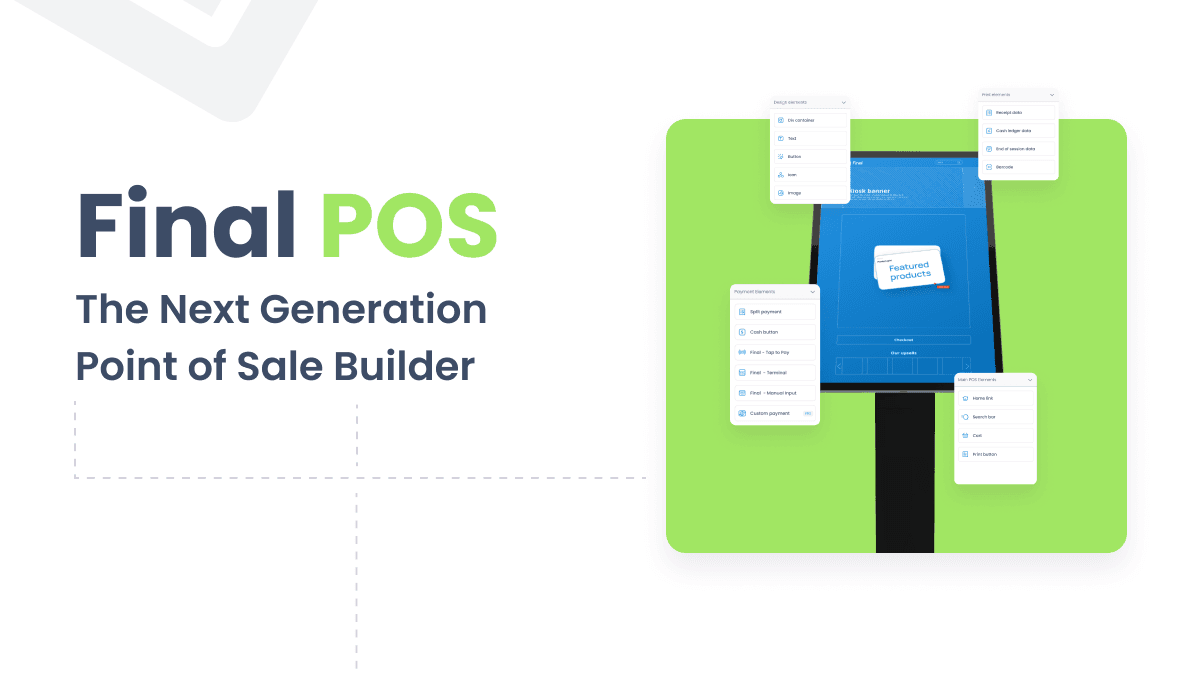
This has led to the ever-changing retail environment and the corresponding need for poss systems to be flexible and potent. Now, let’s welcome Final, an innovation that is yet to be unveiled and could soon change how various companies approach their checkout processes. Final’s next-generation POS Builder empowers store owners; resellers and developers by giving them the highest level of POS customization while at the same time making development effortless.
Key Features of Final's POS Builder
Easy to use customization allowing for real-time modification of attributes.
A real-time sync of the product based on the current stock.
It can cater to most formats suitable for different screen resolutions.
Combination payments, including tap-to-pay", as a payment type.
Getting Started with Final
Essentially, Final can be considered a tool for creating a non-standard POS and at the core of the service is the interface that simplifies the management process. The interface is divided into several key panels: The following components of web design can effectively be improved by responsive design: the elements, the page, the action and the structure. All the above components are important in building the ideal layout of the POS.
https://www.youtube.com/watch?v=yU-zzuU0tDY&t=1s
Designing Your Custom POS
For those who are aiming to make the checkouts as simple as possible, Final has a one-page POS checkout feature. While it may be adapted to fit a range of resolutions, a good many have noted that it is well optimized for, for example, desktop units. This is controlled through the builder’s interface where one can easily navigate, zoom in and out and make those slight adjustments in order to get everything just right.
Steps to Create Your Custom POS
A logo
Use of product grid layout
Configure the dynamic product selector
Adjust/modify text ingredients and design
Include functional buttons
Integrate payment options
Dynamic Product Display
Unique to Final is its product selector that is operating dynamically. This instrument enables the system to update its data in real time depending on the existing stock, and the customer gets a correct description of the product at the time of purchase. Users can change the aspect of the images of products, to make them adopt the ‘cover mode’ to give a neat look and the corners to round them in order to have a modern touch look.
Enhancing Functionality
The functionality of any POS system is of great importance and in this Final has been responsive to the call. It is very convenient to include such basic components as a home button, and a cart feature, which slides out to show selected items. These can be designed to blend with the other designs in the general theme while at the same time serving the needed purpose.
Advanced Features:
When the product has multiple available choices it is used to select a variation of a product.
Pull out the drawer to help to deal with the orders.
The last option is that, depending on the nature of the business, payment methods may be more specific and can be incorporated according to the company’s preference.
Real-time inventory synchronization
Payment Integration
That is why when it comes to payments Final provides a wide range of integration options. The standard payment options buttons can be added by the users and even such the advanced features like tap to pay for the mobile devices are also incorporated. This flexibility makes it possible for the businesses to meet the needs of the customers through extending the payment options that are most convenient to them.
Finalizing and Deploying Your POS
Final’s platform also comes in handy when the design is almost done making it easier to review and make further adjustments. Users can easily control the padding and margins in order to achieve a clean look on all types of devices. Once ready, the build can be published with a few clicks and it will be synchronized with all connected devices and bring the customized POS solution to reality.
Deployment Steps:
Review and adjust the layout for all devices
Fine-tune styling and functionality
Publish the finalized build
Sync with connected devices
The Future of Retail POS
The release of Final’s next-generation POS Builder is a breakthrough in retailing solutions. With Final, the tool of customization is given straight to the owners of businesses and developers, which means new horizons for developing individualized and effective checkouts. Being an owner of a small boutique or having a large chain of stores, Final’s POS Builder will enable you to fully compete and succeed in the fast-changing market world.
Benefits of Final's POS Builder:
Customizable to fit any brand identity
Scalable for businesses of all sizes
Continuously updated with new features
Improves customer checkout experience
As the retail world continues to evolve, tools like Final's POS Builder will undoubtedly play a crucial role in shaping the future of in-store and online shopping experiences. By embracing this innovative platform, businesses can ensure that their point of sale systems are not just functional, but truly tailored to their unique needs and brand identity.
The future of retail is here, and it's customizable. With Final's next-generation POS Builder, businesses now have the tools they need to create checkout experiences that are as unique as they are. It's time to step into the future of retail – are you ready to build your perfect POS?Bắt đầu ngay
Câu hỏi thường gặp
Final POS Builder là gì?
Final POS Builder là công cụ xây dựng điểm bán hàng thế hệ mới được thiết kế dành cho các chủ cửa hàng, đại lý và nhà phát triển. Công cụ này cung cấp giao diện kéo thả để tạo bố cục POS tùy chỉnh hoàn toàn mà không cần công việc phát triển phức tạp. Người dùng có thể điều chỉnh các yếu tố, trang, hành động và cấu trúc theo thời gian thực.
Final POS hỗ trợ những tùy chọn thanh toán nào?
Final POS hỗ trợ nhiều tùy chọn tích hợp thanh toán, bao gồm các nút thanh toán tiêu chuẩn và các tính năng nâng cao như chạm để thanh toán (tap-to-pay) cho thiết bị di động. Các doanh nghiệp có thể cấu hình các phương thức thanh toán để phù hợp với nhu cầu cụ thể và sở thích của khách hàng.
Final POS có đồng bộ kho hàng theo thời gian thực không?
Có, Final POS bao gồm một bộ chọn sản phẩm động giúp cập nhật dữ liệu sản phẩm theo thời gian thực dựa trên mức tồn kho hiện tại. Điều này đảm bảo khách hàng luôn nhìn thấy tình trạng còn hàng chính xác tại thời điểm mua hàng.
Final POS có thể hoạt động trên các kích thước màn hình và thiết bị khác nhau không?
Final POS được thiết kế để hỗ trợ nhiều độ phân giải màn hình và loại thiết bị khác nhau. Sau khi bản dựng được xuất bản, bản dựng đó sẽ đồng bộ hóa với tất cả các thiết bị được kết nối, giúp nó phù hợp với máy tính để bàn, máy tính bảng và các thiết lập di động.
Làm thế nào để tôi xuất bản và triển khai một POS được xây dựng bằng Final?
Sau khi thiết kế bố cục, bạn xem lại và điều chỉnh khoảng đệm, lề và kiểu dáng cho tất cả các thiết bị. Khi đã hài lòng, bạn xuất bản bản dựng hoàn thiện chỉ với vài cú nhấp chuột, và bản dựng đó sẽ tự động đồng bộ hóa với tất cả các thiết bị được kết nối.