



适配任何品牌、工作流或设备的自定义结账流程
通用的 POS 结账已不再适用。了解模块化基础设施如何让您为任何品牌、设备或行业构建自定义结账流程。
 Mathias NielsenCEO, Final POS
Let’s face it — the era of generic one-size-fits-all POS is over. Today’s businesses aren’t looking for cookie-cutter checkouts. They want a checkout flow that matches their brand, their workflow, and the devices they operate on.
Whether it’s a pizza chain handling hundreds of lunch orders through kiosks or a boutique coffee brand offering table-side tablet checkout, modern retailers expect tech that adapts to their workflows, not the other way around. And increasingly, they’re asking their tech partners to deliver just that.
For agencies and resellers, that means more pressure to build custom checkout flows — without creating a nightmare of complexity to manage. This post breaks down how modern, modular checkout infrastructure makes that possible.
The Power of Custom Checkout Flows
Now that we’ve established that the future of checkout is custom, the next question is: What actually makes a flow “custom”?
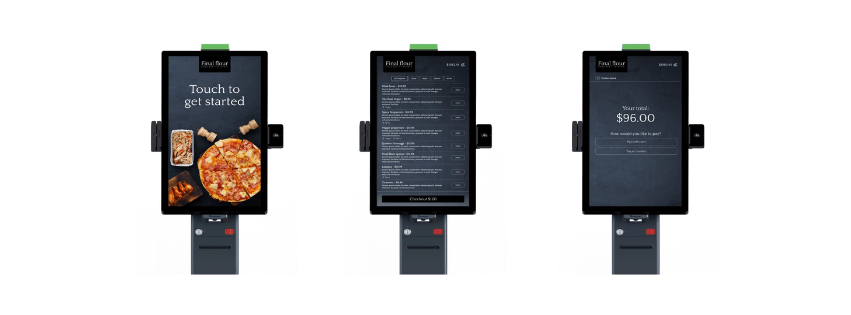
Spoiler alert — it’s not just the visuals. Yes, branding matters (and we’ll never neglect that), but real custom checkout flows go far deeper.
We’re talking about the ability to tailor how the checkout behaves based on your client’s needs. That includes payment types, PIN logic, employee permissions, device-specific layouts, kiosk modes, fees, taxes, discounts — all of it.
A few examples:
**QSR **自助终端: 快捷支付 + 增售按钮 + 订单摘要
零售平板电脑: 员工登录 + 商品备注 + 折扣控制
移动 POS: 自定义销售 + 快速费用输入 + 小费开关
This means that if your POS infrastructure supports true customization, you no longer have to operate within rigid, one-size-fits-all frameworks. Instead, you can deliver custom checkout flows that feel tailor-made and adapt to how each business runs.
Build & Deploy Everywhere
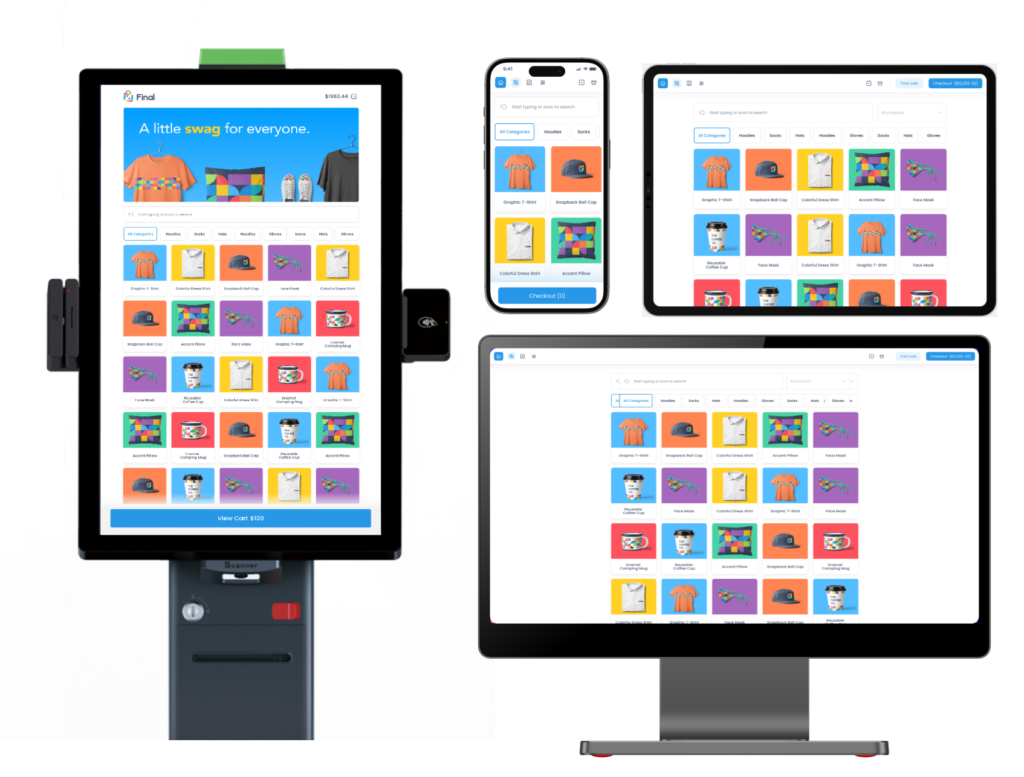
Retailers want flexibility, and many modern businesses don’t operate on just one device. They use multiple: Kiosks, tablets, mobile terminals, and desktop stations — all to give customers the best possible experience.
With the right POS (like Final POS), you shouldn’t have to find a separate solution for building flows on each device. Custom flows can be created within the same infrastructure, meaning you can keep colours, fonts, buttons, etc. consistent across experiences.
Example:
专注于自助服务的自助终端版本:大按钮,极简步骤
带有商品备注和折扣的员工平板电脑版本
用于排队分流或户外服务的移动版本
This allows agencies and resellers to scale fast, while still offering each client a checkout experience that feels truly tailored to how they work, without the chaos.
Built for Real Workflows — Across Industries
Custom checkout flows don’t just mean device-specific. It also means adapting to how different industries operate.
A fast-paced coffee shop needs tipping and speed.
A boutique retail store may prioritize staff control, product notes, and flexible discounts.
A growing franchise brand needs consistency across locations, but room for outlet-level tweaks.
With Final POS, you can configure flows that match the real workflows of each vertical and roll them out fast. Read more about how here.
Link Payment, Fee, and More Actions Based on Need
One of the most overlooked aspects of custom checkout flows is the ability to control what actions are available — and when. That’s where a flexible POS really proves its worth.
With a system like Final POS, you can fully embrace this level of modularity. It gives you precise control over every part of the checkout experience. So whether your client needs a basic one-step payment or a multi-layered flow with notes, tips, and taxes, you can deliver it.
Build flows that include or exclude:
**支付类型**(现金、快捷支付、云终端、自定义支付)
商品或购物车费用(例如,“生日蛋糕费”、“配送费”、“瓶子押金”)
税费开关以及基于商品或地区的逻辑
用于跟踪或限制访问的员工 PIN 码
Centralized management
Now that we’ve established that you want to deliver flexibility and custom checkout flows to your clients, it’s important to ask: How do you do that — without making your own life harder?
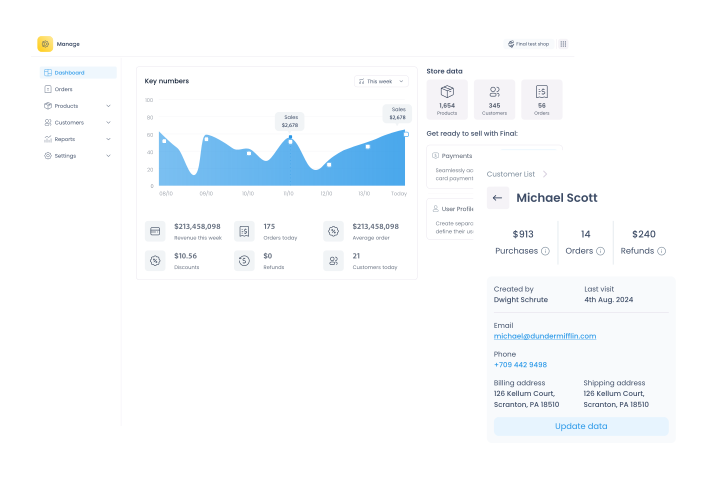
Customization is one thing. But true success comes when your POS lets you manage it all from a single dashboard — without creating chaos behind the scenes.
That’s where Final POS changes the game.
Each client can have a fully customized front-end: different checkout flows, languages, device logic, and branding. But behind the curtain, the backend remains unified — with shared analytics, centralized reports, and synced product and flow data across the board.
That balance — between full customization and centralized control — is what makes modern POS infrastructure essential.
Let Us Handle the Software
Your clients don’t just want a POS. They want checkout flows that are fast, flexible, and on-brand.
And as in life — there’s no such thing as a perfect fit… unless you create it yourself. That’s what makes Final’s approach so game-changing. We’re not here to sell you a one-size-fits-all POS. We’re here to empower you to build something extraordinary for your clients.
Final POS gives the infrastructure to create custom checkout flows that are flexible, fast, and scalable. So instead of drowning in custom dev work, you can focus on what actually moves the needle: Creating great client experiences, growing your business, and scaling smart.
常见问题
POS 系统中的自定义结账流程是什么?
自定义结账流程允许您设计和控制结账体验的每一步,例如付款、客户信息和商品处理。借助 Final POS,您可以使用拖放工具来构建流程,无需任何编码。它会与您的电子商务平台保持实时完全同步。
Final POS Builder 如何帮助匹配客户的品牌形象?
借助 Final POS Builder,您可以完全自定义字体、颜色、布局、徽标、支付按钮等,以体现任何品牌风格。它包含 30 多种 UI 工具、预建模板和高级样式选项,可确保所有销售渠道的一致性。
我可以为移动端、桌面端和自助终端体验创建不同的结账流程吗?
是的。Final POS Builder 允许您构建针对特定设备的流程,例如移动优先结账、平板自助终端或厨房显示屏。您可以按设备类型发布流程,从而使体验完全契合硬件和使用场景。
Final POS 中的实时电商同步是如何工作的?
产品数据、价格、税费、库存水平和客户信息会自动从您的电商平台(例如 WooCommerce)中拉取。无需重复录入数据——所有内容实时更新,从而减少了错误和手动工作。
Final POS Builder 中的结账元素和操作是什么?
元素是视觉区块(如数字键盘、购物车或支付按钮),而操作则是行为(如提交销售或应用折扣)。您可以通过拖放来混合搭配它们,以构建您所需的任何结账逻辑——完全自定义。
代理商和分销商如何从自定义结账流程中获益?
分销商和网络代理商可以提供品牌化的白标 POS 界面,以匹配每个客户的视觉形象和工作流程。这种灵活性提高了客户价值和留存率,同时也更容易在不同行业中进行扩展。
是什么让 Final POS 与传统的 POS 系统与众不同?
Final POS 提供了完全的灵活性——实时电商同步、无代码构建工具、离线功能和模块化 UI 设计。与传统系统不同,它不会强迫您使用固定模板。您可以快速构建出客户完全需要的内容。