



POS System Design: 7 Key Principles for Effective Modern Retail Systems
Good POS system design affects sales, staff efficiency, and customer experience. These 7 principles show what separates a great system from a frustrating one.
 Mathias NielsenCEO, Final POS
In a time of fast-paced tech progress, POS system design leads the charge in changing the retail scene. Businesses can tailor their sales systems using tools like Final POS, creating POS setups that not only meet their operational requirements but also enhance the shopping experience for customers. A top-notch POS system is vital—it has a serious influence on how much you sell, keeps customers coming back, and makes day-to-day tasks run smoother.
Understanding POS User Experience
For employees to work well and customers to feel good about their shopping, you need a POS system designed just right. The user experience (UX) of a POS includes many important parts:
• User-Friendly Screens: understood displays that don't need much training
• Quick Processing: Fast handling of transactions to cut down on waiting
• Mistake Reduction: Built to lessen typical errors
• Wide Usability: Simple enough for team members with different tech abilities
Final POS caters to these points with its adaptable drag-and-drop setup helping shops set up POS systems that meet their unique requirements and the preferences of their users.
Guidelines for Top-Notch POS Design
Building Straightforward and Productive Interfaces
A core guideline for top-notch POS design is to build straightforward and productive interfaces. The interface must be clear letting users move through tasks without getting mixed up. This includes:
Make sure buttons and functions have clear labels.
Keep the layout neat and free from mess.
Put functions that are similar close together.
Final POS shows off this idea with a system for building interfaces where you can drag and drop things. Companies can make custom pos setups perfect for what they need making sure that the tools they use all the time are easy to get to. This sort of personal touch not only makes things work faster but also makes it easier for new staff to learn the ropes.
Creating for Quick Sales
When the store gets busy, keeping customers happy means working fast. To get a POS system ready for speedy sales, you'd look at:
A checkout process that doesn't waste time.
Finding items.
Payment options that work with a single touch.
A smart system that combines inventory control.
Final POS caters to businesses that need to be quick by syncing in real-time and offering an offline mode. Businesses can keep handling sales even if the internet goes down making sure everything keeps running without a hitch.
POS Design: Layout and Visual Principles
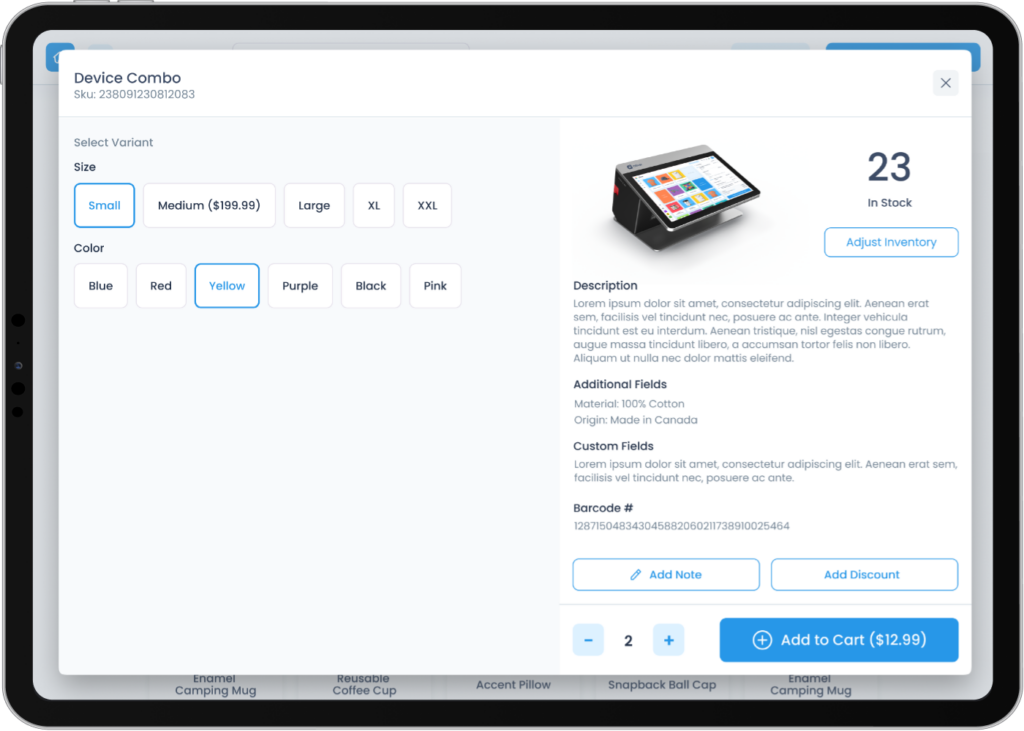
Effective POS design goes beyond software features — the visual layout and screen organisation directly affect how quickly staff can complete a transaction and how comfortable customers feel at the counter.
Key elements of a well-designed POS layout
Product grid placement: High-frequency items should appear in the top-left area of the screen, where the eye naturally lands first.
Colour coding: Using distinct colours for product categories reduces scanning time and minimises mis-taps on busy touchscreens.
Button sizing: Larger tap targets lower error rates, especially in high-traffic environments where staff may be moving quickly.
Receipt and payment area: Keeping payment actions visually separated from product selection prevents accidental order changes at the point of confirmation.
Customer-facing display (CFD) alignment: The layout shown to the customer should mirror the operator's screen in structure, building trust and reducing disputes at checkout.
A consistent point of sale system design — where colours, fonts, and element positions stay the same across every screen — means staff spend less time thinking and more time serving customers.
POS system layout for different retail environments
The right layout varies by business type:
| Environment | Layout priority | |---|---| | Quick-service restaurant | Large category tiles, minimal scrolling | | Retail boutique | Search-first, image-rich product grid | | Grocery / high-volume | Barcode-scan optimised, fast numeric keypad | | Kiosk / self-checkout | Extra-large buttons, simplified flow for untrained users |
Final POS addresses this with its drag-and-drop POS builder, letting businesses configure a POS system layout that matches their specific counter setup and customer flow.
Getting Faster and Better Performance
Making Response Time Shorter
To keep customers happy and make selling stuff easier, we've got to make sure POS systems work fast. Ways to do this are:
• Making checkout screens work faster• Using quicker ways to get data• Making backend stuff work better
With its cloud setup Final POS nails this by fetching and handling data super fast. This makes the system good at completing sales putting it ahead in the POS race.
Picking the Best Hardware
Picking the right equipment sets the foundation for a POS system's performance. Here's what to think about:
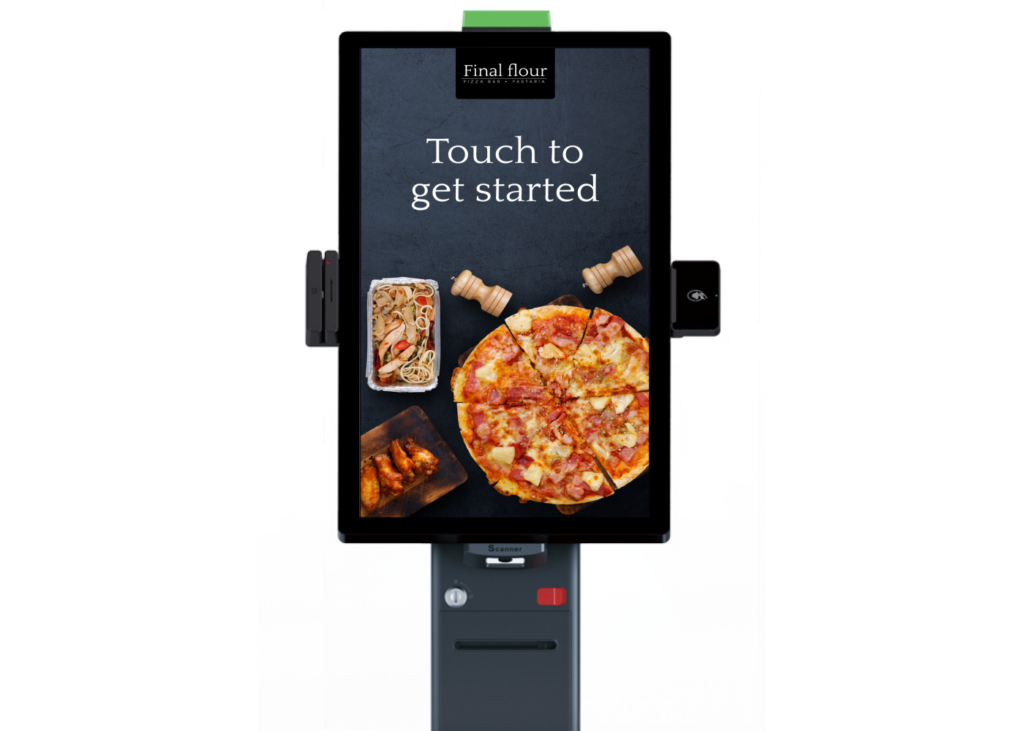
Does it work well with different gadgets like tablets and fixed terminals?
Is the touchscreen quick to react?
Can it handle a busy place?
Final POS gives you lots of choices working with all sorts of devices, whether they're Android, iOS, or Windows. This means businesses can find the equipment that suits what they need and what they can afford.
Making it Easier to Use
Simplifying the Learning Process
To make a POS system easier to use, it's crucial to make it simple for new users. This includes:
Design that feels familiar and is simple to use.
Help features or guides are included.
• Tailored interfaces that fit right into current work patterns
Final POS tackles this hurdle with its user-friendly interface builder that features drag-and-drop simplicity. This tool lets companies shape interfaces that match their unique work patterns.
Steady Design Features
When it comes to the POS interface having steady design features is crucial for ease of use. Look for things like:
• Matching layouts and colour palettes• Steady spots for frequent functions• Uniform words across the system
Final POS builder gives businesses the tools to ensure this steadiness with its adaptable templates making sure users feel at home with the interface in every part of the system.
Tackling Usual Design Issues
Navigational Trouble
Creating a navigation system that meets various user needs while keeping it simple is key. We can do this by:
Setting up a menu with levels
Adding a search feature for fast access
Making shortcuts that users can change for their regular jobs
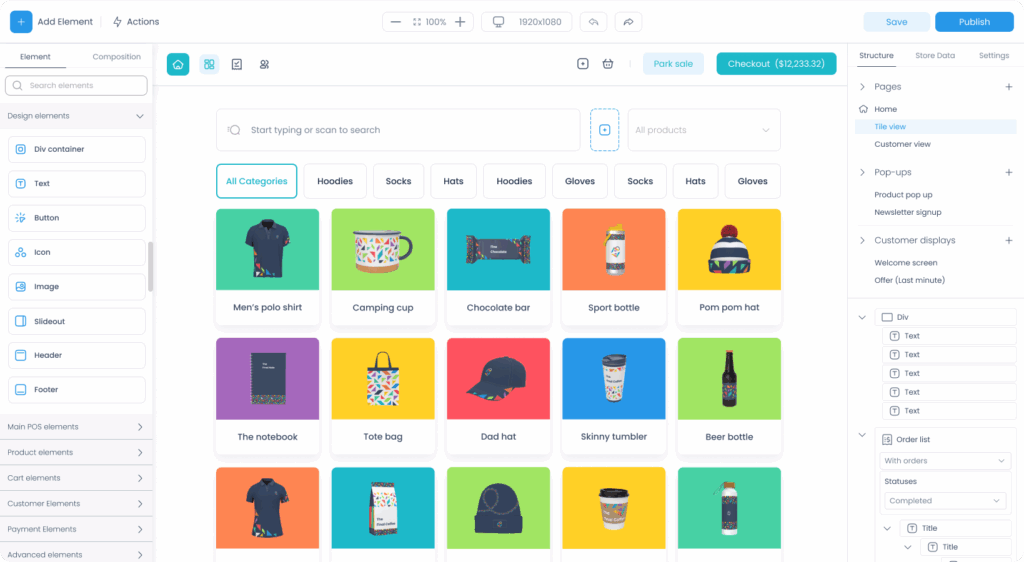
Our solution meets this need by letting businesses make their navigation setups using its easy drag-and-drop feature.
Clear Labels and Sorting
It's super important to have easy-to-understand labels for a point-of-sale system that works well. Here's how to do it:
Choose straightforward detailed words for labels
Use helpful visuals like symbols
Provide ways to sort products how you like
Wrapping Up
Creating a great POS system is essential for a business to do well in today's tough retail world. If businesses focus on making their POS systems quick and easy to use, while also prioritizing a good customer experience, they can build systems that not only meet their needs but also make customers happy and help the business grow.
Final POS is a great example of these ideas in action delivering a system that's both customizable and simple to use, ready to adjust to the specific needs of different businesses. Looking ahead, the need for POS systems that are both flexible and strong is going to increase. Solutions like Final POS, with a strong focus on being customizable and giving a top-notch customer experience, are geared up to be important in developing the future of how retail works.
Frequently asked questions
What makes a good POS system design?
A good POS system design prioritizes clear, uncluttered interfaces, fast transaction processing, and ease of use for staff with varying technical skills. It should also reduce common errors and support quick onboarding for new employees.
How does POS design affect checkout speed?
POS design directly impacts checkout speed through streamlined workflows, single-touch payment options, and real-time inventory sync. Systems that also support offline mode ensure sales continue even when internet connectivity drops.
What hardware considerations matter for POS system design?
Key hardware considerations include compatibility with tablets, fixed terminals, and different operating systems like Android, iOS, and Windows. Touchscreen responsiveness and the ability to handle high-traffic environments are also important factors.
How can businesses reduce the POS learning curve for new staff?
Using a drag-and-drop interface builder lets businesses create layouts that match their existing workflows, making the system feel familiar from day one. Built-in help features and consistent design patterns across the interface also shorten training time.
Why is consistent design important in a POS interface?
Consistent layouts, color schemes, and terminology help staff navigate the system confidently without having to relearn patterns in different sections. This steadiness reduces mistakes and speeds up daily operations.
What is the best POS system layout for a busy retail environment?
In high-traffic retail environments, the best POS system layout places frequently used items and categories in prominent screen positions, uses large tap targets to reduce errors, and minimises the number of steps to complete a transaction. A barcode-scan-optimised layout with a fast numeric keypad also helps in high-volume settings.
What does point of sale system design include?
Point of sale system design covers the visual layout of the screen, the placement of buttons and product categories, colour coding, hardware selection, and the overall workflow from item selection through to payment. Good design ensures the system is fast, intuitive, and consistent across every screen.