



Discover the Final POS Tool Suite for Smarter Retail Management
The Final POS tool suite covers every part of retail operations—from inventory management to custom checkout flows and integrated payments.
 Mathias NielsenCEO, Final POS
Running a retail business can be complex, but the right POS software tools can make all the difference. We’re excited to introduce the Final POS Tool Suite—the best POS suite for modern retail management software. This complete set of solutions is designed to help you Manage, Build, Run, Pay, and Scale your business efficiently.
Whether you’re a store owner, agency, franchise, or growing retail chain, our suite gives you full control over your operations and checkout processes.
In this article, you’ll discover why Final is more than just another POS system for retail. You’ll get a clear overview of each specialized tool, designed to handle a distinct part of the checkout workflow, and learn how they help your business save time, increase efficiency, and improve the customer experience.
The Final POS ecosystem: Powering Custom Checkout Solutions
But first, let’s take a closer look at what makes Final a powerful platform for building and managing checkout systems. Final is designed to support fully custom experiences, rather than cookie-cutter templates. As a complete checkout infrastructure, it brings together everything needed to create, deploy, and distribute a POS solution.
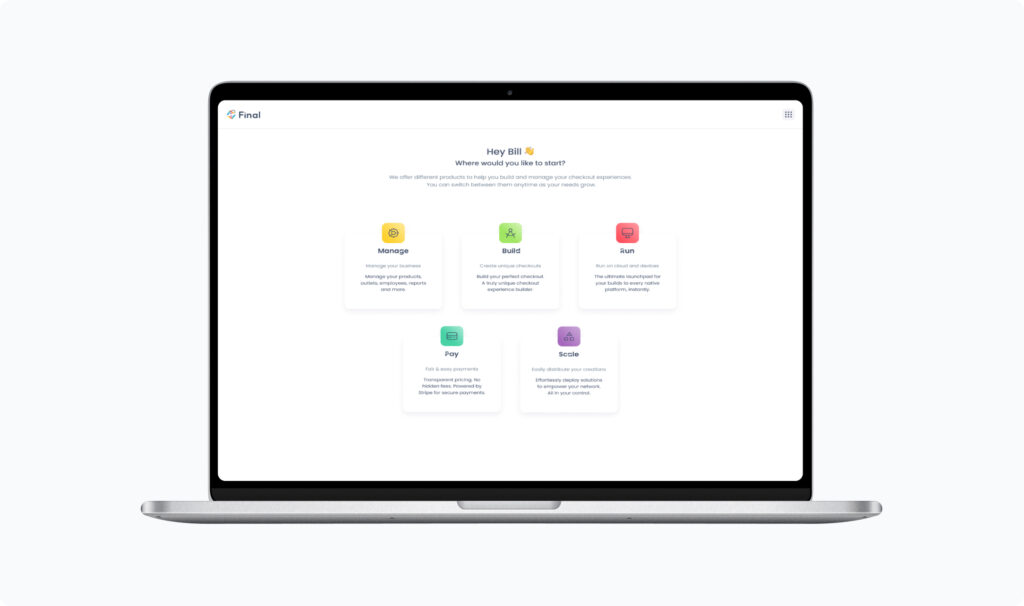
The platform is composed of several specialized tools, each serving a distinct part of the checkout stack:
Manage: Set up and maintain the operational foundation of each business.
Build: Design fully custom checkout flows using a no-code, drag-and-drop interface.
Run: Deliver the live checkout experience on physical devices.
Pay: Enable and track integrated payments.
Scale: Distribute solutions across multiple businesses.
Manage: Centralize and Optimize Your Store Operations
What is Manage?
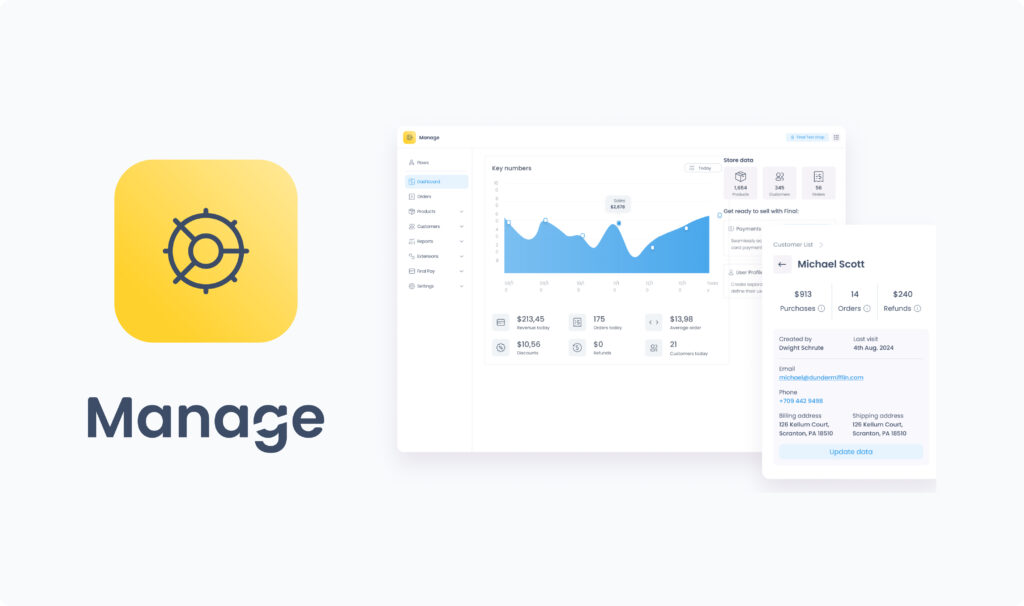
Manage is your business command center within the Final POS ecosystem. It centralizes operational management for a single company, allowing you to handle everything from inventory tracking and product catalogs to pricing, outlets, user roles, and tax settings.
Key Features and Use-Case Examples
Manage provides a complete overview of sales performance and key business metrics, supporting informed operational decisions. It also lets you install extensions to add specialized functionality tailored to your business needs.
How can Manage help your team?
Manage helps your team oversee day-to-day operations by enabling you to:
Create and edit products, product options, and categories
Assign tax settings and organize inventory by outlet
Add users and assign roles for team access
Access reports such as sales summaries and transactions
Customize operational settings per location
Install and configure extensions
Whether you’re a store manager or company admin, Manage brings together all the essential retail management software tools to oversee and optimize day-to-day operations in one place.
Learn more: Manage on Final POS | Manage Help Center
Build: Design Fully Custom Checkout Flows
What is Build?
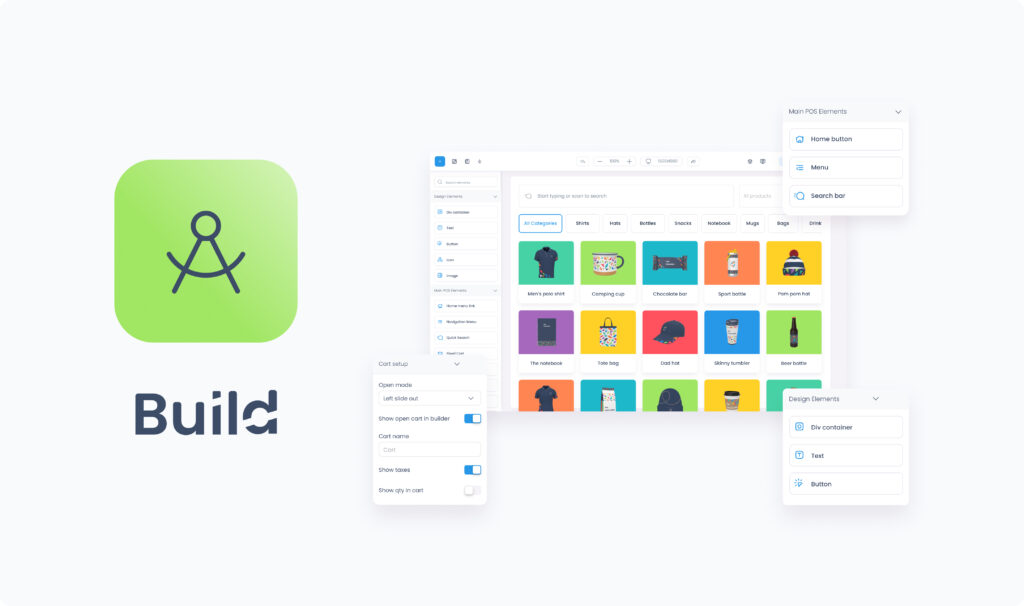
Build is Final’s core tool, and it's what sets up apart from one-size-fits-all POS systems. It empowers you to create fully customized checkout flows, defining how the in-person experience should look and behave, all through a visual, no-code drag-and-drop interface.
Key Features and Use-Case Examples
With Build, you can design screens, logic, layouts, and functionality tailored to specific business needs. Its key strength is flexibility:
Create flows customized for a single company’s unique requirements
Build reusable flows that adapt dynamically across multiple companies, with styling, data, and settings that adjust automatically
Deliver consistent branding by tailoring colors, fonts, and layouts
Iterate quickly on checkout experiences without writing code
Start from pre-built templates for desktop, mobile, or kiosk, or a fresh flow from the ground up.
This makes Build an essential tool not only for individual businesses but also for agencies, service providers, and platforms managing multiple clients with distinct needs.
How can Build help your team?
Build allows your team to:
Streamline checkout design without relying on developers
Adapt checkout flows to meet changing customer needs
Save time by reusing templates and workflows across locations
Ensure a smooth and consistent experience across all stores or clients
Ready to start building your own custom checkout flows? Learn more about Build or visit the Build Help Center to see how it can fit into your business.
Run: Power Your Checkout Experience Across Devices
What is Run?
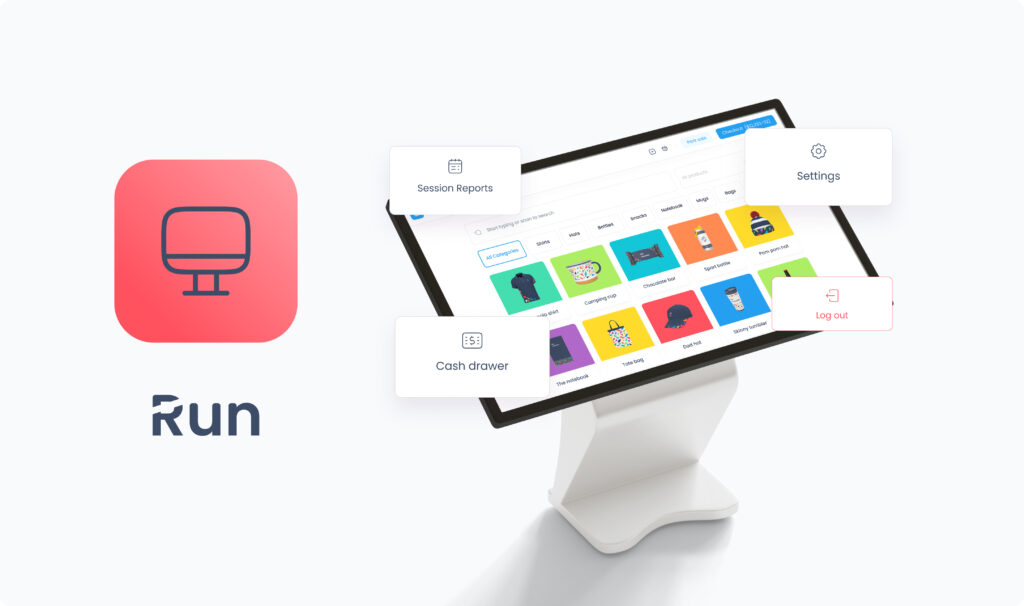
Run is the operational engine that brings your Build flows to life across devices and contexts, from cashier-led counters to self-checkout stations and price-checking kiosks. It ensures your tailored checkout design translates seamlessly into a smooth, real-world customer experience.
Key Features and Use-Case Examples
The app’s main interface equips your frontline team with everything they need to manage daily store operations efficiently. From a single place, your staff can:
Launch, resume, and end checkout sessions
Switch between users for shared devices
View end-of-day session reports and transaction history
Track cash drawer activity
Manage hardware integrations such as payment terminals, printers, and customer displays
How does Run improve store efficiency?
Run helps your team by centralizing daily checkout operations in one intuitive app:
Minimize downtime with easy session management and offline payments
Reduce training time thanks to a familiar, user-friendly interface
Keep transactions secure and traceable with built-in reporting
Integrate seamlessly with essential hardware for a smooth customer journey
Download Run on Android, iOS, or Windows and bring your POS system for retail to life: Learn more about Run or explore the Run Help Center



Pay: Accept Payments Seamlessly Through Final
What is Pay?
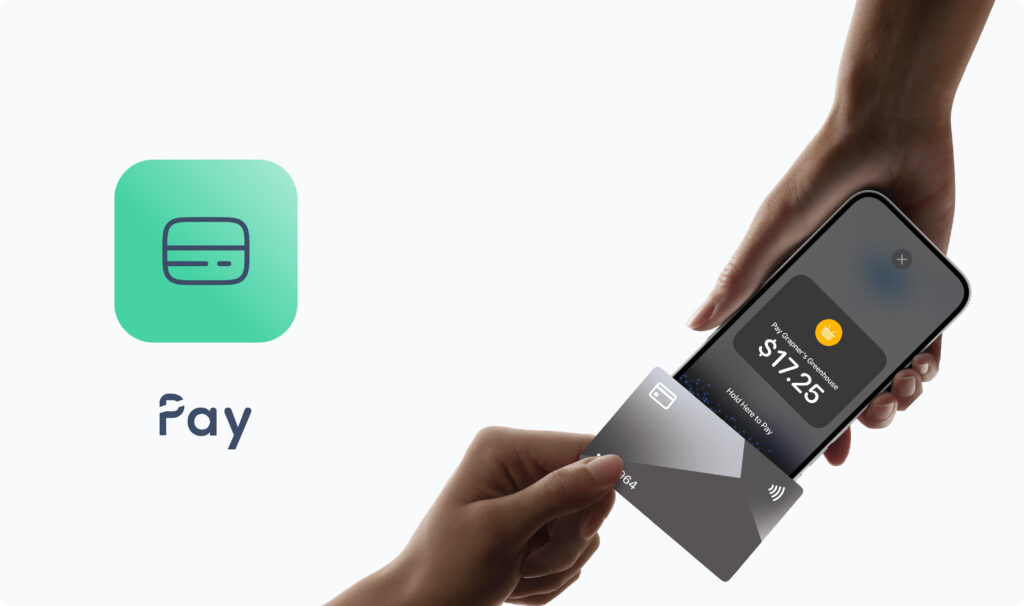
Pay is Final’s built-in payment solution, enabling your business to accept card, contactless, and mobile wallet payments directly through your custom checkout flows. Powered by Stripe Terminal, it provides a secure, integrated POS payment experience.
Key Features and Use-Case Examples
Supports physical debit/credit cards (including contactless)
Mobile wallets: Apple Pay, Google Pay, Samsung Pay
Tap to Pay directly on mobile devices
Transparent, blended processing rates
Available in multiple countries supported by Stripe Terminal
How does Pay help your business?
Streamlines checkout by embedding payments directly into your flows
Provides customers with secure, modern, and flexible payment options
Eliminates the need for third-party payment terminals or integrations
Scales with your business as you expand to new markets
Ready to simplify payments? Learn more about Pay or explore the Pay Help Center
Scale: Distribute and Manage Checkout Solutions Across Businesses
What is Scale?
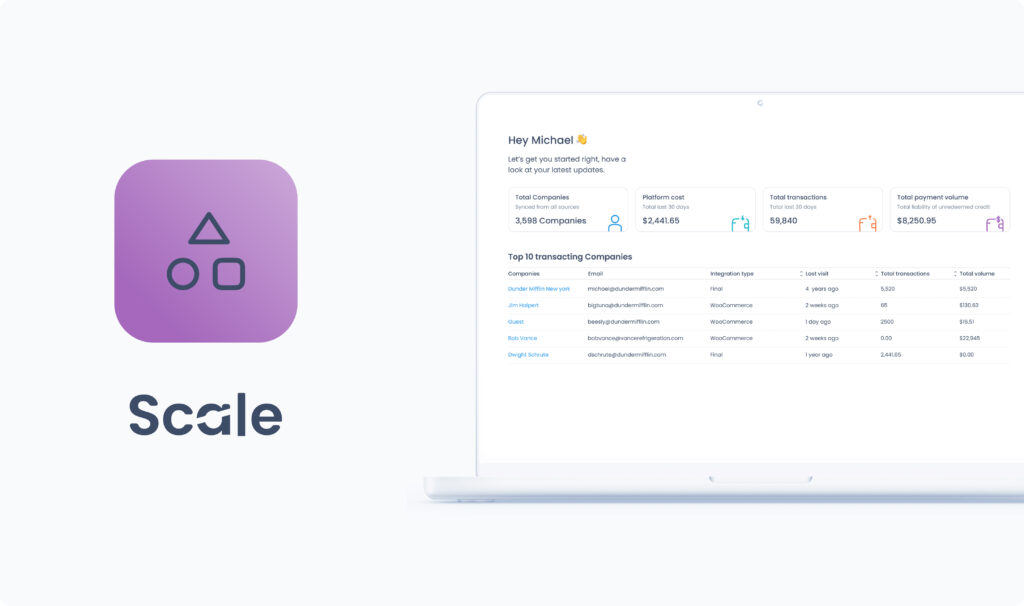
Scale is designed for distributing checkout solutions across multiple businesses. It provides a central environment where you can define and manage plans, assign flows, extensions, and limits to companies in your network.
Key Features and Use-Case Examples
With Scale, you can:
Register new companies and manage their plans by assigning flows and adjusting settings
Compare performance across your network of businesses
Invite internal team members to coordinate efforts
Maintain consistent checkout experiences across multiple locations or clients
Together, these capabilities make Scale the foundation for distributing, supporting, and maintaining checkout experiences at scale.
Who should use Scale?
Scale is available only to organization users managing multiple businesses. Single-store operators typically do not need Scale.
Learn more about Scale to see how it can empower your organization.
Frequently asked questions
What is the Final POS Tool Suite?
The Final POS Tool Suite is a complete set of POS software tools—Manage, Build, Run, Pay, and Scale—built for modern retail businesses. Each tool solves a specific part of the checkout workflow, and together they form the best POS suite for flexible, scalable retail management.
Is Final only for retail POS?
No. While Final is widely used in retail store management, it’s also designed for franchises, agencies, and service providers who need flexible checkout infrastructure across multiple clients or locations.
Can I create custom checkout flows without coding?
Yes. With Build, you can design fully customized checkout flows through a no-code, drag-and-drop interface, perfect for adapting checkout screens, layouts, and logic to your business needs.
What devices can I use Final POS on?
Run brings your flows to life on Android, iOS, Windows devices, supporting cashier counters, self-checkout stations, kiosks, and more.
How does Final POS handle payments?
With Pay, Final integrates secure payments directly into your checkout flows. You can accept card, contactless, Apple Pay, Google Pay, Samsung Pay, and Tap to Pay—powered by Stripe Terminal. You can also set up custom payment types if you already have your own 3rd party terminal (subject to a 1% processing fee).
Is Scale needed if I only operate one store?
No. Scale is designed for organizations that manage multiple businesses or clients. If you run a single company, you’ll likely use Manage, Build, Run, and Pay without Scale.
Why is Final considered one of the best POS software suites?
Because it combines checkout customization, operations management, payments, and scalability into one integrated platform—something most traditional POS systems don’t offer.
Is Final like other Point-of-Sale systems?
It can be, but it’s much more. Final empowers users to design custom checkout flows that adapt to any business, across any device or hardware. A single merchant can optimize their own unique checkout, or an agency can scale dozens of clients with one unified platform. That’s why we don’t call Final just a POS system. It’s commerce infrastructure with a comprehensive Tool Suite built to deliver tailored checkout experiences worldwide.