



Kiosks, Order Screens, Price Checkers: One Builder, Many Tools
A self-checkout kiosk, an order screen, and a price checker look like three products. Underneath they are one pattern: a screen over your catalog, inventory, and payments. Here is why one builder can produce all three, and where the real engineering lives.


A self-checkout kiosk, a self-serve order screen, and a price checker look like three different products, and legacy POS vendors sell them that way: three quotes, three software modules, three admin panels. Underneath, they are one thing wearing three outfits. Each is a screen connected to your catalog, your prices, your inventory, and, for two of the three, your payments. Once the screen is the only part that changes, one builder can produce all of them from a plain-language description.
Here is why these tools converge, and where the real engineering lives.
Why do these tools usually mean three separate purchases?
Because that is how the industry packages them. A kiosk is typically its own hardware and software bundle. Order screens often ship as an add-on module tied to specific terminals. Price checkers are mostly sold to big-box chains as dedicated devices wired into enterprise inventory systems. Each one carries its own setup, its own contract, and its own copy of your product data.
For a small merchant, the math rarely works. The kiosk might justify itself (the features that make kiosks earn their keep are well understood), but a standalone price checker almost never does. So the shelf question ("how much is this?") keeps landing on staff, and the lunch rush keeps forming a line at a single till. The tools are not useless. They are priced as if each one were a separate business decision.

What do a kiosk, an order screen, and a price checker have in common?
Strip away the enclosure and each one is a thin surface over the same commerce data:
A self-checkout kiosk lets customers browse the catalog, build a cart, and pay.
A self-serve order screen does the same, then hands the order to staff to fulfill.
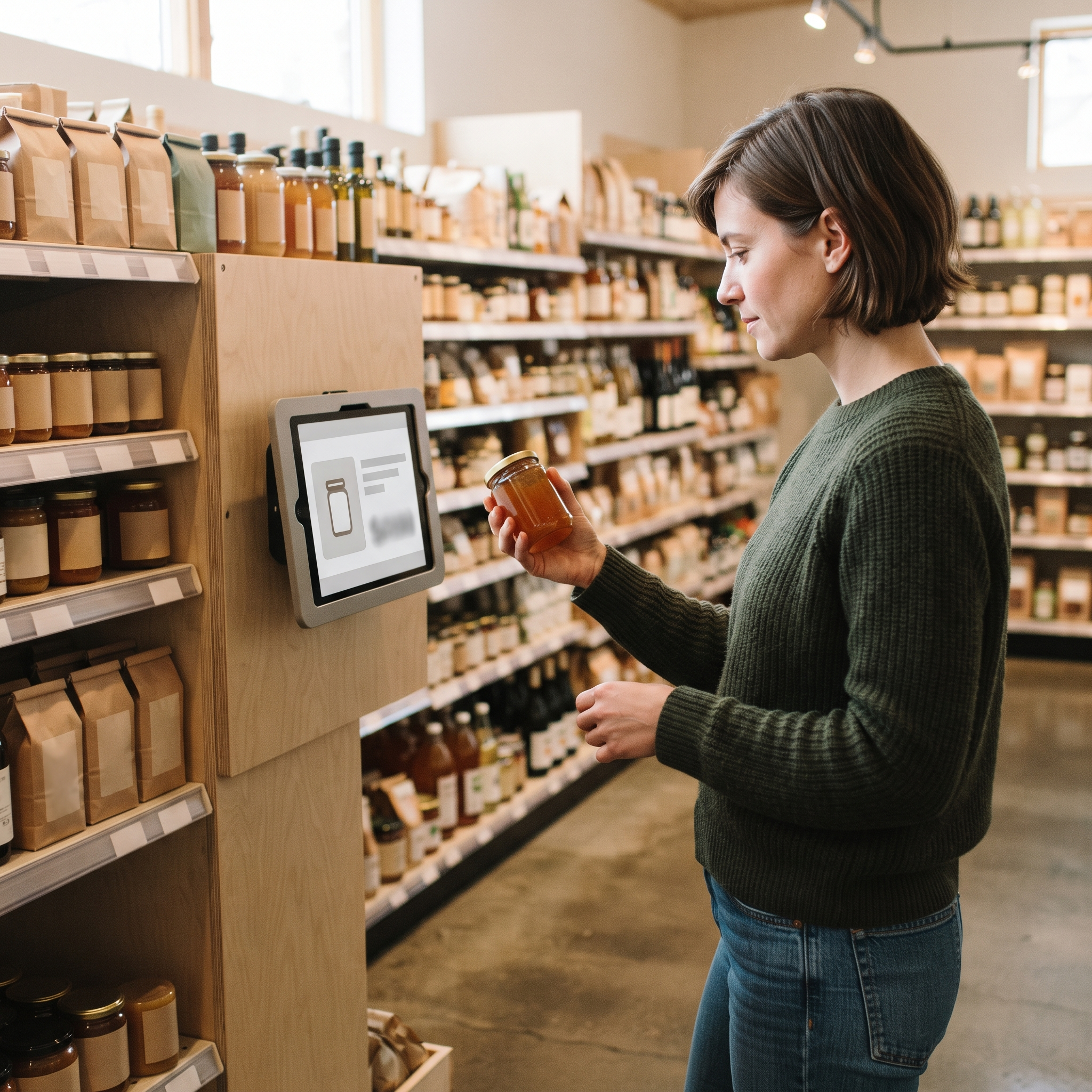
A price checker reads one product and shows its price. No cart, no payment, just a catalog lookup.
The visible difference is which capabilities each screen exposes. The invisible requirement is that all of them agree with your counter till: one inventory count, one tax calculation, and one place where every sale lands so your end-of-day numbers reconcile (add up across every device). Separate systems drift apart, the same way in-store and online counts drift when two tools keep separate stock. Building the screen is the easy part. Keeping several screens honest against one set of records is the actual product.
How does one builder produce all three tools?
On Final, each tool is a flow: a checkout experience that runs on the stations you deploy it to. You describe the tool you want in plain language, watch it take shape in a live preview, refine it by chatting, and deploy it to a station on an iPhone, Android device, or browser. (Final retired its earlier click-together builder in favor of prompting for exactly this reason: describing a tool is faster than assembling one.) A kiosk flow, an order-screen flow, and a price-checker flow are three descriptions, not three procurement cycles.
Two things make that possible:
One catalog behind every flow. Products, prices, taxes, and stock live in the Merchant Hub, so a new tool never needs its data re-entered. The price checker shows the same price the till charges because both read the same record.
Hardware you already own. A tablet on a stand is a kiosk; the same tablet mounted in an aisle is a price checker. Nothing is leased, and there is no proprietary enclosure to buy.

If you would rather not start from a blank prompt, the Flow Library has ready-made flows you can install and adapt. We have also walked through building a price checker kiosk and turning a napkin sketch into a tablet kiosk step by step. And if you prefer your own tools, you can connect your own AI over MCP (a standard that lets AI tools plug into other software) and have it build the flow for you.
Can an AI-generated screen be trusted at the counter?
That depends on what the AI actually generates. In Final's case, the builder generates the surface: the screens, the layout, the steps a customer walks through. It does not generate the infrastructure underneath. Payments run through Final Pay on certified terminal hardware (card readers approved for in-person payments), tax math comes from the platform, and inventory updates move through the same records as every other sale. A flow cannot invent its own way to charge a card.
That split also caps the risk per tool. A price checker never touches payments at all; it only reads the catalog, so the worst a vague prompt produces is an ugly screen, not a wrong charge. And nothing goes live casually: deploys are versioned, run through a pre-flight review, and every change is saved as a restorable checkpoint you can roll back.
So, do you need one builder or three products?
One builder. A kiosk, an order screen, and a price checker are the same screen-plus-catalog pattern with different capabilities switched on, and buying them as three products means paying three times to copy one set of records. Describe each tool, deploy it to a device you already own, and let the shared platform keep every screen in agreement. The rule of thumb: if the tool is just your catalog on another screen, it should be a prompt, not a purchase. When you are ready to try it, get started with the builder.
Frequently asked questions
Can I build a price checker with Final?
Yes. Describe it as a flow: scan or search a product and show its price and details. It reads the same catalog as your till, so prices always match, and it never touches payments.
What hardware does a self-checkout kiosk need?
A standard iPhone, Android device, or browser device such as a tablet on a stand. Kiosk payments run through Final Pay with certified card readers, and hardware is bought outright rather than leased.
Do the kiosk and the counter till share inventory?
Yes. Every flow reads and writes the same catalog and inventory records in the Merchant Hub, so a sale on any screen updates stock everywhere and lands in the same reports.
Do I pay a separate software subscription for each tool?
No. Final's core platform has no monthly software fee; you pay per transaction through Final Pay. The builder itself runs on credits, with a free tier and optional paid plans for heavier use.
Can I use my own AI to build these tools?
Yes. Final supports MCP, so you can connect your own MCP-compatible AI tool and have it build and deploy the flow for you, with a live preview along the way.