



Tap to Pay on Android in a Custom App: SDKs and Requirements
Integrating a Tap to Pay on Android SDK requires passing strict Play Integrity attestation, running Android 11+ on GMS-certified hardware, and working around non-debuggable build rules. Here is how the tech actually works—and how to skip the plumbing.
 Mathias NielsenCEO, Final POS
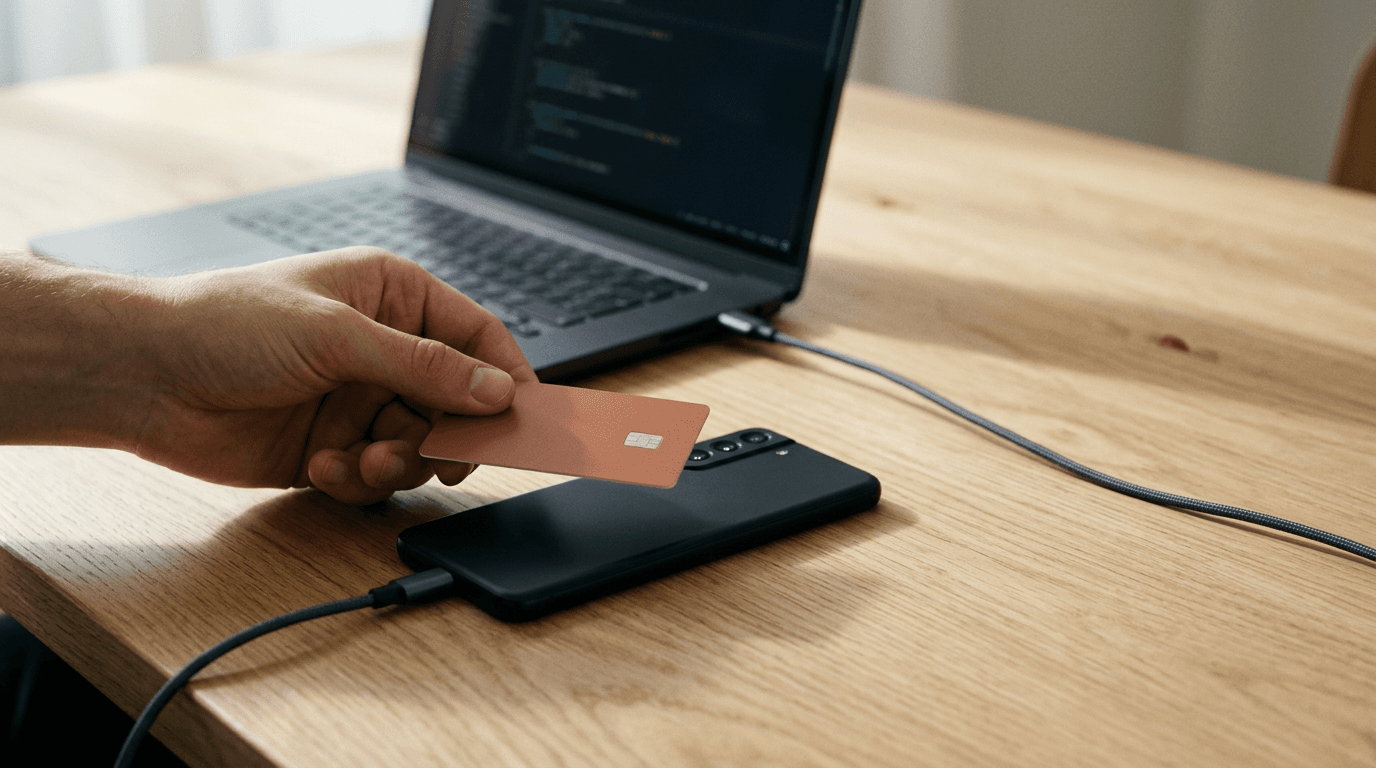
You hit Run in Android Studio, load your custom POS app onto a Pixel 8, and try to initialize the payment reader. It crashes immediately with an attestation failure. Your code is clean, your API keys are valid, and your NFC antenna works fine, yet the payment SDK refuses to talk to the hardware.
Welcome to SoftPOS development. Turning a consumer phone into a payment terminal without external hardware requires passing strict PCI Mobile Payments on COTS (MPoC) security checks. Because there's no dedicated hardware secure element controlled by a single phone manufacturer, the Tap to Pay on Android SDK acts as its own bouncer.
When you look at how to accept card payments in your own POS app, Android looks deceptively open on paper compared to iOS. You don't have to beg a platform gatekeeper for permission just to start coding, though you'll pay for that openness in device testing and build configuration.
How does Tap to Pay on Android differ from iPhone?
Tap to Pay on Android is a software-based contactless payment architecture (SoftPOS) provided directly by Payment Service Provider (PSP) SDKs like Stripe Terminal and Adyen, rather than through an operating-system gatekeeper.
On iOS, Apple controls the entire pipeline. Before you can even test on physical hardware, the Account Holder of an organization developer account (which requires a D-U-N-S number) must request a development entitlement, pass Apple's UX review, and request a separate distribution entitlement. We broke down that exact bureaucratic maze in our guide to getting the Tap to Pay on iPhone entitlement.
Google doesn't issue a special Tap to Pay entitlement. You don't fill out a form in the Google Play Console to unlock the NFC antenna for EMV contactless kernels. Instead, you pull the PSP's Tap to Pay module directly into your build.gradle file alongside the core terminal SDK.
That lack of upfront paperwork comes with a trade-off: the PSP SDK takes over all security enforcement at runtime. On iPhone, if the OS lets your app launch the payment sheet, it's going to work. On Android, the SDK checks the device, the operating system integrity, and your app's signature every time it initializes. And unlike Apple, which restricts Tap to Pay strictly to iPhone XS or later and blocks iPads entirely, Android allows Tap to Pay on tablets and purpose-built handhelds with the right hardware and certifications.
Which PSP should you integrate? For most teams building from scratch, Stripe Terminal is the practical choice because onboarding is self-serve; you can create an account, grab your keys, and pull the Maven packages in ten minutes. Adyen's POS Mobile SDK is enterprise-grade and powers massive retail fleets, including our own infrastructure at Final Pay, though Adyen is selective and expects substantial processing volume before onboarding a direct merchant or platform.
Hardware and OS requirements for Android SoftPOS
TL;DR: To run a Tap to Pay on Android SDK, a device must have a functioning, well-placed NFC antenna, run a minimum of Android 11 (API level 30) or Android 12 depending on the PSP, and pass Google Play Services certification with hardware-backed key attestation.

Unlike iOS, Android SoftPOS supports smartphones, tablets, and ruggedized handhelds—provided they meet GMS certification and NFC hardware standards.
A cheap $90 Android tablet from an unknown factory in Shenzhen won't process contactless cards, even if the spec sheet says it has NFC. Payment networks require the PSP SDK to verify the hardware before loading cryptographic keys into memory:
Android OS Version: The industry baseline is Android 11 (API level 30) or later, though some PSPs and regional card schemes already require Android 12 (API level 31). If a merchant tries to reuse a 2018 Samsung phone stuck on Android 10, the SDK initialization will reject it.
Google Mobile Services (GMS) Certification: The device must ship with an official, un-tampered build of Android that includes the Google Play Store and Google Play Services. Custom ROMs (like LineageOS), rooted devices, and unlocked bootloaders fail immediately. This also rules out Amazon Fire tablets and Huawei devices running HarmonyOS without GMS.
Hardware-Backed Keystore: The CPU needs a Trusted Execution Environment (TEE) or StrongBox Keymaster to store cryptographic keys out of reach of the main OS.
Functional NFC Radio: Unlike iPhones, which consistently put the NFC antenna at the very top edge of the chassis, Android OEMs put the NFC coil wherever it fits. On some Samsung Galaxy models, it sits dead center on the back behind the battery; on certain ruggedized handhelds, it's near the bottom grip; on a few NFC-enabled tablets, it's tucked into a corner bezel. If the antenna is weak or buried behind a thick metal-reinforced protective case, card reads will time out and frustrate both the cashier and the customer.
Attestation and why your app cannot be debuggable
Android payment SDKs enforce PCI MPoC security by running Google's Play Integrity API and internal runtime checks to guarantee the app isn't being inspected or hooked by malicious code. If your build has android:debuggable="true" in its manifest, which Android Studio applies automatically whenever you click the standard "Run" button, the Tap to Pay SDK will throw a security exception and refuse to connect to the local NFC reader.

Simulated readers allow developers to step through checkout logic in debug builds before compiling a signed, non-debuggable APK for physical QA.
This catches almost every engineering team off guard during their first sprint. On a debuggable build, another process on the device can attach a debugger (like JDWP), dump the app's memory, or inspect variable states right as a customer taps a Visa card or enters a PIN on the glass. To maintain PCI compliance on an everyday consumer phone, the SDK kills the session the moment it detects a debug flag, an emulator, a screen-recording overlay, or a hooking framework like Frida.
You can't bypass this check for live NFC reads, even using test cards in a sandbox account. To test actual physical taps on an Android phone, you must configure a staging or release build variant in your build.gradle file with debuggable false and sign it with a consistent keystore. Doing so strips away your ability to attach a step-by-step debugger to the payment process. You have to rely on structured logging (making sure never to log sensitive payment payloads) and UI state indicators to figure out why a transaction failed.
Whenever the PSP SDK updates its internal security rules, older versions of the SDK are regularly deprecated and blocked at the server level. Maintain a strict app update cadence, or your merchants will wake up one morning to find their terminals dead in the water.
Testing with a simulated reader during development
Building and signing a non-debuggable APK every time you tweak a checkout screen destroys developer velocity. Both Stripe Terminal and Adyen provide simulated readers inside their SDKs to get around this.
In Stripe Terminal, you pass simulated: true into your DiscoveryConfiguration for the Tap to Pay discovery method. When your app connects to this simulated local reader, the SDK bypasses the debuggable false requirement and skips the Play Integrity hardware attestation checks. You can run standard debug builds straight from Android Studio, set breakpoints in your Kotlin coroutines, and step through your checkout state machine line by line.
The simulated reader lets you programmatically trigger edge cases that are tedious to reproduce with physical test cards:
Standard contactless EMV approvals
Declined cards (insufficient funds, expired card, suspected fraud)
NFC read errors (simulating a customer pulling their phone or card away too fast)
Offline or network drop scenarios mid-transaction
Use the simulated reader for 95% of your UI and business logic work. Reserve your signed, non-debuggable builds for a dedicated physical QA pass at the end of a sprint to verify that the native tap prompt renders properly and your NFC antenna targeting instructions make sense.
Rolling out to a fleet of Android devices
Building the app for one test phone on your desk is the easy part. Rolling it out to a restaurant with twelve staff handhelds or a retail chain with seven locations, like the multi-Outlet operations we talk to in Atlantic Canada, is where custom Android SoftPOS projects stall.

With native payment infrastructure already built into Final Station, merchants can accept Tap to Pay on supported Android devices without custom SDK plumbing.
Cold start latency hits first. The first time an Android device initializes the Tap to Pay reader after an app install or an OS reboot, the SDK has to perform remote attestation with Google and the PSP's servers, download cryptographic keys, and initialize the secure environment. Over spotty shop Wi-Fi, this takes several seconds. If your app waits until the cashier hits the "Charge" button to initialize the reader, the customer is going to stand there staring at a spinner. You have to write background warm-up logic that connects and prepares the local reader as soon as the cashier logs into their shift.
You also have to handle PIN on Glass (SCAP). In Canada, the UK, Europe, and Australia (keep in mind that card reader and Tap to Pay availability varies by country and device), contactless taps over the CVM limit ($250 CAD or €50 EUR, though issuer rules vary) require the customer to enter a PIN directly on the phone's touchscreen. When the SDK triggers its secure PIN pad activity, Android takes over the screen, blocks screenshots, and disables accessibility services. If your merchant uses custom accessibility tools or screen-dimming apps on their store tablets, the payment will immediately abort.
Bring-your-own-device (BYOD) policies are a minefield on Android. One staff member brings a Pixel 7a that works fine; another brings a three-year-old Motorola with a cracked back and a sluggish TEE that takes several seconds to register a tap; a third brings a phone with a developer option accidentally toggled on, blocking the SDK entirely. If you're deploying to a real business, standardize the hardware.
Skip the plumbing: Android Tap to Pay is already live in Final
Before you process a single dollar on your own build, you're stuck integrating the PSP SDK, managing Play Integrity attestation, writing background reader warm-up routines, maintaining non-debuggable release pipelines, and building a merchant back office to track payouts.
If you're using an AI app builder like Lovable, Bolt, or v0 to generate a custom POS interface, you'll hit this wall immediately. Those tools generate great web mockups, yet browser apps can't access the secure NFC kernels required for Tap to Pay on Android. Even in our own ecosystem, connecting card readers, Tap to Pay, receipt printers, and the cash drawer requires a Native Station rather than a browser-based Virtual Station. With a general-purpose web generator, you still have to build a native wrapper, wire up the commerce rails, and pass every security check yourself.
We already built all of that infrastructure into Final POS.
When you create a custom checkout flow in Final Build, you describe your workflow (split bills, custom modifiers, conditional logic, or multi-location stock lookups) and Build generates a working POS wired directly into real commerce rails. You deploy that flow instantly via Final Run to Final Station, our native app for Android, iOS, macOS, and Windows.
Because Final Station is a native app with Final Pay (our Adyen-powered payment engine) built right in, taking a Tap to Pay payment on a supported NFC Android phone or iPhone works out of the box on day one, turning a supported device into its own card reader with no separate terminal needed. You skip the Gradle fights, attestation debugging, and months of waiting for PSP underwriting:
Real hardware flexibility: Run Tap to Pay on the NFC Android phones and iPhones you already own, or pair purpose-built hardware like our Final Touch smart Android terminal, the S700 all-in-one station, or the Final Move entry-level card reader for contactless and chip payments. You buy your hardware once and own it outright, never leased.
Transparent, flat processing rates: Cash is always $0. In-person card payments are 1.99% + $0.10 CAD in Canada (with Interac debit at 0.5% + $0.07), 0.99% + €0.10 in Europe, and 2.49% + $0.10 in the US and worldwide across 24+ countries. Next-day payouts are included, with zero monthly software fees and no lock-in contracts.
Full back office included: Every flow connects automatically to Final Manage for multi-location inventory, staff permissions, and real-time reporting. If you're an agency or vertical SaaS builder, Final Scale lets you package your custom flows, onboard client merchants under your own brand, and earn residuals on every tap.
If your core business is building payment SDK wrappers and chasing Google Play Integrity errors across fifty Samsung variants, grab a staging keystore and start configuring your build.gradle. If your goal is to ship a custom checkout experience that actually takes cards this afternoon, open Final Build (you get 1,000 free build credits every day, up to 5,000 a month) and deploy your flow to an Android phone in minutes. Finally.
Frequently asked questions
Does Tap to Pay on Android need Google approval?
No. Unlike Apple, which requires an organization developer account and a formal entitlement approval before you can even test on an iPhone, Google doesn't gatekeep Tap to Pay with a special console permission. You integrate your payment processor's SDK directly, and the SDK enforces device attestation and security checks at runtime.
Why does Tap to Pay fail in my debug build?
Payment SDKs like Stripe Terminal and Adyen follow PCI MPoC security standards, which forbid running live contactless kernels inside an app where a debugger can attach and inspect memory. If your build has `debuggable="true"`, the SDK will throw an exception. Use the SDK's built-in simulated reader for everyday debug builds, and compile a signed, non-debuggable release or staging build when testing physical card taps.
Do Android tablets support Tap to Pay?
Yes. Unlike iPads, which lack NFC hardware and are excluded from Apple's Tap to Pay program, Android tablets can accept Tap to Pay if they meet all PSP requirements. The tablet must run Android 11 or later, carry official Google Play Services certification, support hardware-backed key attestation, and include an integrated NFC reader.