



Custom POS App Development: The Complete 2026 Checklist
Building a checkout UI with AI takes an afternoon, but shipping a production POS takes months of hardware, payment, and offline sync engineering. Use this complete 2026 technical checklist to scope the 12 core components of custom POS app development.
 Mathias NielsenCEO, Final POS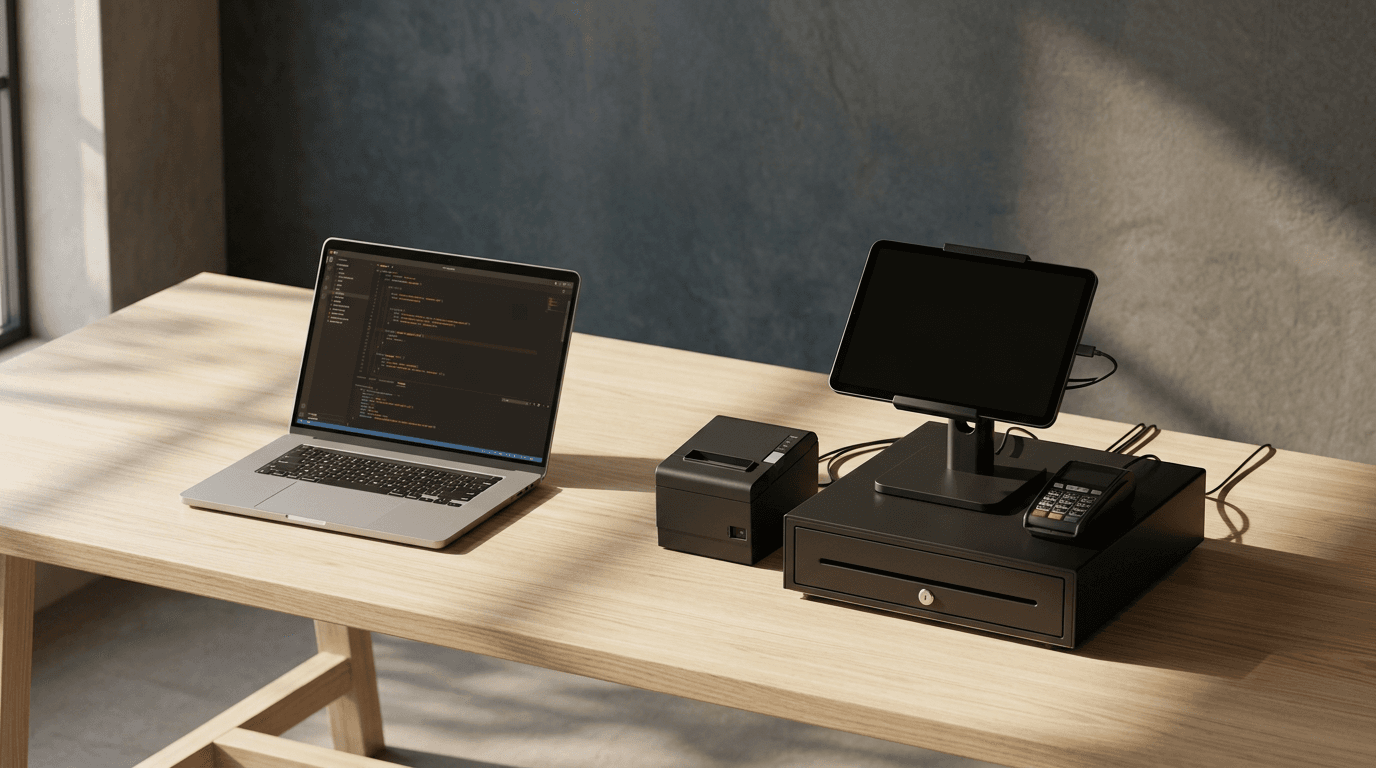
You can prompt Cursor, Claude Code, or Lovable to generate a working checkout screen with a product grid, a cart sidebar, and a "Charge" button in about four hours. By Sunday evening, you have a slick React frontend running on localhost:3000. By Monday morning, you realize you're still months away from ringing up a customer at an actual counter.
Custom POS app development has never been constrained by how fast a developer can draw buttons on a screen. The bottleneck is the physical, financial, and regulatory plumbing underneath: Apple MFi hardware entitlements, EMV kernel certifications, multi-jurisdiction tax rounding rules, and offline local database reconciliation when the store's Wi-Fi drops mid-rush.
If you're scoping a custom point of sale in 2026 for your own stores, a client project, or a vertical SaaS platform, you need an accurate inventory of the actual engineering requirements. We laid out the macro architecture in our guide on How to Build Your Own POS System with AI in 2026. This checklist breaks down the exact specifications you have to build, certify, or plug into before a cashier can run their first shift.
The 12 Components Every Production POS Needs
A production point of sale is a distributed financial system that bridges local hardware peripherals, real-time inventory state, and card network settlement rails. Before writing a line of frontend code, your architecture must account for twelve non-negotiable subsystems:
Local Catalog & Variant Engine: Instant search and barcode lookup across thousands of SKUs, modifiers, and composite bundles stored directly on the device.
Deterministic Cart & Tax Calculator: Line-item and cart-level math that handles inclusive vs. exclusive taxes, compound regional tax rates, and penny-rounding discrepancies without floating-point errors.
Multi-Tender State Machine: Logic to split a single order across cash, multiple credit cards, store credit, and gift cards, then roll back cleanly if the third card declines.
EMV Card-Present SDK Integration: Native bindings to certified payment readers (via Bluetooth, USB, or local network) and NFC antennas.
Tap to Pay Entitlements: Platform-level provisioning from Apple and Google to access the mobile device's internal NFC chip for contactless payments.
Peripheral Hardware Daemon: Low-level communication over USB, Serial, RJ12, and Bluetooth for ESC/POS thermal receipt printers, cash drawers, 2D barcode scanners, and customer-facing displays.
Offline Queue & Sync Engine: Local database persistence that lets the station ring sales, print receipts, and queue transactions when the internet drops, then resolve conflicts when connectivity returns.
Role-Based Access Control (RBAC): Fast PIN switching between cashiers, plus manager override prompts for high-risk actions like cash refunds, open-price items, and voided lines.
Multi-Outlet Inventory Ledger: Event-driven stock deduction, stock transfers between physical locations, and adjustment audit trails.
Session & Cash Drawer Management: Shift open/close workflows, starting float counts, paid-in/paid-out logs, and blind cash drops.
Reconciliation & Reporting Pipeline: Real-time ingestion of payment webhooks matched against local POS orders to generate end-of-day Z-reports.
Fleet Deployment & OTA Updates: A mechanism to push UI changes, tax updates, and bug fixes across dozens of locked-down tablets and terminals without waiting on App Store review.
Skip any one of these twelve, and the software breaks during its first Friday rush.
Front of House: Catalog, Cart, Discounts, Tips, and Split Payments
TL;DR: The checkout UI is only as good as its state machine; your cart must calculate compound taxes using integer math and survive partial payment failures across split tenders.

A production POS extends beyond the checkout counter to manage multi-location inventory ledgers, staff permissions, and end-of-day cash drawer reconciliation.
Most developers start custom POS software development by building the product grid. That part is easy. The complexity hides in the cart math and the checkout state machine.
Ditch floating-point numbers immediately. Every currency calculation in your cart must run in minor units (cents) using strict integer math or a dedicated decimal library. When a customer buys three items at $4.99 with a 15% employee discount and a stacked state-plus-municipal tax rate of 8.875%, your rounding logic has to match your payment processor's settlement math to the exact cent. If your cart calculates $13.84 and your payment gateway settles $13.83, the merchant's bookkeeper will spend hours hunting down penny variances at the end of the month.
Your cart also needs flexible line-item manipulation. As we cover in our guide on how to ring up a sale, cashiers need to tap a line in the cart to change a quantity, apply a line-specific discount, attach a note, or remove an item, plus use a dedicated custom-sale tab to ring up uncataloged items on the fly.
Then comes the split-payment state machine. Imagine a 60-seat restaurant on the Avalon Peninsula where a table of four wants to split a $140 tab. Customer A pays $30 in cash. Customer B taps a Visa for $40 plus a $6 tip. Customer C tries to pay $35 on a Mastercard, and the card declines.
Your POS can't treat an order as a simple unpaid -> paid boolean. It must track an order in a partially_paid state, lock the cart items so the server can't delete a burger after half the table has already paid, and allow voiding or refunding individual payment legs if the group decides to recalculate the split.
Back Office: Inventory, Staff Permissions, Reports, and End of Day
A POS app without a back office is just a calculator. In a real retail or hospitality operation, the owner spends as much time auditing the business as they do ringing up customers.

In-person retail requires certified EMV SDK integrations and platform-level NFC entitlements for Tap to Pay on iPhone and Android.
Multi-location operators hit this wall hard. Take a retail manager running seven stores across Atlantic Canada: if each store runs a standalone database without centralized back-office sync, stock drifts every single week, and the manager has to pull CSVs from seven different terminals just to see what sold today.
Your back-office architecture has to handle three core operational loops:
Granular Staff Roles and PINs: A binary "admin vs. cashier" toggle isn't enough. Store managers need custom roles that cap discounts (say, cashiers up to 10% off, shift leads up to 25%), restrict cash refunds without a manager's 4-digit PIN override on the screen, and log every drawer open event against a specific employee ID.
Multi-Location Inventory Ledger: Never store inventory as a single
stock_quantity = 12integer column on the product table. Build an immutable inventory movement log per Outlet:+50 received from PO,-1 sold on Station 2,-4 transferred to Downtown Outlet,-1 damaged adjustment. Your current stock is the sum of those events. It's the only way to survive offline sync conflicts when two Stations sell the last unit of a sweater while the Wi-Fi is down.End-of-Session Close (Z-Reports): At the end of the night, the closing manager counts the physical bills in the drawer. Your POS app needs a Station Home workflow that tracks the starting cash float, adds cash sales, subtracts cash refunds and petty cash payouts, and compares the expected cash against the manager's blind count. Any over/short discrepancy gets logged permanently to that session report.
How Do You Integrate Card-Present Payments and Tap to Pay?
TL;DR: You cannot use standard web payment forms for in-person retail; you must integrate a certified card-present SDK like Adyen and apply for Apple and Google NFC entitlements.

Connecting to thermal printers via ESC/POS byte streams and firing 24V cash drawer solenoids over RJ12 cables requires native hardware bridges outside the browser sandbox.
If you try to run in-person cards by typing numbers into a web checkout form, two things happen: the merchant pays higher card-not-present interchange fees (the fees set by card networks like Visa and Mastercard paid by the merchant's bank to the cardholder's bank) instead of lower card-present rates, and they take on liability for chargebacks because there was no EMV chip read. We cover the regional compliance mechanics of this in detail in our European guides (Italian, Dutch, and Romanian).
To accept real in-person payments, you have two choices: certify directly with payment processors through a lengthy, expensive PCI PTS and EMV Level 3 certification gauntlet, or build on top of a pre-certified card-present SDK like Adyen.
Even with a pre-certified SDK, you have serious integration work:
1. External Card Readers
Your app must discover, pair with, and manage firmware updates for physical POS terminals (such as the S700 all-in-one station and payment terminal or Bluetooth mobile readers). Terminal SDKs communicate asynchronously. When your POS sends a $24.50 charge request to the terminal, your app must lock the UI, listen for intermediate reader states (insert_card, reading_card, pin_required, remove_card), handle on-reader tipping or signature capture, and recover cleanly if the customer yanks their card out too early or Bluetooth drops mid-authorization.
2. Tap to Pay on iPhone and Android
Turning a merchant's phone into a POS terminal without external hardware is one of the highest-value features in modern POS app requirements. On Android, this requires integrating the payment provider's NFC SDK on a device with a functioning hardware-backed keystore and passing Google Play Integrity checks.
On iOS, you have to apply directly to Apple for the Tap to Pay on iPhone Entitlement (com.apple.developer.proximity-reader.payment.acceptance). Apple reviews your business model, requires your payment processor's endorsement, and enforces strict human interface guidelines around how payment prompts appear before letting you distribute the binary.
Why Is POS Hardware Integration So Difficult?
Web browsers are intentionally sandboxed from local hardware. APIs like WebUSB and WebBluetooth exist, but they're unreliable on desktop Chrome and completely absent on iOS Safari. If you want your POS to run on an iPad or Android counter unit and talk to kitchen printers, cash drawers, and barcode scanners, you have to deal with native hardware protocols.
Your hardware layer must support:
Thermal Receipt and Kitchen Printers: POS printers don't use standard OS print dialogs. Popping up an iOS AirPrint modal after every coffee sale will get your app thrown out of a café in ten minutes. You must generate raw ESC/POS or StarPRNT byte streams to control text formatting, barcode rendering, logo bitmap printing, and the physical paper cutter blade. If you want to connect a Bluetooth printer to an iPad, that printer needs an Apple MFi (Made for iPhone) chip, and your app's bundle ID must be allowlisted with the printer manufacturer before Apple lets your app into the App Store.
Cash Drawers: Almost no cash drawers connect directly to a tablet. A standard heavy-duty drawer (like a Sunmi Max cash drawer with 5 bill trays, 6 removable coin cups, a 3-position lock, and a 1M-cycle life) plugs into the back of the thermal receipt printer via an RJ12 cable. To pop the drawer open, your POS app sends a specific hex pulse command (e.g.,
0x1B 0x70 0x00 0x19 0xFAin ESC/POS) to the printer, which fires a 24V electrical signal down the RJ12 wire to release the solenoid latch.Barcode Scanners: Basic Bluetooth or USB scanners operate in HID (Human Interface Device) keyboard wedge mode, literally typing the barcode numbers rapidly and hitting
Enter. If your cashier's cursor isn't focused inside a search input field when they pull the trigger, the scan goes nowhere. A production POS intercepts global keystroke buffers based on keystroke velocity or uses the scanner's native SPP/SDK mode.Customer-Facing Displays (CFD): Whether you're running a secondary 10.1" HD customer display for the D3 Pro (with USB, NFC Tap on Glass, and plug-and-play setup) or a separate customer-facing iPad, your main Station needs a local WebSocket or USB bridge to push real-time cart additions, tax totals, and NFC tap prompts to the secondary screen.
Platforms, Offline Mode, and Updates
Where does your code actually run? A retail chain might have Windows desktops in the back office, iPads on the boutique floor, Android all-in-one registers at the main checkout, and iPhones for line-busting during holiday weekends.
Build purely for the browser, and you lose Apple MFi Bluetooth printing, Tap to Pay on iPhone, and background USB peripheral access. Build separate native Swift and Kotlin apps, and you double your engineering team while getting trapped in App Store review queues every time a merchant wants a custom checkout screen or a new validation rule.
The smartest architecture separates the native hardware shell from the checkout logic. You deploy a native container to iOS, Android, macOS, and Windows that owns the hardware drivers, the payment SDKs, and the local database. Then you render the checkout flows dynamically inside that shell.
That local database is what saves you when the internet goes down. As we detail in our guide on how to set up a Native Station, true offline mode means that when a food truck loses cell signal or a café's router resets, the Native Station keeps scanning barcodes, calculating taxes from its cached catalog, firing the cash drawer via the local printer, and queuing orders locally. When the connection comes back, it syncs automatically without duplicating orders or locking up the UI.
Deciding Which Parts to Build and Which to Plug Into
Look back at the checklist above. Notice the split.
Your custom checkout screen, your niche conditional logic (requiring a waiver signature on rentals, or calculating custom framing dimensions), and your brand's visual layout represent a small fraction of the total code. Yet they're the exact part that makes your POS valuable to your business or your agency's clients.
The rest—EMV payment certifications, Apple Tap to Pay entitlements, ESC/POS printer byte streams, RJ12 cash drawer triggers, offline sync engines, and multi-location inventory ledgers—is undifferentiated, high-risk infrastructure. General-purpose AI app builders like Lovable, v0, or Bolt can generate a UI mockup in an afternoon, while traditional systems like Clover, Lightspeed, or Shopify POS lock you into rigid workflows or multi-year contracts. Neither gives you a custom checkout on real commerce infrastructure without months of engineering.
We built Final POS to handle that heavy infrastructure layer so you can focus on the checkout experience that makes your business yours. Turn your checkout dreams into reality in minutes. Finally.
Instead of spending months writing hardware bridges and payment state machines, use Final Build (our AI POS builder) or Final Code (our custom integration and extension layer) to generate the exact custom checkout flow you need in minutes. As we explain in getting started with Build, every flow you create is automatically wired to your real Final POS data and commerce rails:
Certified Payments Built In: Final Pay (Adyen-powered, PCI DSS compliant) gives you instant access to Tap to Pay on iPhone and NFC Android, plus the S700 terminal and Bluetooth readers across 24+ countries. As outlined in how Final POS pricing works, there are no monthly software fees or lock-in contracts: in-person card rates are 2.49% + $0.10 in the US and worldwide, 1.99% + $0.10 CAD in Canada (0.5% + $0.07 for Interac debit), and 0.99% + €0.10 in Europe. Cash is always $0, and next-day payouts are included.
Native Hardware & Offline Execution: Deploy your flows instantly through Final Run to Final Station, our native app running on iOS, Android, macOS, and Windows, plus any browser. It handles thermal printers, barcode scanners, cash drawers, customer-facing displays, and full offline mode out of the box, pushing your design and logic updates live without an App Store wait.
Full Back Office Included: Final Manage gives you multi-location inventory across unlimited Outlets, role-based staff permissions, customer profiles, and advanced financial reporting on the free plan. If you're an agency, ISO, or vertical SaaS building for clients, Final Scale lets you package your custom flows into Plans, onboard merchants under your own organization, and earn payment residuals on every transaction.
Don't burn months of engineering runway rebuilding an ESC/POS printer driver. Open a free account (every account gets 1,000 free build credits per day, up to 5,000 a month, with zero monthly software fees) and follow our guide on how to build and deploy your first flow to put a working custom POS on real hardware today.
Frequently asked questions
What features does a POS app need?
A production POS app requires 12 core components: a local product catalog, deterministic cart and tax math, split-tender checkout logic, EMV card-present payments, Tap to Pay support, peripheral hardware drivers (printers, cash drawers, scanners), offline mode with local storage, role-based staff permissions, multi-location inventory tracking, cash drawer session management, end-of-day reconciliation reports, and over-the-air deployment.
What tech stack is best for a custom POS app?
The best tech stack separates the native hardware container from the UI layer. Because web browsers can't reliably access MFi Bluetooth receipt printers, USB cash drawers, or Apple and Google Tap to Pay NFC chips, you need a native iOS, Android, and desktop shell (or a platform like Final Station) paired with a local SQLite database for offline reliability and a pre-certified payment SDK like Adyen or Stripe Terminal.
Do I need a backend for a POS app?
Yes. Each register has to run a local database to scan items and queue sales offline when Wi-Fi drops, but you still need a cloud backend to sync inventory across multiple stations and locations, process asynchronous payment webhooks, manage staff roles, and compile consolidated financial reports.