



Drag and Drop POS Builder vs. Traditional POS
Comparing a drag and drop POS builder with traditional POS systems to help you decide which setup fits your business needs.
 Mathias NielsenCEO, Final POS
POS solutions have evolved quite rapidly in the last couple of years. What were once fixed, pre-built point of sale systems are now beginning to become streamlined, cloud-based solutions that offer far more flexibility and control. But with traditional systems still widely used, many businesses are asking:
Do I stick with a traditional point of sale system or go for a drag and drop POS builder?
In this post, we will compare the two, outline the pros and cons, and assist you in making the best choice for your business.
But before we discuss the comparison details, let us first define what we refer to by "traditional POS" and "drag and drop POS builder".
What is a Traditional POS?
What do we really mean when we refer to traditional POS? Well, traditional POS systems have been the backbone of retail operations for quite a while now. A traditional point-of-sale (POS) system is essentially a pre-configured solution that’s typically set up for in-person sales. These systems usually come with fixed features and layouts, and they’re often paired with specific hardware like terminals, cash drawers, and receipt printers.
While they might not offer much in the way of customization, traditional POS systems are often favored for their proven stability and straightforward setup.
What is a Drag and Drop POS Builder?
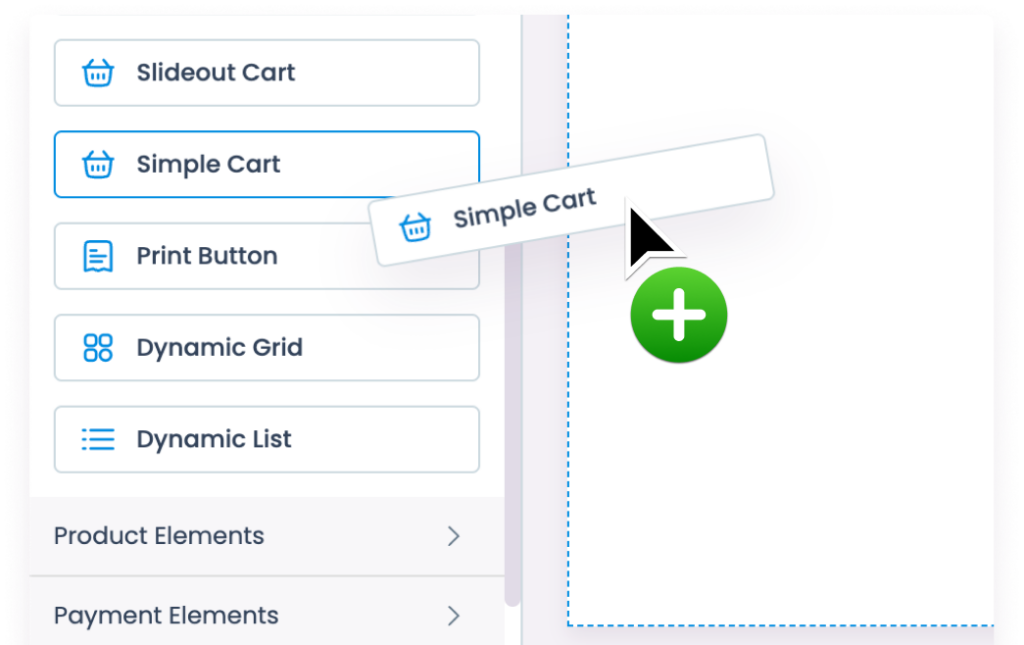
On the other hand, you can choose a drag and drop POS builder. They are designed to deliver improved convenience to customers, prioritize the mobile experience, and are versatile in their usage. Combining the ease of use of popular drag and drop website builders with next-gen point of sale architecture allows businesses to design and configure their POS interface without needing to write code. You simply drag buttons, features, and actions into place.
It’s built for businesses that want full control over layout, branding, and functionality. With cloud access and real-time updates, these platforms are designed to adapt as your needs change.
Why Go for a Traditional POS?
Now let's give a bit more focus to the difference between these two types of POS and why you would want to utilize one over the other. Let’s start by taking a closer look at a traditional POS.
Traditional POS systems remain a popular choice for many businesses, especially small shops with simple needs, since they are dependable. They are also considered to be a solid, tried-and-proven choice, especially for companies that value stability and ease over customization.
Pros:
Simple, out-of-the-box functionality
A user-friendly interface that many staff members are already familiar with
Often comes with vendor-provided hardware and support
Things to Consider
Before you settle on a traditional POS system, there are definitely a few things to think about.
Traditional POS systems usually come with fixed layouts and limited customization options, which can make them a poor fit for businesses that are constantly evolving or have specific branding needs. For many, a traditional POS is a solid choice when their operational requirements are stable, and they just want a reliable system that functions smoothly.
Cons:
Limited customization options
Updates can be slow and depend on the vendor
Hard to scale or adjust to changing needs
Less flexibility for branding or unique workflows
Why Choose a Drag and Drop POS Builder?
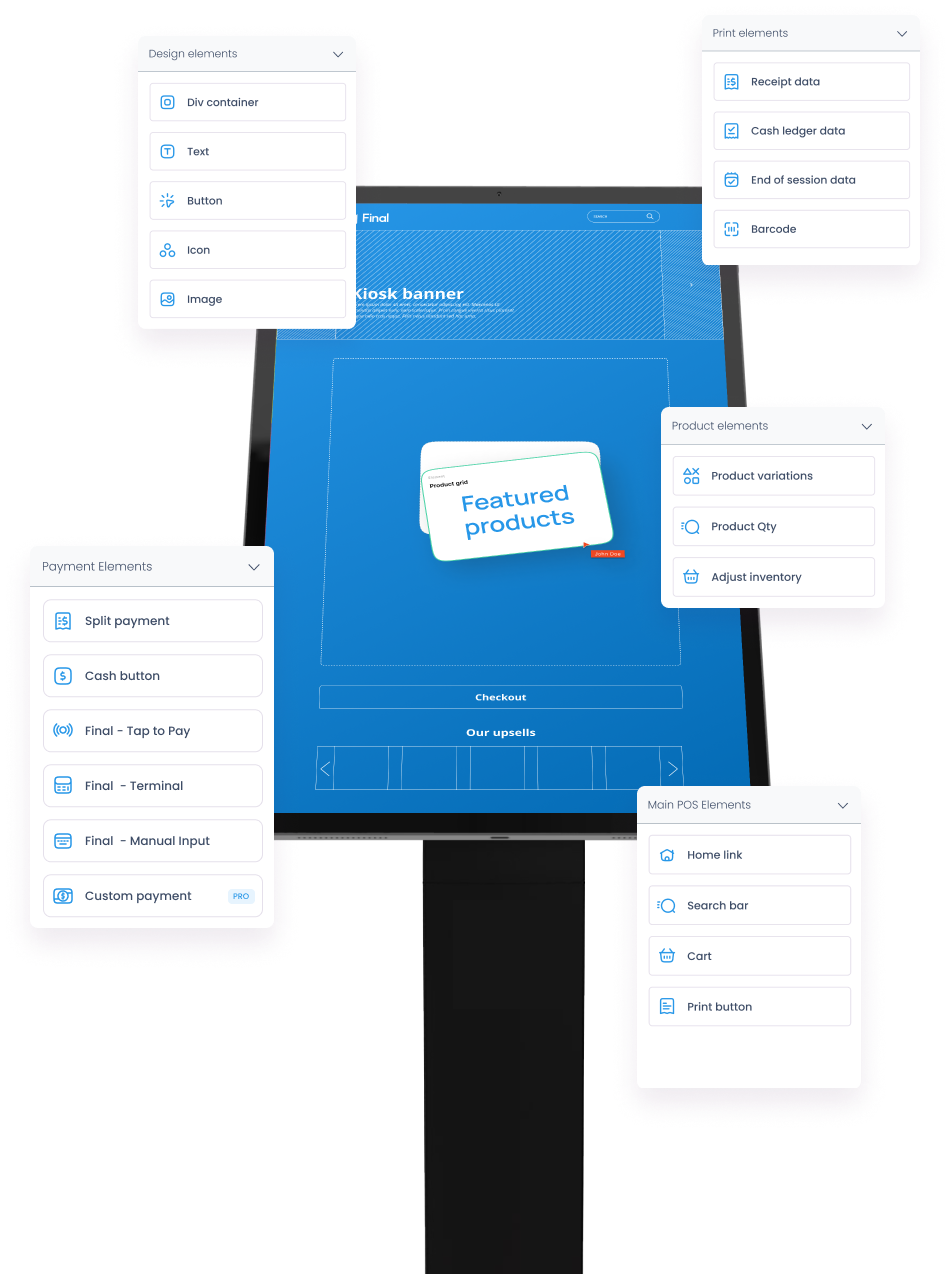
Why should you think about using a drag and drop POS builder for your checkout experience? Well, this kind of POS is perfect for businesses that want to take charge of how their sales environment looks and operates. With a user-friendly visual editor that requires no coding skills, you can easily design and tweak the POS interface to fit your workflows, branding, and operational needs.
This flexibility is particularly valuable for businesses with multiple locations, where consistency and adaptability are essential.
Pros:
Intuitive, no-code interface
Customize workflows to match your business
Easily brand the POS across locations
Make real-time changes without vendor lock-in
Built for agility and iteration
Things to Consider
That said, while the flexibility is a major advantage, it often requires a bit more hands-on approach, especially during setup. Businesses have to be ready to invest some time into configuring the system and making decisions, which might not be ideal for every organization.
However, for those looking for a customizable and scalable POS experience, the advantages can be significant. This solution is a great fit for franchises that need consistent branding across locations, web agencies building POS environments for clients, or growing businesses that want the freedom to adapt as they scale.
Cons:
It does require some initial setup and a bit of strategic planning.
It might feel a bit daunting for businesses that are simply after a straightforward, plug-and-play option.
Last thoughts on Drag and Drop POS Builder vs. Traditional POS
There’s no one-size-fits-all answer. It comes down to whether you want simplicity and don’t plan to change much, a traditional POS might do the job.
But why not have a stronger, more adaptable solution that fits your business instead of forcing your business to fit into the software? If you’re aiming for flexibility, branding consistency, and the ability to adapt fast — a drag and drop POS builder gives you that power. Although traditional POS systems have been reliable companions to businesses over the years, it’s impossible to overlook the benefits that a drag and drop POS builder brings to the table.
And let’s be honest: building your own POS without coding? That’s a game-changer.
Ready to Start Building?
So, if you’ve decided to start building your POS with a drag and drop builder — great choice (if we may say so). With Final POS, you get full design freedom with a user-friendly builder without coding.
Frequently asked questions
What is a drag-and-drop POS builder?
A drag-and-drop POS builder is a visual interface that lets users design and customize their point of sale system without coding. It allows you to add or rearrange features, workflows, and layouts based on your specific business needs. Read more Final POS drag and drop POS builder here.
How does a drag-and-drop POS system compare to a traditional POS?
Unlike traditional POS systems that require technical setup and rigid configurations, a drag-and-drop POS is flexible, intuitive, and easily customizable—ideal for businesses that want control without relying on developers.
What are the advantages of using Final POS’s drag-and-drop builder?
Final POS’s builder allows businesses to create tailored POS interfaces, adapt to changing workflows, and maintain full brand consistency—all with no technical skills required.
Is a customizable POS better for agencies or franchises?
Yes, customizable POS systems like Final POS are ideal for agencies and franchises that need to deploy tailored solutions for multiple clients or locations while ensuring brand and workflow consistency.
Does Final POS support white-label POS customization?
Yes, Final POS supports full white-label customization, allowing agencies and resellers to create branded POS solutions that reflect their clients’ unique look and feel.