



Why Tap to Pay Does Not Work on iPad (and What to Use Instead)
iPads cannot accept Tap to Pay directly because they lack an internal NFC antenna and Apple restricts its Tap to Pay framework to iPhone XS and newer. Here is why that hardware limit exists and the four best ways to take contactless cards on an iPad POS.
 Mathias NielsenCEO, Final POS
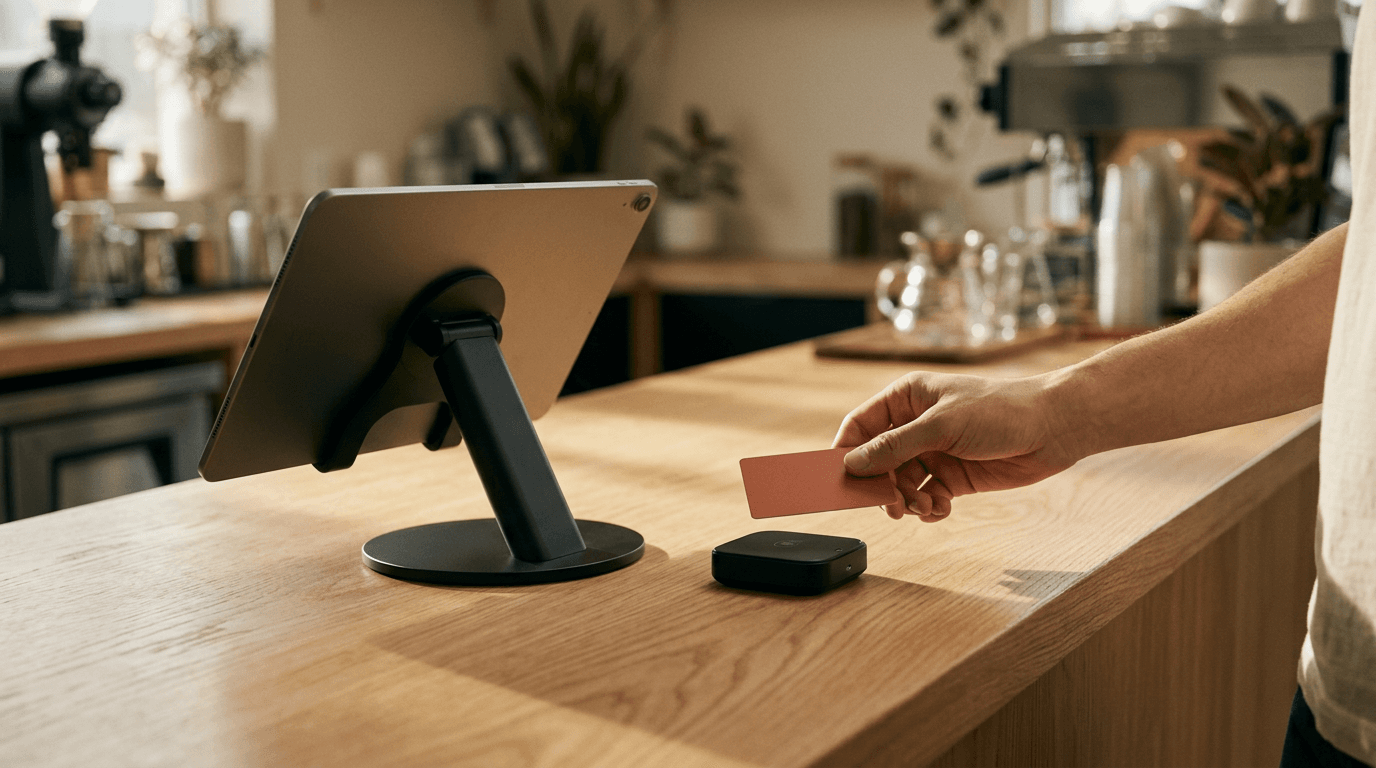
You can spend $1,299 on a brand-new 13-inch iPad Pro with an M4 chip, mount it on a swivel stand at your coffee shop counter, and still have no way for a customer to tap a credit card directly against the glass. We talk to restaurant owners and makers every week who assume that because their iPad supports Apple Pay in Safari, it can also accept contactless cards in person. It can't.
Tap to Pay on iPad does not exist because Apple restricts its Tap to Pay framework and hardware to iPhone XS and later. If you're building or setting up an iPad POS, you have to pair that tablet with an external card reader, a cloud-connected POS terminal, or a secondary device that actually has a Near Field Communication (NFC) antenna.
The Short Answer: Tap to Pay Is Strictly iPhone-Only
Apple’s contactless payment acceptance product is literally named Tap to Pay on iPhone. That branding is a strict technical boundary.
Every major payment service provider (PSP) supporting Apple's framework, including Adyen and Stripe Terminal, explicitly blocks iPadOS in their SDK documentation. Even if you're an organization developer who has gone through the whole process of getting the Tap to Pay on iPhone entitlement from Apple with your D-U-N-S number, the ProximityReader API will only execute on an iPhone XS or newer running iOS.
Try to call that same framework on an iPad mini or an iPad Air, and the SDK returns a hardware unsupported error. If your goal is accepting card payments in your own POS app on an iPad screen, you have to route the actual card tap somewhere else.
Why iPads Can't Read Contactless Cards the Same Way
iPads cannot read contactless cards because they do not contain an internal NFC antenna or radio controller.

Smartphones place their NFC antenna right along the top edge for an obvious tap target, while a large tablet enclosure leaves no ergonomic spot to read a physical card.
The confusion usually comes from the words "Apple Pay." When you buy shoes in an iPad app or check out on a website in Safari on an iPad, you can pay with Apple Pay using Touch ID or Face ID. That works because the iPad uses its Secure Enclave to generate a cryptographic payment token and send it over the internet. No physical radio wave is reading a card.
Reading a physical Visa card or another phone's digital wallet requires an active NFC transceiver emitting a 13.56 MHz radio field. Apple builds that NFC coil into the top edge of every iPhone and Apple Watch, right next to the camera housing. They have never put an NFC radio inside any generation of iPad, iPad Air, iPad mini, or iPad Pro.
Ergonomics also explain why Apple hasn't added that copper coil. On an iPhone, the NFC read zone is tiny and sits right at the top edge, so a customer knows where to hold their card. On an 11-inch or 13-inch iPad locked inside an aluminum countertop enclosure, a customer would have to hunt around the bezel or camera bump to find the sweet spot, or tap directly against the center of the glass where the display assembly blocks radio signals.
How Do You Take Contactless Payments on an iPad POS?
TL;DR: Since the iPad cannot read cards directly, you must pair your iPad POS app with a Bluetooth card reader, a smart POS terminal over Wi-Fi, or a dedicated customer-facing NFC display via USB.

Merchants running an iPad checkout can route card taps to a Bluetooth EMV puck, a network-connected smart terminal, or a companion smartphone.
When you build or deploy an iPad checkout, you have four realistic ways to handle the card tap.
1. Certified Bluetooth Card Readers
This is the standard route for coffee counters, food trucks, and retail boutiques. You keep the iPad as the cashier's main screen and pair a compact, battery-powered EMV puck over Bluetooth Low Energy (BLE).
In our hardware lineup, the Final Move handles this as an entry-level card reader that takes contactless taps and chip inserts without cluttering the counter. If you're building your own app from scratch, you can't just buy a generic reader off Amazon. You must use a PCI-certified reader provided by your PSP (like the Stripe Reader M2 or BBPOS WisePad 3) and communicate with it through their specific iOS SDK.
Best for: Keeping upfront hardware costs low while giving the customer an obvious place to tap.
The trade-off: Bluetooth pairing can drop in crowded radio environments, and staff have to remember to charge the puck at night.
2. Cloud-Connected Smart POS Terminals
For a 60-seat restaurant or a busy multi-lane retailer, Bluetooth pucks feel flimsy. A better setup is pairing the iPad with a smart POS terminal, like our Final Touch mobile Android smart terminal or our S700 all-in-one station and payment terminal, connected over local Wi-Fi or Ethernet.
When the cashier hits "Pay" on the iPad, the POS sends an API call over the network to wake up the terminal. The terminal displays the itemized total, collects the tip on its own touchscreen, takes the card tap, and sends the approved webhook back to the iPad.
Best for: Full-service restaurants (where the terminal can be carried to the table) and high-volume counters where Bluetooth disconnects are unacceptable.
The trade-off: Smart terminals cost more upfront than simple Bluetooth pucks, though you own them outright when you buy from us instead of signing a 3- to 5-year lease with a processor like Clover.
3. Customer-Facing Displays (CFDs) with Tap on Glass
If you want the clean look of tapping directly on a screen, add a secondary display facing the buyer. Our Final Register CFD is a 10.1-inch HD customer display for the D3 Pro that connects via plug-and-play USB and has NFC Tap on Glass built right into the panel. The cashier works on the primary screen while the customer watches their cart build in real time and taps their card directly on the customer-facing glass.
4. An iPhone Running as a Companion Reader
Already have an old iPhone XS or iPhone 12 sitting in a drawer? Instead of buying a card reader, run your POS app on both the countertop iPad and the iPhone. In a cloud-synced system, the cashier rings up the order on the big iPad screen, parks or pushes the order to the iPhone, and uses Tap to Pay on the iPhone to take the card at the table or counter.
Can an Android Tablet Do Tap to Pay Instead?
Yes, an Android tablet can accept Tap to Pay directly if it has an internal NFC module, runs Android 11 or higher, and passes Google Play Integrity checks.
Unlike Apple, hardware makers in the Android ecosystem occasionally put NFC antennas into larger screens and modular commercial tablets. If you're building or choosing a Tap to Pay on Android setup, you aren't restricted to phones.
Commercial POS hardware often uses modular NFC attachments. With our Final Flex setups, merchants can snap on a Flex NFC + MSR + Scanner Module, giving a full-sized counter screen a combined NFC reader, magstripe reader, and barcode scanner in a single unit.
If you're coding your own custom Android POS app to run on off-the-shelf Samsung or Lenovo tablets, verify the spec sheet carefully before buying 20 units for a chain rollout:
Check for NFC hardware: Most consumer budget tablets (like the base Samsung Galaxy Tab A series) omit NFC just like iPads do. Ruggedized tablets (like the Samsung Galaxy Tab Active series) usually include it, often placing the antenna right on the front glass.
Software requirements: To run the Stripe Terminal or Adyen Tap to Pay Android SDKs, the tablet must run Android 11+, have Google Play Services installed, pass hardware-backed Play Integrity attestation (no rooted devices or unlocked bootloaders), and run a non-debuggable release build.
Picking the Right Setup for Your Counter
Pick the screen and reader combination that fits your floor plan and transaction speed:

For table-side service or busy counters, pairing a countertop iPad with a cloud-connected handheld terminal or Tap to Pay phone keeps lines moving without Bluetooth drop-offs.
Pop-up shop, market stall, or table-side ordering: Skip the iPad. Run your POS on an iPhone or NFC Android phone in your pocket, or carry a Final Touch smart terminal. Zero extra dongles to lose.
Single-counter café or boutique using an existing iPad: Keep the iPad you already own. Add a compact Final Move card reader with a one-time hardware purchase and zero monthly device fees. Put it on an adhesive dock facing the customer so you never have to spin your iPad around.
Multi-lane retail chain or busy restaurant: Pair your countertop iPads or desktops with dedicated smart terminals, or use a D3 Pro with a Final Register CFD. Every second saved not waiting for Bluetooth to wake up adds up during a Friday night rush.
Running iPad Stations Without the Headaches
Try building an iPad POS yourself with an AI app builder like Lovable, Bolt, or v0, and you'll hit a wall the moment you try to take an in-person payment. Those tools generate nice web UIs, but a browser tab on an iPad can't talk to certified Bluetooth EMV readers, and general-purpose AI builders don't come with Apple's entitlements or Adyen and Stripe Terminal SDKs wired up.
We built Final POS so makers, agencies, and merchants can skip months of hardware certification and SDK plumbing.
In Final Build, you describe the exact checkout workflow your store needs, whether that's a 60-seat restaurant splitting bills by seat or a 7-store retail chain tracking multi-location stock. Build generates a working flow on real commerce rails in minutes. You get 1,000 free build credits every day (up to 5,000 a month) with $0 in monthly software fees.
When you're ready to take payments, you deploy that flow via Final Run to Final Station, our native app for iOS, Android, macOS, and Windows:
On an iPad: Final Station connects natively to our merchant-owned Bluetooth readers and smart POS terminals (like Final Move, Final Touch, and the S700) right out of the box.
On an iPhone or NFC Android phone: That same flow runs with Tap to Pay built in. At checkout on that device, tap the Tap to pay button and the phone becomes the reader.
Built-in processing: Final Pay is already wired into every flow across 24+ countries where Final Pay is available on Adyen-powered infrastructure (specific card reader and Tap to Pay availability varies by country and device). You pay one transparent rate: 1.99% + $0.10 CAD in Canada, 0.99% + €0.10 in Europe, and 2.49% + $0.10 in the US and worldwide, with $0 for cash transactions and no lock-in contracts.
Pull that iPad off the shelf, install Final Station, and build a checkout that fits your counter in minutes.
Frequently asked questions
Can an iPad accept Tap to Pay?
No. Apple's Tap to Pay on iPhone technology is strictly limited to iPhone XS and newer models because no iPad model contains an internal NFC antenna. Every major payment provider, including Adyen and Stripe, confirms that iPads cannot read contactless cards directly without external hardware.
How do iPad POS apps take cards?
iPad POS apps accept cards by pairing with a PCI-certified Bluetooth card reader (like the Final Move), a cloud-connected smart POS terminal (like the Final Touch or S700), or a USB customer-facing display with built-in NFC. The POS app talks to these external devices through the payment provider's native iOS SDK.
Can an Android tablet do Tap to Pay?
Yes, if the Android tablet has a built-in NFC reader (like the Samsung Galaxy Tab Active series) or a modular NFC attachment. To support Tap to Pay SDKs, the tablet must also run Android 11 or later, include Google Play Services, and pass hardware-backed Play Integrity security checks.