



What AI Gets Wrong When Designing a Checkout (and How to Fix It)
AI can design a checkout that looks right in minutes. The failures hide in money math, taxes, refunds, and payments. Here is where AI-generated checkouts break, and how to fix each one.
 Mathias NielsenCEO, Final POS
AI gets one predictable thing wrong when designing a checkout: it designs for the demo, not for the ten-thousandth transaction. Ask an AI app builder for a checkout and you get something convincing in minutes. Clean cart, tidy buttons, a confident pay screen. The failures live in everything a screenshot cannot show: how the flow handles a refund, a split payment, a tax rule, or a line of customers at noon on a Saturday.
The fix is not better prompting. It is deciding which parts of the checkout the AI should own, and which parts it should never be allowed to improvise. Here is where AI-generated checkouts actually break, and what to do about each one.
Why does an AI-designed checkout look right but fail in use?
Two reasons. First, AI learns checkout design from existing checkouts, and existing checkouts are mediocre. Baymard Institute puts the average documented online cart abandonment rate at 70.22%¹, and finds the average US checkout shows 23.48 form elements where an ideal flow needs 12 to 14¹. A model trained on the average reproduces the average, including its mistakes.
Second, happy-path bias. Generated software is judged the way a demo is judged: does the normal case work? A checkout is judged the way a cash register is judged: does every case work, every time, with a customer watching? Those are different bars, and the gap between them stays invisible until real money runs through it.
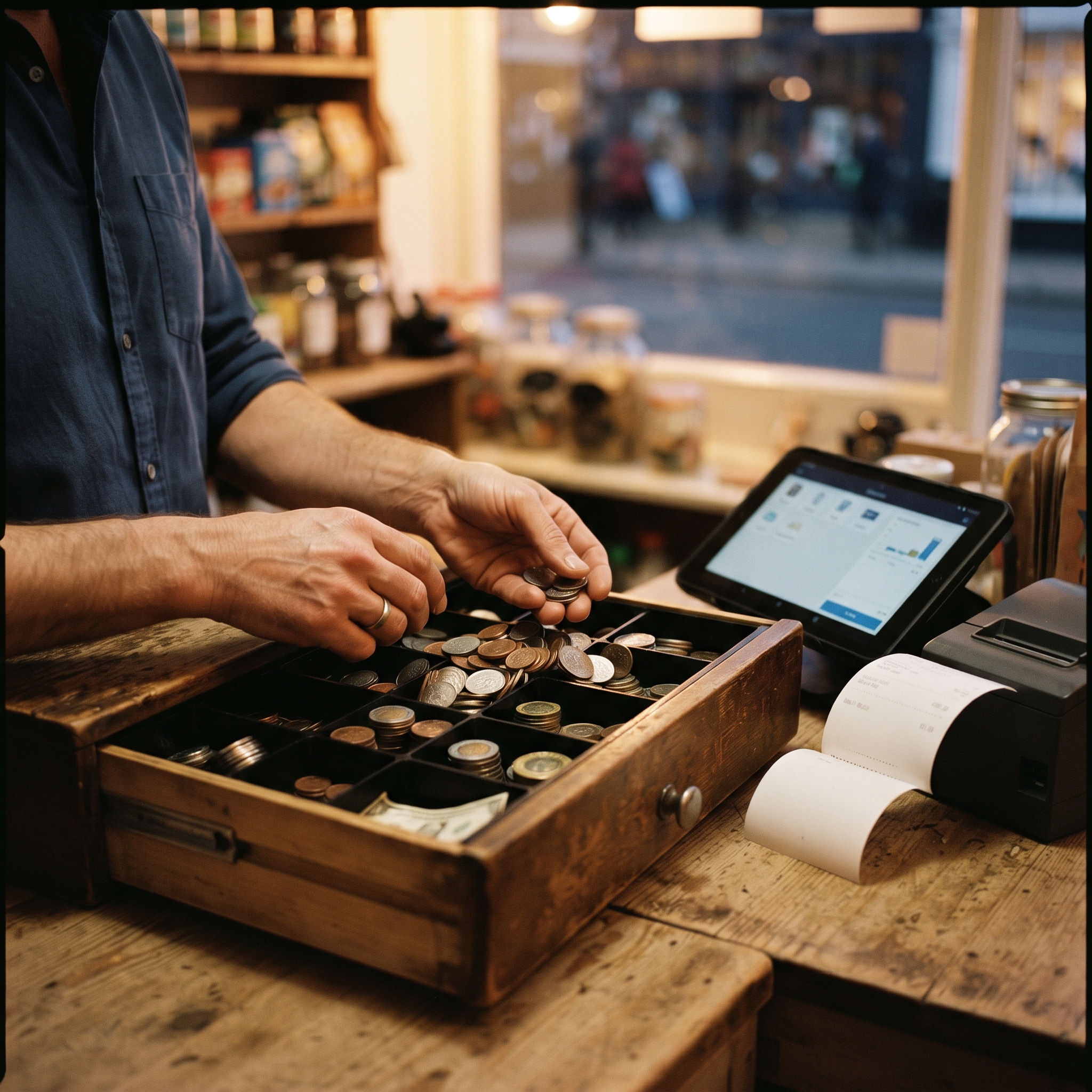
What does AI actually get wrong in a checkout?
Five failures show up over and over. (For the deeper infrastructure gap behind them, see Can You Build a POS with Lovable or Replit? This list is about the checkout itself.)
Money math. Generated code routinely does currency arithmetic in floating point (decimal math that rounds unpredictably), so pennies drift across discounts, taxes, and split payments. The symptom arrives at close: totals that will not reconcile (match to the penny) against your end-of-day report.
Taxes. AI hard-codes one rate. Real sales tax depends on jurisdiction, item type, exemptions, and dates, and it changes without telling your code. A checkout that guesses at tax is not a checkout; it is a liability with a nice interface.
The unhappy paths. Refunds, voids, partial payments, price overrides, a connection drop mid-charge. Demos never exercise them; counters hit them daily. Most AI-generated checkouts simply do not have them.
Cashier speed. AI copies e-commerce patterns built for a shopper who checks out once. A cashier runs the same flow hundreds of times a shift, so every extra tap compounds into queue time. Even small choices change counter dynamics; where the tip prompt lives is a whole decision on its own.
Payments. A pay button is not a payment. Taking a card in person requires a payment processor, PCI compliance (the card industry's data security rules), and certified reader hardware. None of that can be generated from a prompt; it has to exist. What payment infrastructure actually includes is longer than most people expect.

How do you fix an AI-designed checkout?
Split the job in two. AI is legitimately good at the design half: layout, flow order, wording, and shaping the screen around how your store actually sells. Let it own that. The money half (arithmetic, taxes, payment processing, the transaction record) should come from commerce infrastructure that is deterministic (it gives the same correct answer every time), not from code invented per prompt.
"Just prompt it to handle taxes correctly" does not solve this, because you cannot tell by looking whether it worked. A checkout can be wrong by a few cents per transaction for months before anyone notices. So the fix is structural:
Constrain instead of prompting. Use a platform where totals, taxes, and tenders are built in and the AI can only arrange them, not reinvent them.
Test the unhappy paths before launch. Run a refund, a void, a split payment, and a mid-charge cancel. If any of those is missing, you have a demo, not a checkout.
Reconcile on day one. Compare your checkout's totals against your payment processor's records after the first real day of sales. Penny drift shows up immediately or not at all.
Watch for workarounds. If staff invent side steps around the flow in week one, the design failed. Fix it before the workarounds become the system.

So, what does AI get wrong when designing a checkout?
It gets the picture right and the plumbing wrong: happy-path flows, improvised money math, guessed taxes, and no answer for refunds, splits, or card-present payments. None of that is fixed by a better prompt; it is fixed by putting the AI on top of infrastructure that already handles the money. The rule of thumb: let AI design the flow, never let it improvise the money.
That split is the idea behind prompt-based builders like Final's Build, where you describe the checkout you want and the totals, taxes, and Final Pay transactions underneath come from a system that always adds up. To see it in practice, build your first flow in about ten minutes, or zoom out with AI for Business: What It Can (and Can't) Do.
Frequently asked questions
Can AI design a good checkout?
Yes, for the design half: layout, flow order, wording, and adapting the screen to how a store sells. It fails when it also has to invent money math, tax logic, and payment handling, which need to come from real commerce infrastructure.
Why do AI-generated checkouts fail in real stores?
They are built and judged on the happy path. Real counters hit refunds, voids, split payments, tax edge cases, and connection drops every day, and generated code rarely handles any of them.
What should AI never handle in a checkout?
Currency arithmetic, tax calculation, and payment processing. These need deterministic infrastructure and, for card-present payments, PCI compliance and certified reader hardware, none of which can be generated from a prompt.
How do I test an AI-built checkout before using it?
Run the unhappy paths: a refund, a void, a split payment, and a cancel mid-charge. Then reconcile the first real day's totals against your payment processor's records to the penny.