



Final Builder、Station 和 Hub 的支付灵活性
Final 在 Builder、Station 和 Hub 之间提供支付灵活性,让代理商能够构建自定义结账流程、支持多种硬件类型并跟踪每笔交易。
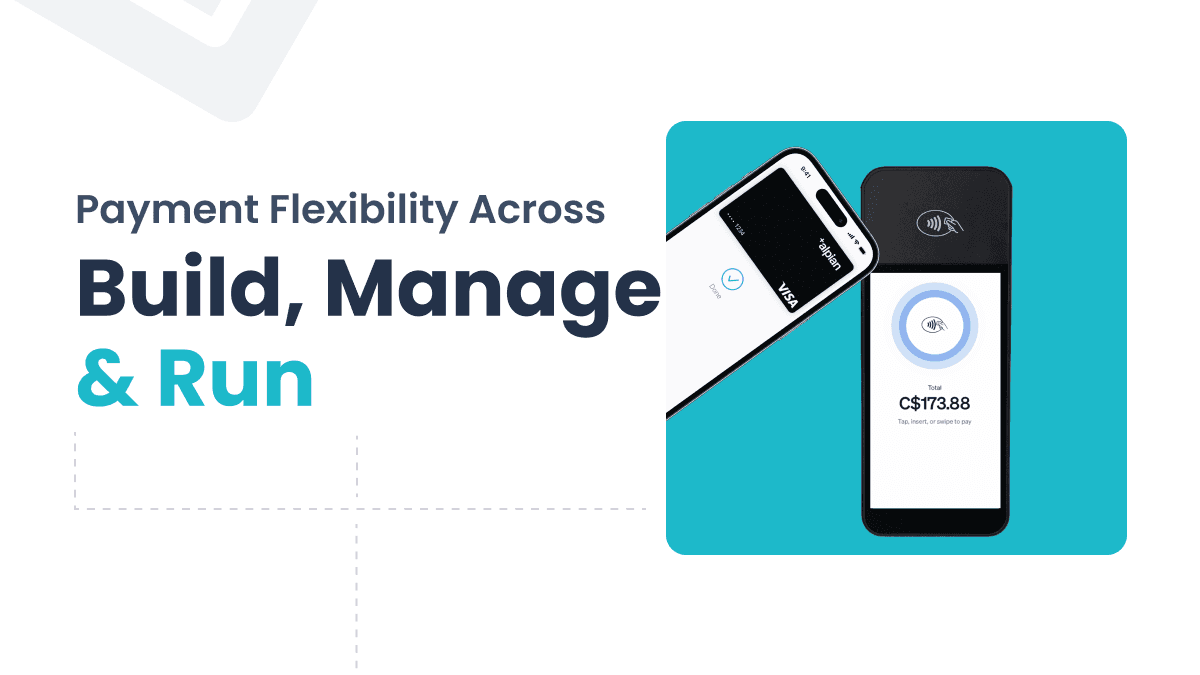
If you’re building POS solutions for multiple clients, you know the pain. Every business wants payment flexibility and a different checkout setup, and you’re stuck hardcoding workflows or duct-taping APIs to make it work. Regardless of their size, every client expects a checkout experience that just works, with their preferred payment methods, devices, and branding.
Final provides you with a comprehensive infrastructure to deliver exactly that—a customized payment solution designed for scalability, speed, and complete control. Whether you’re crafting flexible payment workflows in Builder, facilitating smooth in-store transactions on Final Station, or monitoring performance and payments in Hub, you have a platform that adjusts to your clients' needs, not the other way around.
Payment Elements in Builder
In Final Builder, you can create custom payment workflows using a simple drag-and-drop interface. You get full control over the checkout process—so whether you're dealing with unique payment methods or want the checkout to match your client’s brand perfectly, there's no need for custom coding.
This kind of payment flexibility is a huge advantage, especially for resellers and developers juggling different industries, client types, or regional needs.
Here’s how the Payment Elements in Builder help you shape checkout flows, create new revenue opportunities, and build a customized POS experience your clients will genuinely enjoy using.

Available Payment Elements:
These are elements you can add directly to any checkout flow:
Final – Terminal:添加传统的店内结账支付终端。
Final – Tap to Pay:直接通过移动设备或平板电脑启用无接触支付。
现金按钮:包含现金支付按钮,支持钱箱处理和班次管理。
Custom Payments
When it comes to payment options, you can also create custom payments such as Cheque, Store Credit, or Wallets. These options can be renamed per client, tracked in reports, and blended seamlessly into checkout flows. This ensures clients get the payment flexibility they expect while maintaining operational consistency.
Payment Grid Element
The Payment Grid is a handy layout component designed to arrange various payment options within the checkout interface. It provides a clean and user-friendly experience, whether a client is using just one payment method or a combination of cash, card, and custom options. This enhances usability for both staff and customers, making it a crucial part of delivering a payment solution that truly works in real-world scenarios.
Why it matters
Builder equips you with the tools to set up scalable and flexible payment setups without the hassle of juggling different versions for each client. This means you can enjoy:
Faster rollout across projects
Easy reuse of components for different business types
Custom branding and white-labeling options
Reduced maintenance and increased scalability
But the best part? Final empowers you to provide a fully customized payment solution that adapts to your clients’ specific needs — whether that’s hardware terminals, tap-to-pay, cash handling, or even alternative methods like cheque or store credit.
With Final, you get a POS infrastructure that adjusts to each client, not the other way around.
Payments on Final Station
Once a payment flow is built in Final’s Builder, it becomes instantly available in Final Station — the POS interface used by staff at the counter, on mobile, or in kiosk setups.
This ensures that what you design centrally in Builder is reflected consistently across all client touchpoints, with full hardware support and real-time functionality. In short, this ensures a consistent, real-time experience across all client touchpoints.
Seamless Hardware Integration
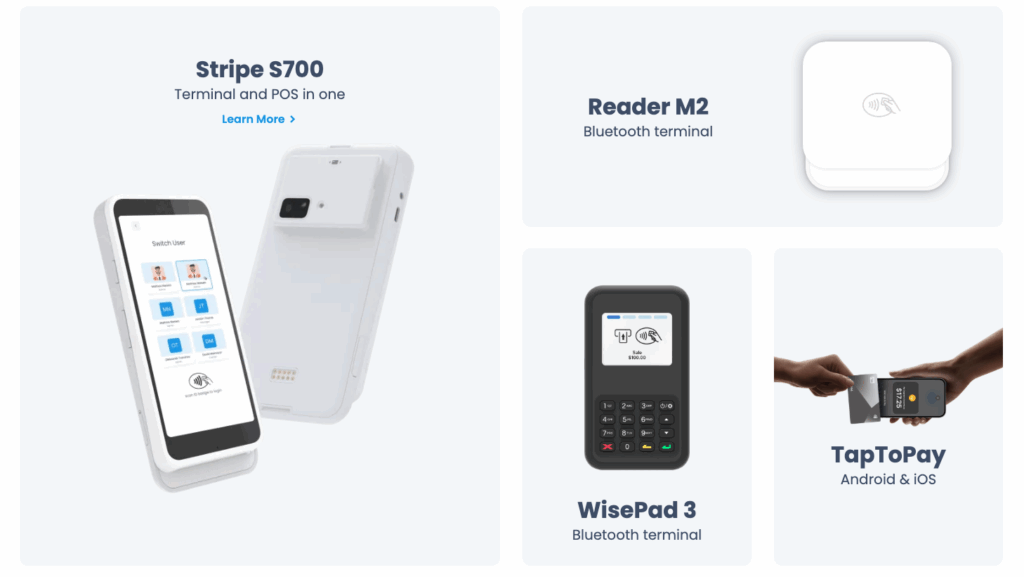
As mentioned earlier, we offer different Payment Elements in Builder. These are components you can add directly to any checkout flow, and they will appear in the Final Station app. This means Final Station supports both Bluetooth and cloud-based terminals, as well as Tap to Pay, making it easy to accept in-person card payments in any setup.
Whether your clients prefer the flexibility of mobile devices or the stability of fixed hardware, they can choose the element that fits their environment, with no compromise on payment flexibility.
Cloud Terminals – Perfect for mobile or tablet-based POS flows, cloud terminals are quick to deploy and easy to scale across multiple locations.
The **S700 terminal** is a powerful, all-in-one device with a built-in receipt printer — ideal for high-volume countertop setups. It supports both contactless and chip card payments and integrates seamlessly with Final POS.
Bluetooth Readers – Great for countertop checkouts and situations where direct, stable pairing is preferred.
One flexible mobile card reader that integrates easily with Final Payments and Final POS is the **Stripe Reader M2**. It supports contactless, magstripe, and EMV chip card payments.
The **BBPOS WisePad 3** is a compact, lightweight, and secure card reader that pairs effortlessly with Final POS. Its end-to-end encryption and tap-to-pay support make it a perfect fit for mobile-first or hybrid setups.
Final – Tap to Pay – Accept contactless payments directly on any mobile or tablet device. Available on both iOS and Android, it’s a hardware-free way to turn smart devices into secure, flexible POS terminals.
Read more about the powerful hardware options to complement your custom point of sale here.
Cash Drawer and Manual Payment Handling
For those clients who still deal with cash, Final Station offers comprehensive cash drawer support, which includes:
Tracking the opening float
Keeping cash-in/cash-out logs
Entering manual transactions (like adjustments, refunds, and more)
Facilitating split payments, so multiple payment types can be used in a single transaction
This level of detail guarantees that every transaction is recorded accurately, giving your clients complete control over in-store payments.
Payment Reporting in Hub
Final Hub offers a complete overview of payment data across all checkout flows, giving resellers and their merchants a clear, accurate view of business performance, right down to the transaction level.
Once payments are processed through Final Station, all transaction data is automatically recorded and made accessible inside Final Hub — your clients’ branded back office for tracking sales and performance.
Final Hub includes a complete set of payment reporting tools, helping merchants stay informed without relying on external systems or manual exports.
Whether you're clients are managing smaller shops or a multi-location franchise network, Hub provides the transparency and control needed to manage daily operations and long-term strategy.
Available Report Types
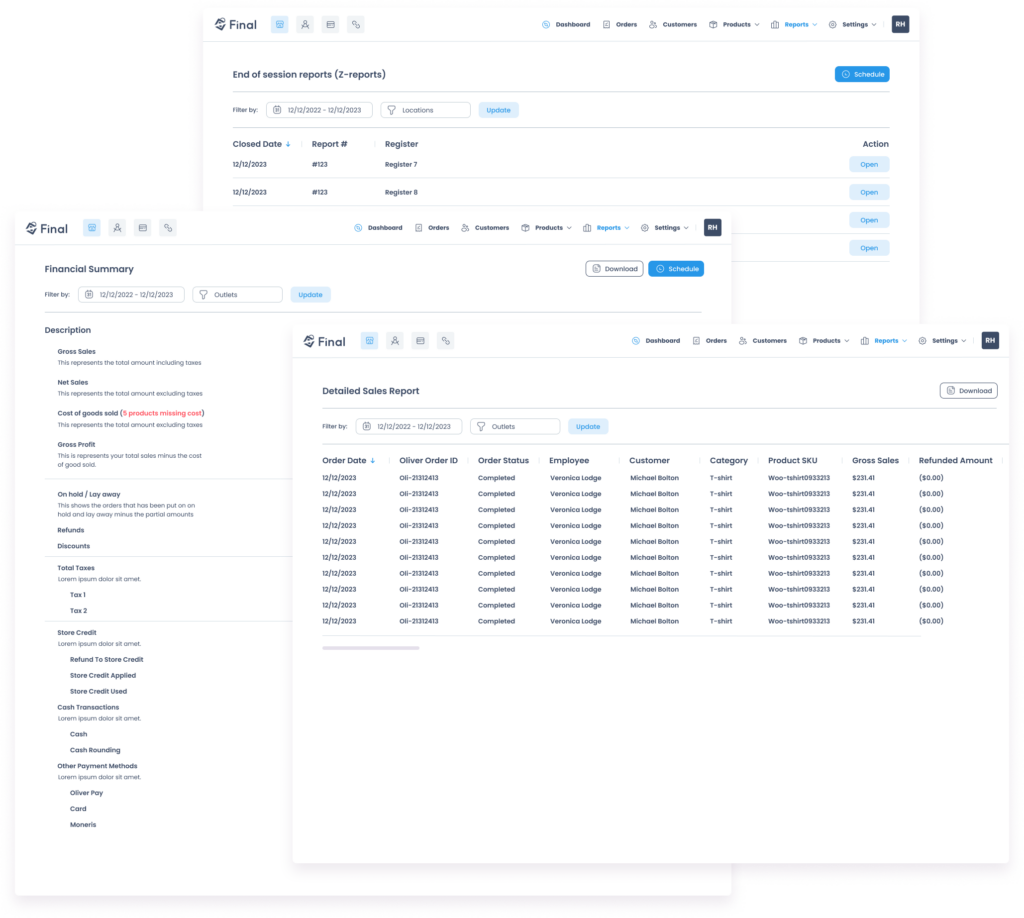
Payments Summary – Breakdown of transactions by payment type: card, cash, Final Pay, or any custom method configured in the Builder.
Fees Summary – Overview of all product and cart-level fees applied during checkout.
Session Reports – Detailed register-level reporting for staff and station reconciliation, including float handling and cash activity.
End-of-Session (Z-Report) – a breakdown of daily transactions ready to print daily for shift or store managers.
Employee Sales – Keep an eye on how your employees are doing, tracking their sales volume, refunds, and discounts.
Financial Summary & Sales Report – a clear revenue overview with full visibility into gross/net sales, tax, refunds, and custom sale data.
Cash Ledger & Store Credit – Log of all cash adjustments and usage of wallet/store credit balances.
Built for Scalable Payment Solutions
Payment reporting in Hub isn’t just about data — it’s about clarity. Whether your client uses a single cash drawer or a mix of terminals and custom payment types, Final organizes everything automatically.
It’s one more way Final supports you in delivering a complete, customized payment solution that scales, from single stores to multi-location businesses.
Conclusion: Build your customized payment solution with Final
Final’s payment infrastructure is all about providing flexibility, control, and scalability to cater to a diverse array of clients.
What’s even better is that Final equips you with the tools to create a fully customized payment solution for your clients—one that aligns perfectly with their specific needs, accommodates their preferred payment methods, and evolves alongside their business.
Whether you’re setting up payment workflows in Builder, facilitating seamless in-person transactions on Final Station, or diving into detailed insights in Hub, you have all the essentials to offer a cutting-edge POS experience.
Explore payments with Final here.
Earn on Payment Processing with One Click
Final makes it effortless for your agency or platform to monetize payment flows. With built-in Stripe Connect integration, you can enable seamless payment facilitation and instantly set your own processing rates. That’s right—onboard sub-merchants, control their transaction fees, and start earning on every sale, all from within a user-friendly dashboard.
Talk to an expert to get started.
常见问题
我可以在 Final Builder 中配置哪些支付方式?
在 Final Builder 中,您可以使用拖放式界面添加终端支付、Tap to Pay 和现金按钮。您还可以创建自定义支付类型,例如支票、店铺余额或钱包,这些类型可以针对每个客户进行重命名,并在报告中进行追踪。
Final Station 支持哪些硬件用于面对面支付?
Final Station 支持 S700 等云终端、Stripe Reader M2 和 BBPOS WisePad 3 等蓝牙读卡器,以及 iOS 和 Android 设备上的 Tap to Pay。这使商家能够根据其配置灵活选择固定或移动硬件。
Final Hub 如何处理支付报告?
Final Hub 会自动记录通过 Final Station 处理的所有交易数据,并将其整理到报告中,包括支付摘要、会话报告、Z 报告、员工销售额和现金账簿。这使商家无需外部工具或手动导出即可获得完整的可见性。
Final 是否支持分拆支付和钱箱管理?
是的。Final Station 包含全面的钱箱支持,包括备用金追踪、现金存入/取出日志、手动交易录入,以及允许在单笔交易中使用多种支付方式的分拆支付。
代理商如何通过 Final 的支付处理赚取收入?
Final 包含内置的 Stripe Connect 集成,允许代理商设置自己的处理费率、入驻子商户,并从客户 POS 流程中处理的每一笔交易中赚取收益——这一切都可以在 Final 控制面板中进行管理。