



5 Effective Ways to Speed Up the In-store Checkout Process
Discover 5 practical POS features that speed up the in-store checkout process, from tap to pay and Bluetooth terminals to custom flows and smart cart tools.
 Mathias NielsenCEO, Final POS
This guide dives into five effective ways to speed up the checkout process, focusing specifically on the POS features that make the biggest difference. Of course, there are other ways to improve speed—like hiring more staff or streamlining operations—but in this post, we’ll focus solely on the technology layer: features like tap to pay, Bluetooth-enabled terminals, and user PINs that directly impact checkout performance.
Looking for the fastest way to complete in-store transactions? These strategies are built to help you reduce customer wait times and improve your checkout UX. This blog is packed with practical, actionable insights.
It’s simple math: a faster line means more sales in less time. Customers hate waiting (we all do), so improving checkout speed isn’t just about convenience, it’s about revenue, service quality, and competitive edge.
Looking for the fastest way to complete in-store transactions? This guide dives into five effective ways to speed up the checkout process, focusing specifically on the POS features that make the biggest difference
And it all starts with an intuitive, flexible point-of-sale system.
Behind every fast checkout is a system built for flexibility and performance. And that’s where infrastructure like Final POS makes all the difference, not just for retailers and cafés trying to move lines faster, but also for the resellers and web agencies powering those experiences.
From optimizing customer flow to enabling mobile-first stations and custom payment flows, these tips will help both merchants and their technology partners deliver a faster, smarter, and more profitable checkout experience.
Here are some of the best POS system features for fast checkout, and how to use them to your advantage.
1. Provide Multiple Payment Options for Fast Checkouts
If you want to reduce wait times, you need more than just a fast cashier—you need a POS system that doesn’t slow customers down with limited payment options.
Setting up multiple payment methods in your POS can drastically reduce friction and speed up service. Tap to pay, mobile wallets, or cash give each customer the quickest path to completing their purchase. It eliminates unnecessary delays, minimizes confusion at the terminal, and keeps the line moving. With Final POS, you can easily configure a range of payment types—including custom methods like cheque, voucher, or app-based payments—and ensure the checkout process stays efficient and frictionless.
For resellers, this flexibility is a key differentiator. It allows you to tailor checkout flows to fit each client’s specific needs, whether they're a boutique retailer or a busy multi-lane café. More options = faster service.
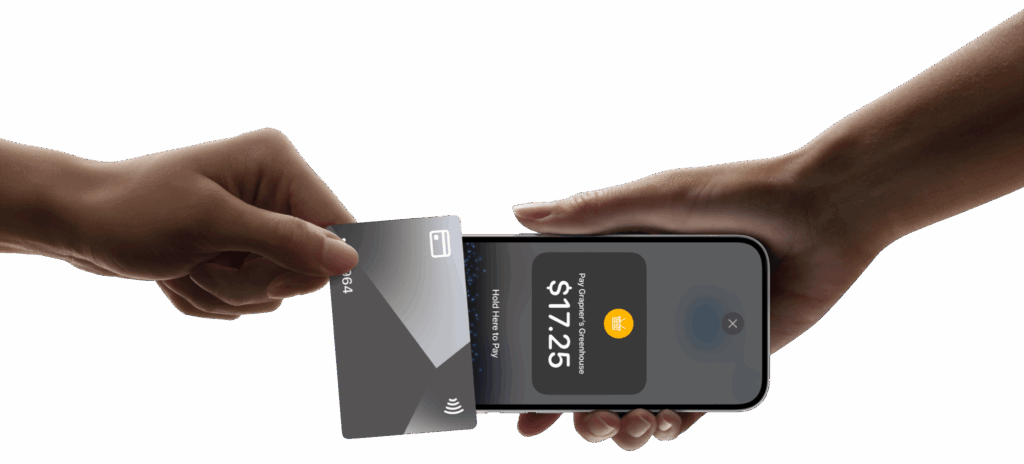
Why Tap to Pay Matters
Tap to pay is one of the most effective ways to speed up the checkout process. With Final POS, businesses can offer a seamless, contactless payment experience where customers complete transactions in seconds, using just their card or digital wallets (for example, Apple Pay and Google Pay).
Even better: with Final POS, you can instantly create a slick and professional mobile checkout solution by turning any smartphone into a payment terminal with tap-to-pay. See how it works in this short video.
Tap to pay vs chip and PIN speed comparison clearly shows why contactless is now the gold standard in fast retail checkout. It is taking only about 10–15 seconds, which is roughly twice as fast. Retailers who implement tap to pay POS features often report up to a 50% faster checkout time.
This doesn’t just improve the customer experience, it reduces queue abandonment and increases sales throughput. If you're wondering how to improve checkout flow in cafés and retail stores, this is one of the top-performing features to start with. And for resellers, it’s an easy way to deliver high-value UX with minimal friction.
2. Use Bluetooth Terminals for Flexible, Faster Checkouts
A major bottleneck in traditional checkout flows is the fixed location of the payment terminal. When all transactions have to happen at a single static point, lines build up, staff efficiency drops, and customer frustration rises.
Bluetooth-enabled POS terminals break that limitation. This gives your team the flexibility to take the checkout directly to the customer, on the floor, at a pop-up stand, or even outside. Many modern retailers already do this, just think of how brands like Sephora serve customers in-aisle. Why? Because it works.
With Final POS, you can turn any mobile device into a fully connected payment station using the Final RUN App, complete with real-time sync and full reporting. Whether you’re processing payments on a tablet or smartphone, staff can serve customers wherever they are, reducing congestion and keeping queues short, even during rush hours. This is a game-changer for businesses looking for ways to reduce customer wait times at checkout.
For cafés, retailers, and service-based businesses, it means faster service and smoother flow. For resellers, it’s a plug-and-play UX upgrade that’s easy to scale and configure across clients. And because Final POS supports Bluetooth terminals across all devices, you can roll it out without the need for costly, dedicated infrastructure.
Want to make sure the hardware supports your setup? Check out our guide: Choosing the Right POS Hardware for Your Business.
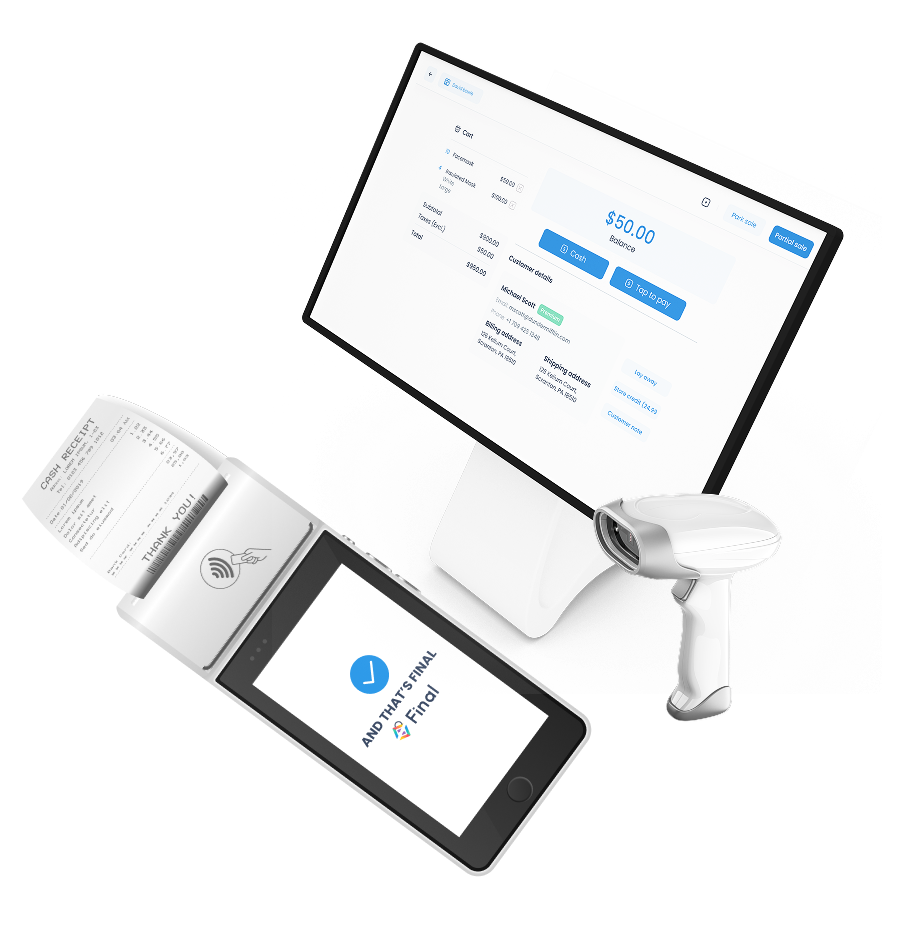
Consider Custom Self-Checkout to Reduce Bottlenecks
Now that we're talking hardware, and how mobile checkout is about bringing the terminal to the customer, it’s also worth considering another powerful tool: custom self-checkout.
Self-checkout is about letting the customer take full control of the transaction. It helps reduce pressure on the main register and spreads customer traffic more evenly, allowing you to serve more people during peak hours without adding headcount. And when built using Final POS Builder, every element of the self-checkout experience (screens, flows, buttons) can be tailored to match your brand, your logic, and your environment.
3. Use User PINs to Speed Up and Secure Staff Logins
Even the smallest delays add up, especially when they happen dozens of times a day. One common but often overlooked slowdown in the checkout process is staff login. Traditional username-password flows can be slow, inefficient, and frustrating, particularly during shift changes or peak periods.
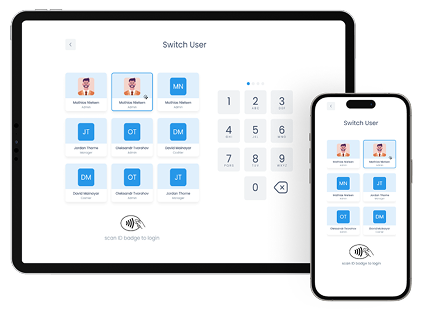
If you’re asking how to reduce friction during staff logins in busy environments, PIN access is a quick win. With Final POS, you can streamline this entirely by enabling user PINs. Instead of typing usernames and passwords, staff simply enter their PIN and gain instant access to their personal POS interface. It’s faster, cleaner, and purpose-built for high-traffic environments. This small tweak has a big impact: it can save minutes per employee per shift, adding up to hours of saved time every week, especially in busy cafés, restaurants, and retail stores where checkouts happen frequently.
But it’s not just about speed. User PINs in Final POS also enable precise user-level tracking within the POS system. Every action, from sales to refunds to drawer openings, is tied to a specific staff member. That means better oversight, cleaner reporting, and stronger accountability at every station.
4. Customize Checkout Flows to Fit Your Business and Eliminate Friction
You can speed up the checkout process by simply making it faster—but just as important is removing what slows you down. And that’s exactly what we’ll explore in this section.
In many businesses, the standard checkout flow includes steps, screens, and options that simply don’t apply. That leads to wasted clicks, longer training, and unnecessary confusion for both staff and customers.
By customizing your checkout flow to match how your business actually operates, you streamline the process and keep things moving. Whether you’re managing a bustling café, a charming boutique, or a large supermarket, cutting out unnecessary fields and highlighting just the essentials can really speed up transactions.
Wondering how to customize your POS checkout flow to match your operations? Here’s where to start. With Final POS Builder, you can create tailored checkout flows for each location, use case, or even device type. From fast-tap mobile checkouts to kiosk-style interfaces and everything in between, you can build exactly what your team needs, without needing developers or custom code. The ability to remove unnecessary steps and surface only what matters helps staff move faster and reduces the risk of errors.
Bonus: Customer-Facing Display
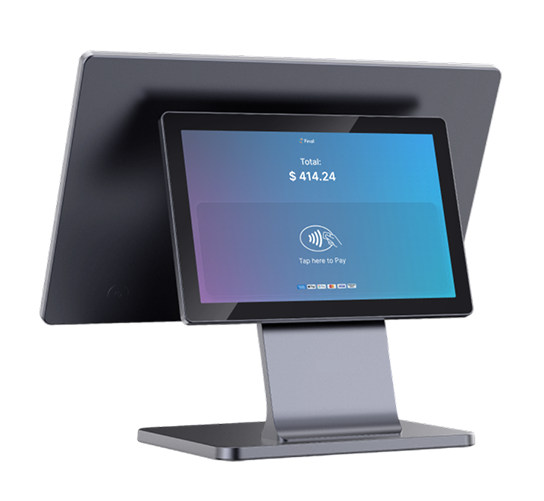
And here’s an extra bonus: if you have a customer-facing display, you can showcase every step of the transaction as it happens. This keeps the customer engaged, reduces misunderstandings, and helps eliminate post-sale surprises. Improving checkout visibility is a subtle but powerful way to reduce transaction errors and speed up customer confirmations. And by keeping everyone on the same page, it also helps speed up the overall process, even when things get busy.
Want to see how you can build checkout flows that match your brand and keep customers in the loop? → Explore custom checkout flows with Final POS.
5. Use Smart Cart Tools to Speed Up Complex Orders
Not every checkout is simple. Sometimes you need to add a custom fee, apply a discount, or leave a note about a customer’s preference or an order exception. But if those steps are clunky or buried in menus, they can quickly slow things down.
So if your goal is to speed up the checkout process, it’s essential to choose POS systems where tasks like these are intuitive—or even better, where you have the flexibility to build the flow yourself.
With Final POS, you can handle these situations without interrupting the checkout flow. Built-in cart tools let you add product-level fees, apply cart-wide discounts, or include order notes instantly, directly from the cart. No pop-ups. No extra screens.
This means staff can handle special requests and exceptions just as fast as standard orders and keeping the line moving, even when things get a bit more complex.
Conclusion: Speed Isn't Just a Feature—It's a Strategy
A fast checkout process doesn’t happen by chance, it’s the result of choosing the right POS tools and designing flows that remove friction and support real-time transactions.
Here’s a recap of the 5 most effective ways to speed up checkout and improve the point-of-sale experience, as covered in this post:
Offer Multiple Payment Options
Let customers choose the fastest method—tap to pay, mobile wallet, cash, or custom payments. → Best way to reduce payment-related delays at checkout.Use Bluetooth Terminals
Take checkout anywhere in-store with portable, connected devices. → Great for improving customer flow and minimizing lines.Enable User PINs
Speed up staff logins with secure, password-free access. → Cuts down login time during shift changes and peak hours.Customize Checkout Flows
Remove unnecessary steps and tailor the POS to your workflow. → Smart way to speed up transactions and reduce training time.Use Smart Cart Tools
Add discounts, fees, or notes directly from the cart—fast and frictionless.→ Helps staff work faster without disrupting the customer journey.
Every feature in this list supports faster transactions, smoother customer service, and better customer flow. For retailers and cafés, these changes drive shorter queues, faster turnover, and more satisfied customers. For resellers and agencies, they offer a competitive edge: a smarter checkout experience that’s easy to sell, scale, and customize.
Looking for the fastest way to improve your checkout process? Final POS gives you the flexibility, speed, and control you need.
Frequently asked questions
How can I speed up the checkout process in my store?
One of the most effective ways is to streamline the POS experience is using features like tap to pay, Bluetooth terminals, and custom checkout flows. [Read the full guide]
What are the best POS features for fast checkout?
Look for contactless payments, staff PIN login, mobile checkout options, and the ability to customize screens. These features reduce friction and save time at every step.
Can mobile payment terminals reduce customer lines?
Yes. They allow staff to serve customers anywhere in the store, which improves flow and minimizes congestion at peak times.
How does customizing the checkout flow help?
By removing irrelevant steps and surfacing only the essentials, you make it easier for staff to complete transactions quickly and accurately.