



Eliminating Manual Card Terminal Entry: Why Integrated Payments Beat Side-by-Side Readers
Keying order totals into a standalone card reader by hand leads to costly decimal mistakes and late-night reconciliation headaches. Learn how integrated payments with Final Pay eliminate manual terminal entry with transparent rates and zero monthly software fees.

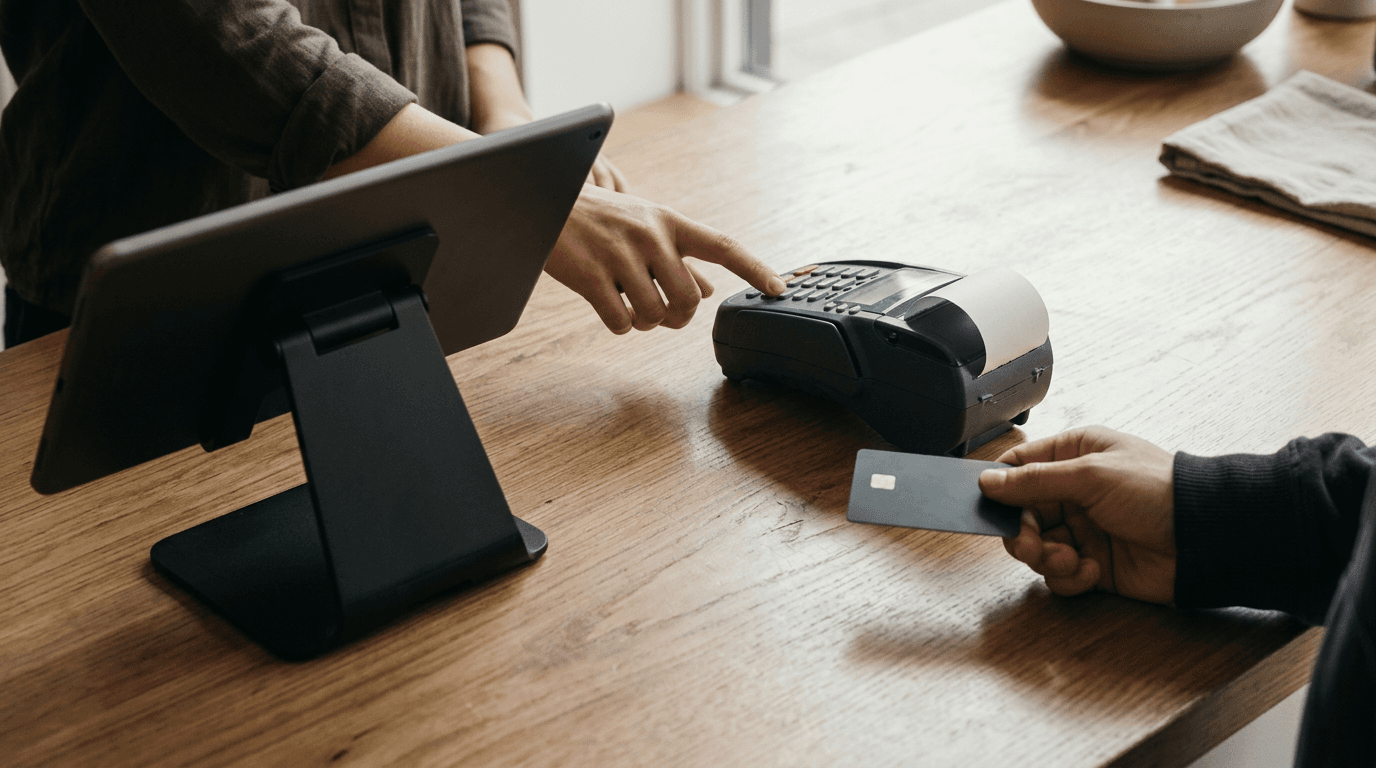
Your Friday night rush is peaking, the ticket printer is screaming, and a cashier looks at the register screen showing a $45.00 check. They turn to the standalone POS terminal sitting beside the tablet, punch in 4-5-0, and hit enter. The customer taps their card for $4.50, grabs their takeout bag, and walks out the door. You just lost $40.50 in two seconds, and your POS still thinks the order was paid in full because the cashier tapped the "External Card" button to clear the screen.
Trying to eliminate manual card terminal entry is usually when business owners realize how broken their counter setup actually is. Keeping a standalone payment terminal next to an unconnected POS tablet feels like a clever way to avoid changing how your staff rings up orders. Instead, every single transaction becomes a data entry test under pressure.
If you process 150 card transactions a day, your staff is manually typing numbers 4,500 times a month. Even a 0.5% error rate means 22 messed-up tickets every month. The customer almost never taps you on the shoulder to mention you undercharged them by a decimal point.
The $45.00 vs. $4.50 Mistake: How Keying Totals into a Standalone Terminal Costs You Thousands
Manual card terminal entry happens when a point of sale system and a payment terminal operate on separate networks, forcing staff to read the total on the register and re-key it into the card reader by hand. That six-inch gap between the tablet screen and the keypad eats into your margins every shift.
Those 22 monthly errors fall into three buckets, and every single one costs you money or customers:
Undercharges ($45.00 keyed as $4.50, or $128.00 keyed as $12.80): Unless you catch it while the customer is still standing at the counter, that money is gone. You can't legally re-run a card-present transaction for a higher amount after the customer leaves without their authorization. Do that twice a week on mid-sized checks and you're bleeding $3,000 to $4,000 a year in pure net profit.
Transposed digits ($38.50 keyed as $35.80): Nobody notices a $2.70 mistake during a busy lunch shift. Multiply that across four registers over twelve months, and you're quietly funding your own losses.
Overcharges ($18.00 keyed as $180.00): The customer notices this immediately, or sees it on their banking app that evening. Now you're dealing with an angry phone call, a refund headache, or a formal chargeback dispute on top of a bad review.
Then there's the "External Card" button flaw. On an unintegrated setup, the cashier rings up the items, hits "Card" on the tablet to close the order, and hands the standalone terminal to the customer. If the card declines while the cashier turns around to bag the order, the customer can walk out while the POS records a completed sale. Your inventory is deducted, your sales tax liability is logged, and the money never hits your bank account.
Why Do Separate POS and Processor Portals Never Match at Closing Time?
TL;DR: Standalone terminals batch out based on payment processor cutoffs without knowing which specific invoice or tip line matches which item, turning a ten-minute end-of-night close into an hour of cross-referencing paper tapes against POS exports.

When your card reader and POS operate on separate networks, closing out means cross-referencing paper settlement tapes against digital reports line by line.
Ask any restaurant owner or retail manager running a side-by-side reader about their 11:00 PM ritual. You print the three-foot settlement tape from the thermal payment terminal, then open the Z-report on your POS tablet. The POS says you did $4,820.50 in card sales. The terminal batch says $4,768.20.
Now you're sitting in the back office with a highlighter and a ruler, matching timestamps line by line to find the missing $52.30.
This mismatch happens because a standalone terminal only knows dollars and timestamps. It has no idea what items were in the cart, which tax rate applied, or which order number the payment belonged to. A few common shift routines make the numbers drift even further apart:
Tip adjustments live in one place: If your staff enters tips into the standalone terminal at the end of the shift, your POS reports will never reflect true server gratuities unless someone types them in a second time.
Split tenders break the audit trail: When two friends split a $94 tab unevenly, the POS shows one $94 order, while the terminal tape shows a $50.00 charge and a $44.00 charge. When a third table pays $20 in cash and puts the rest on a card, the paper trail fractures completely.
Refunds require double work: Returning a sweater means logging the inventory return in the POS, then grabbing the standalone terminal, typing the supervisor password, and keying a blind credit back to the card. If a staff member forgets one side of that equation, your books and your stock counts drift apart.
MOTO and phone orders get messy: Taking a card over the phone on a standalone pad leaves zero connection to the customer profile. When you use integrated custom order statuses and manual card entry (MOTO) in checkout flows, the keyed payment stays permanently attached to the itemized order and receipt. For quick non-itemized orders, you can also take quick payments from Station Home using Manual Entry or send a payment link so the customer can pay on their own device.
If you manage multiple stores, multiply that reconciliation headache by every roof you operate under. Pulling spreadsheets from seven store registers and seven separate processor portals just to give your bookkeeper a weekly total is a waste of payroll.
The Old Trap That Made Merchants Avoid Integrated Payments
Thousands of smart merchants still keep side-by-side terminals on the counter for a simple reason: for the last decade, traditional POS companies used "integrated payments" as a trap.
When we started in St. John's, Newfoundland, we watched local restaurant and shop owners deal with the ugly trade-offs of legacy integrated systems. If you wanted your register to talk directly to your card reader, you usually got locked into a 3-to-5-year processing contract with punitive early termination fees and leased hardware bundles from providers like Clover. You also got hit with tiered pricing. A salesperson would promise a low teaser rate on basic cards, only for your actual monthly statement to come back over 3% once rewards cards, corporate cards, and hidden "non-qualified" surcharges kicked in (Clover's tiered rates regularly run 2.3% to 3.5%). We cover how those contracts trap merchants in our breakdown of Clover POS customization limits and contract lock-in.
Integrating your payments also meant surrendering your workflow. Moving onto a rigid system from Square, Lightspeed, or Shopify POS just to get an integrated card reader forced you to bend your entire store operation around their fixed screens. Square locks you into rigid templates and a 2.6% + $0.10 flat rate that adds up fast at volume. Lightspeed penalizes you with extra fees if you don't use their in-house payments on top of monthly software tiers starting around $109. Shopify POS forces an ecommerce-first checkout pattern and stacks POS Pro per-location fees on top of your monthly plan just to unlock standard in-store features.
Faced with $100+ a month in software fees and a generic checkout grid that didn't fit their business, plenty of merchants decided to keep their old setup and type the numbers into a bank terminal by hand.
Wiring Final Pay Directly Into Your Custom Checkout Flow
Integrated POS payments occur when your checkout software sends the exact cart total, tax breakdown, and order ID directly to the payment reader automatically, preventing the order from closing until the card network returns an approved signature. You don't have to sacrifice your workflow or sign a multi-year contract to get that automation.

With integrated payments wired into your checkout flow, the exact cart total pushes straight to the reader automatically—no keypad required.
We built Final as a fully customizable POS, with Final Pay wired directly into the commerce rails underneath. You customize your exact checkout using Flow Studio rather than forcing your staff to learn a rigid layout. Most merchants start from a ready-made flow in the Flow Library and adjust it, or describe their store workflow in Build and let Flow Studio generate the screens from their description.
If you need a table-service restaurant screen with quick-split bill logic, a retail counter with instant wholesale discounts, or want to build your own POS with custom checkout flows, Final Pay is already built into the checkout step.
When the cashier taps "Pay" on Final Station, the handoff is automatic:
Zero keypad entry: The exact subtotal, calculated tax, and order reference push straight to the reader. The cashier can't change the number or fat-finger a decimal.
On-reader tips and signatures: Tip prompts and signature collection happen right on the customer's screen and sync back to the exact order in milliseconds.
Approval-gated orders: The sale only completes in Manage when the payment processor confirms the funds are captured. If a card declines, the cart stays open in front of the cashier.
One dashboard for everything: Inside Manage, your product sales, employee shifts, tax summaries, payouts, and dispute management live in a single back office at no monthly software fee. You can also route deposits by Outlet, region, or owner without juggling separate bank portals.
Can You Eliminate Manual Entry Without Buying New Countertop Hardware?
Yes. Switching to integrated payments doesn't require buying a proprietary register bundle for every lane.

Tap to Pay turns existing iPhones and NFC-enabled Android devices into integrated card readers with zero external hardware.
Final Station runs natively on iOS, Android, macOS, Windows, and any modern browser, so you can start on the tablets, phones, and computers you already own. When it's time to take a card, you have three options depending on how your floor operates:
1. Zero-Hardware Checkout with Tap to Pay
Final Pay supports Tap to Pay on iPhone and NFC-enabled Android devices out of the box. Your phone or tablet becomes its own card reader with zero external hardware required. A server taking orders table-side or a vendor working a weekend pop-up rings the items in Final Station and hands the phone to the customer to tap their card or mobile wallet directly on the glass.
2. All-in-One Smart Terminals
If you want a dedicated unit where the card reader, the app, and the thermal receipt printer live in the same device, check our Getting Started with Final Terminal guide. Hardware like Final Touch and Final Touch Pro let you run your custom flows and take payments right on the terminal screen. For a full countertop setup, Final Register gives you a 15.6-inch FHD Android desktop terminal with a concealed cable stand, or you can turn any tablet into a custom self-checkout kiosk and pair it with a compact reader.
3. Pocket Readers Connected to Existing Stations
If you like the iPad or desktop setup already sitting on your counter, pair it with Final Move, our pocket Bluetooth card reader for contactless and chip payments. You buy your hardware once and own it outright, with zero terminal activation fees and zero monthly device fees. Setting it up takes a few minutes—see the exact pairing steps in our guide on how to connect a terminal.
What Integrated Payments Should Actually Cost: The Whole Pricing Page in One Paragraph
Payment processors hide their real margin inside twelve-page PDF statements filled with interchange-plus tables, PCI compliance fees, batch header fees, and monthly minimums. You should be able to calculate your processing cost on the back of a napkin before you ever open an account.
With Final, there is a $0 monthly software fee for Build, Run, and Manage, and cash transactions are always $0. For in-person card payments via Final Pay, you pay one combined rate with everything included: 2.49% + $0.10 in the US and worldwide, 1.99% + $0.10 CAD in Canada (with Interac debit at 0.5% + $0.07 CAD), and 0.99% + €0.10 in Europe. Online and card-not-present transactions run 2.79% + $0.30 in the US and worldwide, 2.49% + $0.10 CAD in Canada, and 1.29% + €0.25 in Europe (American Express adds 1%). There are no monthly terminal fees, no activation fees, and no lock-in contracts.
Stop Typing Totals Twice Tonight
Walk over to your front counter before your next shift starts and pull your last three nights of terminal settlement tapes alongside your POS sales summaries. Count how many minutes you or your manager spent hunting down discrepancies this week, and check how many "External Card" orders don't line up with your bank deposits.
You can close that gap before tomorrow's lunch rush without replacing your existing tablets or signing a contract. Open Flow Studio, pick a ready-made flow from the Flow Library or describe how your counter works using your 1,000 free daily build credits, and turn on Tap to Pay on your phone to run your first integrated transaction in minutes.
Frequently asked questions
What are Final Pay's credit card processing rates?
Cash transactions are always $0, with no monthly software, terminal, or activation fees. For in-person card payments, Final Pay charges one combined rate: 2.49% + $0.10 in the US and worldwide, 1.99% + $0.10 CAD in Canada (with Interac debit at 0.5% + $0.07 CAD), and 0.99% + €0.10 in Europe. American Express adds 1%. Online and card-not-present payments use a separate flat rate.
Can I accept integrated card payments without buying a card reader?
Yes. Final Pay supports Tap to Pay on iPhone and NFC-enabled Android devices directly inside the Final Station app. You ring up an order in your custom flow and the customer taps their contactless card or digital wallet right on your phone—no external hardware required.