



What Happens When You Buy a $40 AI POS App
A $40 AI POS app will ring up a cash sale on day one. The first customer who pulls out a card ends the experiment. Here is why card payments were never an app feature.

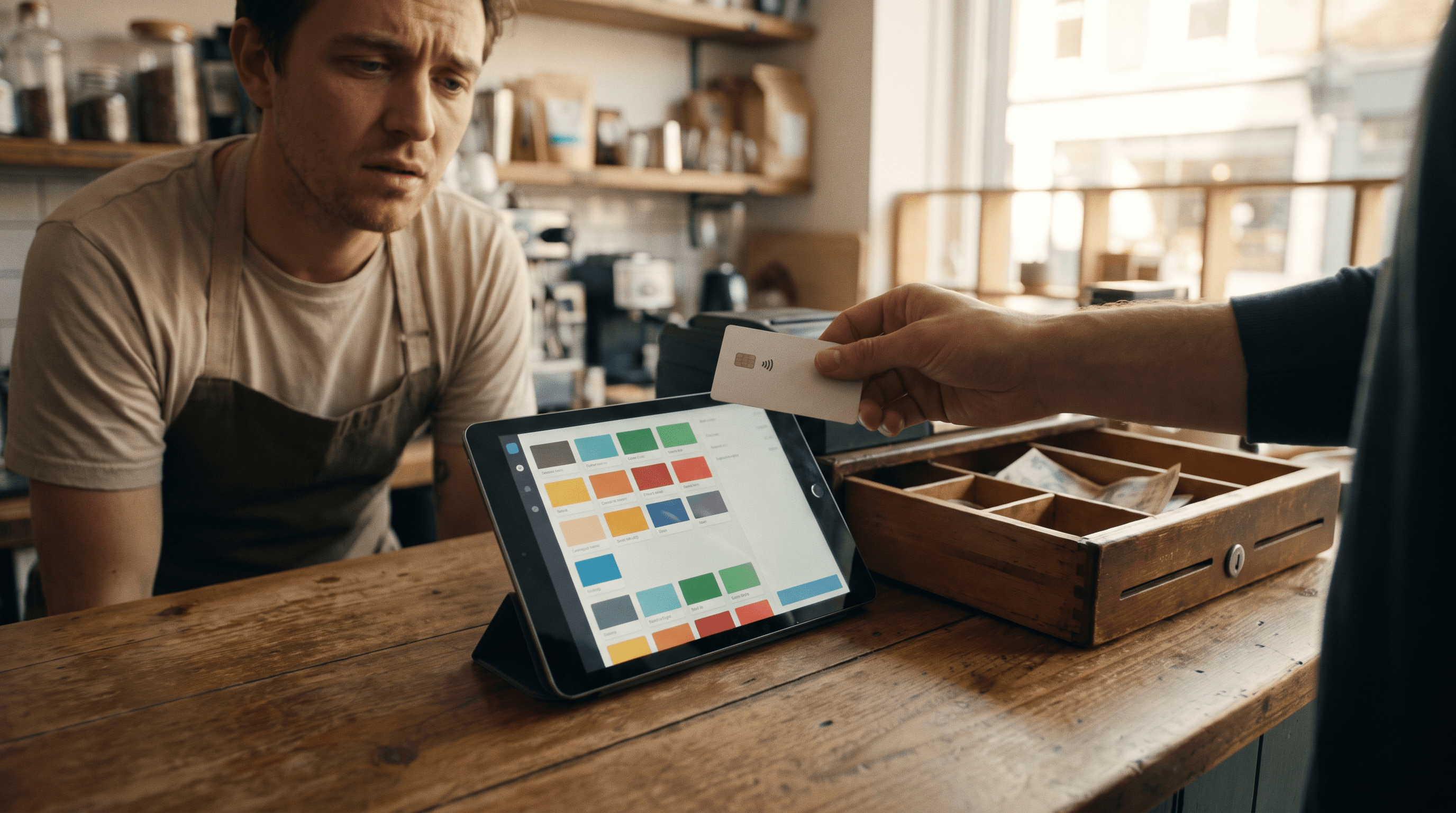
A $40 AI POS app will ring up a cash sale on day one. It will not take a credit card, and no setting inside it will fix that. Card payments need a merchant account, a payment processor that approves your business, certified hardware, and PCI compliance (the security rules for handling card data). None of that comes with a $40 download.
We didn't buy one, and we're not naming any, because we don't want to send you to one. What follows is the scenario, step by step, based on how these apps are built and what card payments actually require. If you've been tempted by one, this is roughly how the first week goes.
What does a $40 AI POS app actually give you?
A checkout screen, and usually a good-looking one. Product tiles, a cart, a running total, a discount button, maybe a receipt layout. These apps are generated from a written description, so they come together fast. Screens are the part AI is good at, and we've covered how far that goes in vibe coding a point of sale.
Install it on a tablet, add your products, and it feels like you just saved a few thousand dollars.
Does it work for cash sales?
Mostly, yes. A cash sale is the simplest thing a POS does: add items, show a total, enter the cash received, show the change. No outside system has to agree with the app. Ring up a coffee and a muffin, take a $20, hand back the change. It works.
The cracks in cash mode are smaller and slower to show. Tax rates you typed in yourself. A sales report that may or may not match the drawer at close. Stock counts that drift when two staff sell the last item at the same moment. Annoying, but survivable for a week.

Why can't an AI POS app accept card payments?
Because a card payment isn't something an app does by itself. It's an agreement between your business, a bank, the card networks and a payment processor (the company that actually moves the money). The app is just the screen where it starts.
Before your first tap or chip payment, someone has to:
Open a merchant account. A payment provider reviews your business, the owner's identity and what you sell before it lets you take cards. That review runs on their clock, not yours.
Connect the app to that provider. A developer has to integrate a payment SDK (the toolkit that links software to a processor) and handle declines, refunds and partial payments correctly.
Get certified hardware. A card reader that talks to real card networks goes through EMV certification (the chip-and-tap standard), and organizations routinely spend many months on a single certification¹.
Stay PCI compliant. On a validated provider, a small merchant's self-assessment runs about $50 to $200. A business that handles card data itself can face an onsite audit of around $40,000².
The $40 app did none of that. In our scenario the Card button is just a button. Tap it and nothing reaches a bank.

Can you add card payments to it yourself?
Technically, yes. Practically, it's a different project. Developer platforms do let custom apps connect to card readers, but someone still has to write and test that integration, pass the provider's approval, and keep it working every time the app or the reader updates. The $40 you saved turns into developer hours, and the app you bought becomes the cheapest part of the build.
We broke down where that money goes in what still costs the same to launch a POS, and what's missing once the screens are done in building a POS with Lovable or Replit.
The obvious workaround: run cards on a separate terminal and use the app for everything else. That works, but now you have two systems that don't talk to each other. Every card sale gets keyed in twice, and your sales report is wrong unless you reconcile (match up the two sets of numbers) every night.
What does a POS need underneath it to take cards?
Payments built in at the foundation, not bolted on later. The merchant account, the processor, the compliance and the hardware have to exist before the first screen is designed. Get that order wrong and you get the $40 app. What AI gets wrong when designing a checkout covers the money-math side of the same problem.
This is the gap Final was built to close. Final is the only POS you can build by describing it that takes card payments with no developer and no integration work. You describe the checkout you want in Flow Studio, and it runs on Final Pay: PCI-compliant processing through a payment processor, on terminals supplied by Final or Tap to Pay on a supported phone. There's no monthly software subscription.
So, what happens when you buy a $40 AI POS app?
You get a nice-looking cash register. Cash sales work, the screens look great, and the first customer who pulls out a card ends the experiment. Card payments were never an app feature. They're an approved merchant account, certified hardware and compliance, and none of that ships for $40.
Rule of thumb: before you buy any POS, ring up a $1 card sale on it. If it can't do that on day one, you're buying a design, not a point of sale.
If you want to see how a checkout works when the payments are already handled, start with what makes Final different.
Frequently asked questions
Can an AI POS app take credit card payments?
Not on its own. Card payments need an approved merchant account, a payment processor, certified card hardware and PCI compliance. A generated app only provides the screen where the payment starts.
Is a cheap AI POS app good enough for a cash-only business?
It can ring up cash sales, so a very small cash-only seller may get by. Check the tax rates, end-of-day totals and inventory counts by hand, because nothing outside the app is verifying them.
What do you need to accept card payments at a POS?
A merchant account approved by a payment provider, a payment processor to move the money, a certified card reader or Tap to Pay on a supported phone, and PCI compliance (the security rules for handling card data).
Can I use a separate card terminal with an AI POS app?
Yes, but you end up with two systems that do not talk to each other. Every card sale gets entered twice, and your sales report is only accurate if you reconcile the two every night.
How much does PCI compliance cost a small merchant?
On a validated payment provider, a small merchant's self-assessment questionnaire typically costs $50 to $200. A business that handles card data itself can face an onsite audit of around $40,000.