



How to Improve Your Self-Checkout with Final POS
Outdated self-checkout software causes delays and poor experiences. Learn how Final POS helps retailers build custom, branded, and faster checkout kiosks.
 Mathias NielsenCEO, Final POS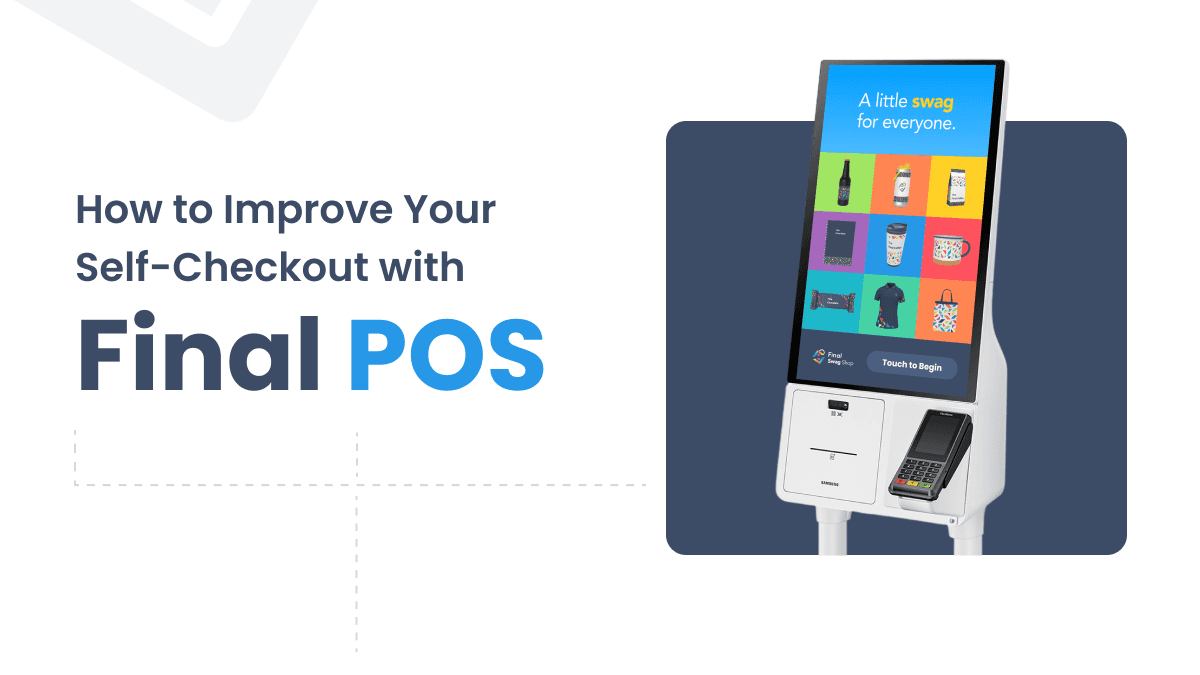
Customers expect frictionless, fast, and intuitive checkout flows, and can you blame them? That expectation applies to self-checkout stations too. While self-checkout is meant to reduce friction and speed up the process, that’s not always how it plays out. But for many retailers, outdated POS software gets in the way, causing delays, confusion, and missed opportunities. If your self-checkout feels more like a bottleneck than a benefit, it’s time to rethink the experience.
In this post, we’ll explore how you can improve your retail self-checkout system using Final POS. Final gives retailers the infrastructure to build custom self-checkout kiosks, modular checkout flows, and fully branded UX, without the rigidity of traditional systems.
What Is Self-Checkout and Why Does It Matter?
A self‑checkout system is a point‑of‑sale setup that allows customers to scan, pay for, and bag their own items without direct assistance from store staff. Typically, these systems are built as standalone kiosks or tablets positioned near store exits or integrated into existing checkout areas.
Self-checkout is designed to simplify in-store shopping by providing shoppers with greater control and speeding up the checkout process. Rather than waiting in line for a cashier, customers can complete their transactions on their own. Especially useful for quick purchases, small baskets, or returning customers who already know the flow.
Why More Retailers Are Investing in Self-Checkout POS
Retail self-checkout systems are essential for a lot of different things, and here’s why more and more stores are embracing self‑checkout technology:
Meet rising customer expectations for speed, control, and autonomy
Handle more customers during peak hours without increasing staffing
Reduce pressure on in‑store staff, allowing them to focus on service, not scanning
Cut operational costs by needing fewer full‑time cashiers
Improve customer experience by eliminating long waits and slow lines
Capture valuable in‑store behavior data to inform merchandising, layout, and staffing decisions
When done right, self‑checkout helps retailers create smoother experiences for shoppers and streamline their own operations.
Common Challenges with Traditional Self-Checkout Systems
The concept sounds simple, but the execution is where many retail stores run into trouble. From slow interfaces, poor UX, or disconnected branding, self‑checkout systems can easily become more frustrating than helpful. Let’s be honest: most self-checkout systems feel like they’re stuck in 2010.
If your current self‑checkout setup feels more like a burden than a benefit, you're not alone. Here are the top issues with outdated self-checkout systems:
Slow and rigid flows - Long lines caused by outdated kiosk performance and inflexible logic
Confusing user interfaces - Poor UX that leads to hesitation, errors, or abandoned purchases
No brand consistency - Generic kiosks with zero visual connection to your store
Limited payment options - Can't support modern or custom payment methods
No real-time visibility - Missing data insights and no easy way to push updates
5 Ways Final POS Improves the Retail Checkout Experience
If all of the above sounds familiar, it might be time to check out a smarter, more adaptable solution. With Final POS, you can ditch the annoying self-checkout software and embrace a custom self-checkout experience that’s quick, user-friendly, and perfectly aligned with your brand.
These are five ways in which our modular POS system turns checkout into a competitive edge:
1. Build custom checkout flows with our drag-and-drop POS builder
Design the checkout experience that fits your store, step by step. With Final Builder, you can drag and drop your own personalized flow, add custom logic, and create a layout that feels intuitive for your customers.
This can guide customers to buy more and it also solves common UX issues like customer hesitation, checkout errors, or abandoned purchases caused by rigid, one-size-fits-all flows.
Read more about custom kiosk POS features that simplify operations.
2. Create a fully branded self-checkout kiosk
Every interaction with your self-checkout POS is a chance to make a lasting impression. That’s why consistent, professional POS branding matters because it builds trust and reinforces your store’s identity.
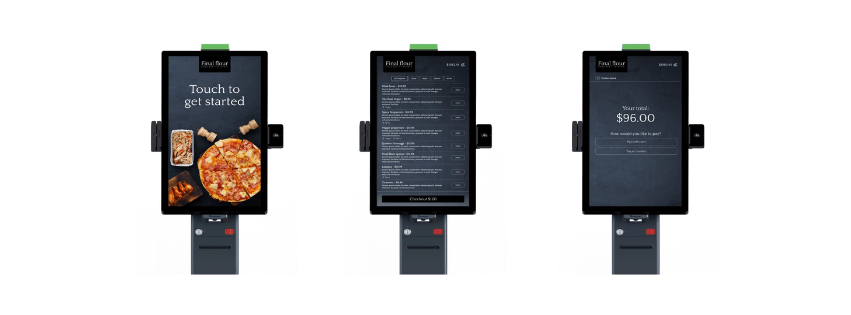
With Final POS, you can fully customize the entire checkout across all locations. From the welcome screen to the receipt, every element is yours to design with logos, colors, fonts, button styles, and even tone of voice.
Whether on a tablet or kiosk, your branded checkout kiosk becomes a seamless extension of your brand, improving the overall retail checkout journey and helping customers feel confident and connected at every step.
3. Make real‑time updates
With Final Builder and Final Manage, you can push updates to every checkout kiosk instantly. Whether it’s a pricing change, a new promotion, or a flow adjustment, everything updates in real time across all locations, no need to restart or reinstall anything.
This is especially powerful for retailers managing multiple stores, where consistency and speed are key.
4. Offer flexible payment options
In modern retail stores, payment flexibility is non-negotiable. Customers expect fast, secure, and convenient ways to pay, whether it's by tapping their phone or using a loyalty gift card. That’s why your retail checkout system should adapt to them, not the other way around.
Final POS lets you accept and customize a full range of payment types, designed to fit both your customer flow and business model:
Tap to Pay
Mobile Wallets
Cash Payments
Custom Payment Types
Read more about payment flexibility with Final here.
5. Get real-time data and reporting
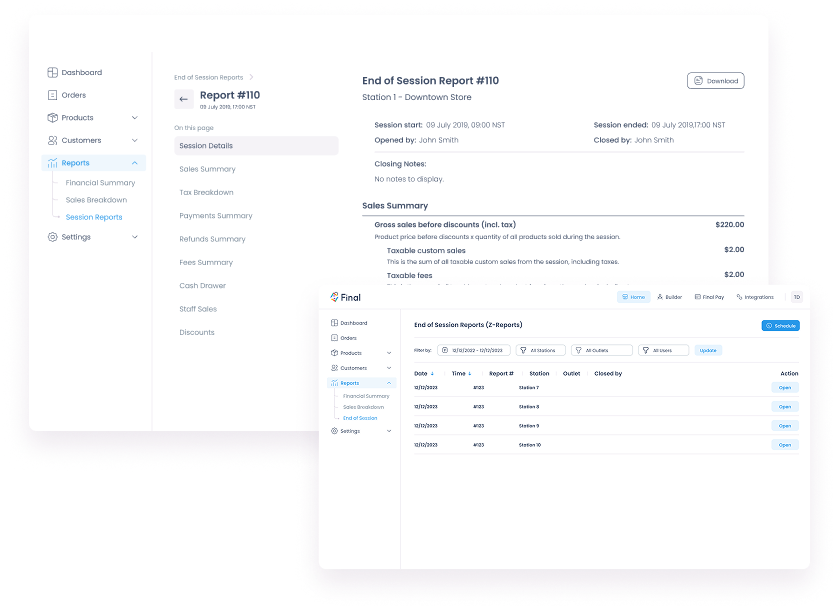
You can’t improve what you can’t measure. That’s why real-time reporting is essential if you want to make smarter operational decisions. And what better way to do it than with analytics built directly into your self-checkout POS.
With Final POS, you get instant access to the metrics that matter most: transaction speed, top-selling products, drop-off rates, payment types, and more. These insights help you:
Spot slowdowns in your self-checkout POS flow
Make better staffing and inventory management decisions
Identify buying patterns and optimize your layout
Compare performance across multiple locations
Read more about Final POS report types here.
Bonus: White-Label Capabilities for Partners
Are you a POS reseller, agency, or technology partner? With Final POS, you can deliver modular checkout systems, fully branded as your own. From kiosk UI to management tools, Final supports full white-label deployment, so you can offer a powerful solution without the heavy lifting.
You get a complete modular POS system, your clients get seamless branded kiosk experiences, and we handle the infrastructure behind the scenes.
Key Retailer Benefits
As a quick recap of the five points above, here’s how Final POS helps retailers take self-checkout to the next level. These are the top benefits of using a modular, customizable self-checkout POS in your stores:
Reduce wait times - Faster flows and responsive kiosks mean more checkouts in less time and happier shoppers.
Improve customer service and satisfaction - a seamless, user-friendly interface that makes the checkout process feel like a breeze, ultimately fostering loyalty.
Maintain full brand consistency - Every touchpoint is a chance to reinforce your identity and strengthen brand identity.
Adapt fast with real-time updates - Launch promos, update flows, or adjust pricing instantly across all locations.
Free up staff for higher-value tasks - Let employees focus on service, not scanning, to give a better in‑store engagement
Gain insights to grow smarter - Make data-driven decisions with built-in reporting and analytics.
How Do I Build a Branded Self‑Checkout POS?
Building a branded self‑checkout system might sound complex, but with Final POS, it’s simple. You’re not locked into rigid templates or third-party branding—you’re in full control from day one.
This is how to start:
Choose hardware: Kiosk, tablet, or hybrid.
Start with Final Builder: Use the drag‑and‑drop checkout builder to create a flow that fits your store’s unique needs, whether it's a quick-sale kiosk or a detailed multi-step checkout.
Customize the design: Match the self-checkout interface to your store’s look and feel. Add logo, typography, color palette, kiosk layout, CTA buttons, and even the payment icons for a fully branded checkout kiosk.
Set payment options and logic: Choose from tap to pay, mobile wallets, Bluetooth, or custom payment types.
Choose Your Payment Methods - Add Tap to Pay, mobile wallets, cash, or custom payment types that match your store operations or compliance needs.
Go live
Industry Use Cases
Different industries have different goals, whether it's reducing queue times, improving brand experience, or freeing up staff during peak hours. Here’s how self-checkout works across two common retail sectors:
Grocery and Convenience Stores
In busy environments like a grocery store, speed and efficiency really matter. Self-checkout systems help cut down on wait times, handle peak hours more smoothly, and give customers the freedom to make quick purchases on their own.
Fast scanning and payment flows
Small-footprint kiosks that fit tight spaces
Reduced staff pressure during peak hours
Better handling of small basket sizes
Apparel and Fashion Retail
In the world of fashion and lifestyle retail, creating a memorable experience is key. Self-checkout systems can really elevate the in-store experience by offering seamless, visually appealing interactions that align perfectly with the store's vibe.
Branded kiosks that reinforce identity
Options for gift cards, loyalty discounts, and promotions
Faster checkout time without compromising on service
Upsell opportunities through screen content
Say Goodbye to Outdated Self-Checkout
Many self-checkout systems today still feel clunky, generic, and outdated, causing long lines, poor user experiences, and missed opportunities. In this post, we looked at how Final POS changes that by giving retailers full control to build faster, branded, and more intuitive checkout flows. From drag-and-drop customization and real-time updates to flexible payment options and built-in analytics, Final POS is designed to meet modern retail demands.
If your current setup feels more like a bottleneck than a benefit, it might be time for a smarter self-checkout experience. Final POS gives you the tools to make that happen, on your terms!
Frequently asked questions
What are the benefits of custom self‑checkout kiosks?
They allow you to tailor the UX, branding, and payment options to your specific store needs, unlike off-the-shelf terminals.
How do I build a branded self‑checkout system?
Use Final POS to brand screens, drag and drop your flow, and deploy on any approved hardware.
What is the best custom POS for retail self‑checkout?
For retailers who want flexibility, branding, and modularity, Final POS stands out as a top-tier solution.
How can retailers reduce checkout wait times?
Adopt a fast, intuitive self‑checkout POS like Final POS, optimize flow screens, and enable multiple payment methods.