



Pop-Up Retail: Tech That Fits in a Backpack
The whole pop-up tech stack fits in a backpack: a phone, an optional pocket card reader, and POS software that only bills when you sell. Here is the kit, item by item, and the pricing trap that catches seasonal sellers.
 Mathias NielsenCEO, Final POS
The entire pop-up retail tech stack fits in a backpack: a phone or tablet, an optional card reader the size of a deck of cards, a battery pack, and point-of-sale software that runs in an app or a browser. That is the whole kit. The hard part is no longer the gear; it is choosing software whose costs match a shop that only exists some weekends.
How big is pop-up retail, really?
Big enough to stop treating it as a hobby economy. Temporary retail, the umbrella that covers pop-up shops, market stalls, and food trucks, generates about $80 billion a year in the US, with projections above $95 billion for 2026¹. A typical pop-up runs for 3 to 14 days, 44% cost under $5,000 to open, and 80% of retailers who have run one call it a success².
That short lifespan is the defining constraint. A shop that exists for ten days cannot amortize (spread the cost of) heavy equipment or long contracts the way a permanent store can. Every piece of tech has to earn its place in the bag.

What belongs in the backpack?
Five things, and you probably own the expensive one already.
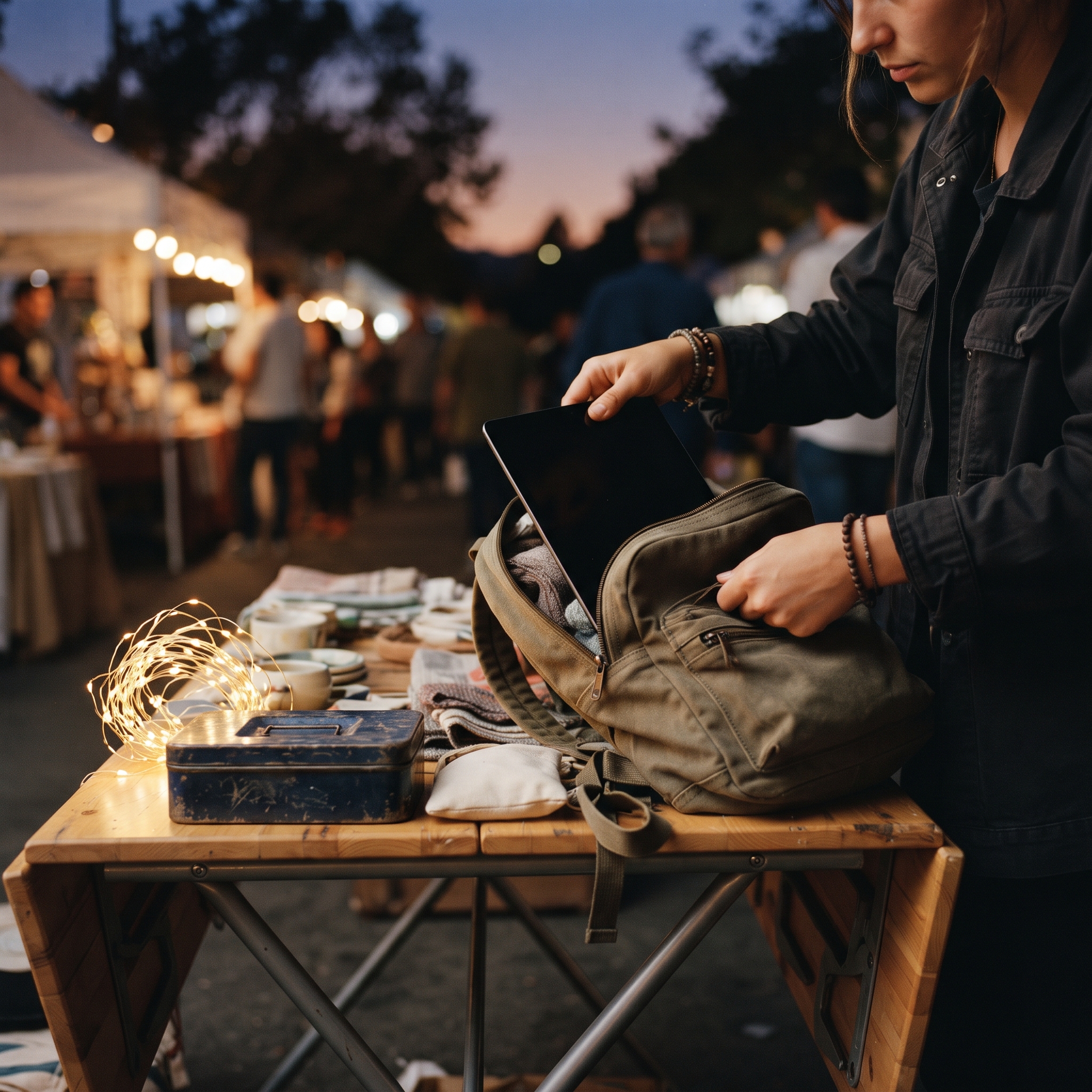
The till: a phone or tablet running POS software as an app or in a browser. No counter, no fixed terminal, no installation.
Payments: Tap to Pay turns the same phone into a contactless reader, so you can launch with zero extra hardware. A pocket Bluetooth reader is a worthwhile upgrade for chip cards and busy queues.
Power: a battery pack. Outlets are never where your booth is.
Receipts: email and text cover almost everyone. Pack a battery receipt printer only if your trade actually asks for paper.
Connectivity: your phone's data plan or a hotspot. Treat venue Wi-Fi as a bonus, and learn how your POS behaves offline before the event, not during it.
Cards are not optional at any of this: debit and credit together account for two-thirds of all payments US consumers make³. Keep the cash tin too, though. Four out of five consumers used cash in the past 30 days⁴, and a market crowd skews toward it.
Why does a monthly subscription hurt a ten-day shop?
Because the bill does not know the shop is closed. Retail POS subscriptions commonly run $60 to $100 or more per month per location, based on published pricing from major POS vendors. A permanent store spreads that across a full month of trading. A pop-up open for ten days spreads it across ten. A seasonal seller who trades in June, July, and December but keeps the account alive year-round pays for nine dark months.
The fair objection: processing fees apply under either model, and nobody escapes them. True. The difference is the fixed fee. On a per-transaction model, where the software itself costs nothing monthly and you pay only a percentage when a card is tapped, the software bill in the months your shop does not exist is zero. Compare total cost across your actual trading calendar, not the headline rate on a pricing page.
How do you set up before event day?
At home, not at the venue. Build your product catalog in advance and lean on a custom sale (a name and price typed at the till) for one-off items. Run a full test checkout at the kitchen table. Charge the phone, the reader, and the battery pack the night before, because the first hour of a pop-up is the worst possible time to debug anything.
If you are moving off a cash tin for the first time, you do not have to switch in one weekend; there is a staged migration path from cash box to POS that keeps cash working the whole way through. And the tech is only half the checkout: booth layout and queue flow decide how many people actually reach it, which is why a bad farmers market setup quietly costs sales.
One more pre-event check for merchants who already run a permanent store: confirm your existing system can travel. Many countertop systems cannot, and a POS that ties you to the counter is one of the signs you have outgrown an off-the-shelf POS.
This intermittent pattern is exactly what Final's pricing model was built for: no monthly software fee, per-transaction processing through Final Pay, and a till that is whatever phone, tablet, or browser you already own. The details are in the guide to how Final POS pricing works.
So, what does pop-up retail tech actually require?
A phone you already own, a way to take cards, a battery pack, and software billed the way you trade. The market is worth $80 billion and the entry kit fits in a backpack, which makes the software decision, not the hardware, the one that deserves your attention. The rule of thumb: if the shop only exists some weekends, the software bill should only exist when the shop does. When the gear is sorted, the next gains come from tuning the checkout experience itself.
Frequently asked questions
Do I need a card reader to run a pop-up shop?
Not necessarily. Tap to Pay turns a supported phone into a contactless card reader, so many pop-ups launch with no reader at all. A pocket Bluetooth reader is worth adding if you want chip cards or a dedicated payment device at a busy stall.
What internet connection does a pop-up POS need?
Plan around your phone's data connection or a hotspot, and treat venue Wi-Fi as a bonus rather than a plan. Check how your POS behaves when the connection drops before the event, not during it.
How much does the tech for a pop-up shop cost?
If you already own a phone or tablet, potentially nothing upfront. POS software on a per-transaction model has no monthly fee, so the only fixed purchase is a card reader if you choose to carry one.
Should a pop-up shop still accept cash?
Yes. Four out of five US consumers used cash in the last 30 days, per the Federal Reserve's 2026 Diary of Consumer Payment Choice. Take cards for the majority and keep the cash tin for the rest.
Do I keep my sales data after the pop-up closes?
With a cloud-based POS, yes. Every sale stays in your reports after pack-down, which turns each event into market research for the next one: what sold, at what hour, and at what price.